9
ENGLISH
Switches
CAUTION: Hold the auxiliary handle and body of the
tool firmly to maintain control of the tool at start‑up and
during use and until the wheel or accessory stops rotating.
Make sure the wheel has come to a complete stop be fore
laying the tooldown.
NOTE: To reduce unexpected tool movement, do not
switch the tool on or off while under load conditions. Allow
the grinder to run up to full speed before touching the work
surface. Lift the tool from the surface before turning the tool
off. Allow the tool to stop rotating before putting itdown.
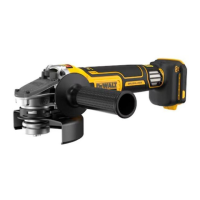
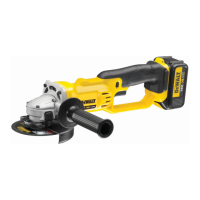
Slider Switch (Fig.A)
DCG411VS
WARNING: Before connecting the tool to a power supply,
be sure the slider switch is in the off position. Ensure the
slider switch is in the off position after any interruption
in power supply to the tool, such as the activation of a
ground fault interrupter, throwing of a circuit breaker,
accidental unplugging, or power failure. If the slider
switch is locked on when the power is connected, the tool
will startunexpectedly.
To start the tool, slide the ON/OFF slide switch
2
toward
the front of the tool. To stop the tool, release the ON/OFF
sliderswitch.
For continuous operation, slide the switch toward the front
of the tool and press the forward part of the switch inward.
To stop the tool while operating in continuous mode, press
the rear part of the slider switch andrelease.
Paddle Switch (Fig.A)
DCG410VS
WARNING: Before connecting the tool to a power supply,
be sure the paddle switch is in the off position by pressing the
rear part of the switch and releasing. Ensure the paddle switch
is in the off position as described above after any interruption
in power supply to the tool, such as the activation of a ground
fault interrupter, throwing of a circuit breaker, accidental
unplugging, or power failure. If the paddle switch is locked on
when the power is connected, the tool will startunexpectedly.
1. To turn the tool on, push the lock‑off lever
3
toward the
back of the tool, then depress the paddle switch
1
. The tool
will run while the switch isdepressed.
2. Turn the tool off by releasing the paddleswitch.
Proper Hand Position (Fig.I)
WARNING: To reduce the risk of serious personal injury,
ALWAYS use proper hand position as shown.
WARNING: To reduce the risk of serious personal injury,
ALWAYS hold securely in anticipation of a suddenreaction.
Proper hand position requires one hand on the main
handle
24
and the other hand on the auxiliary handle
6
, as
shown in Fig.I.
Variable Speed Dial (Fig.J)
WARNING: Rated speed of accessory must be at least
equal to the maximum speed marked on the power tool.
The variable speed dial
11
offers added tool control and
enables the tool to be used at optimum conditions to suit
the application.
• Turn the variable speed dial
11
to the desired level.
Turn the dial upward for higher speed and downward for
lowerspeed.
Spindle Lock (Fig.K)
The spindle lock button
4
is provided to prevent the
spindle from rotating when installing or removing wheels.
Operate the spindle lock only when the tool is turned off,
the battery is removed and the spindle has come to a
completestop.
NOTICE: To reduce the risk of damage to the tool, do not
engage the spindle lock while the tool is operating. Damage
to the tool will result and attached accessory may spin off,
possibly resulting ininjury.
To engage the lock, depress the spindle lock button
and rotate the spindle until you are unable to rotate the
spindlefurther.
Surface Grinding, Sanding and Wire Brushing
(Fig.L)
CAUTION: Always use the correct guard per the
instructions in thismanual.
To perform work on the surface of a workpiece:
1. Allow the tool to reach full speed before touching the
tool to the worksurface.
2. Apply minimum pressure to the work surface, allowing
the tool to operate at high speed. Material removal rate is
greatest when the tool operates at highspeed.
3. Maintain an appropriate angle between the tool
and work surface. Refer to the chart according to
particularfunction.
Function Angle
Grinding 20˚-30˚
Sanding with Flap Disc 5˚-10˚
Sanding with Backing Pad 5˚-15˚
Wire Brushing 5˚-10˚
4. Maintain contact between the edge of the wheel and
the worksurface.
‑ If grinding, sanding with flap discs, or wire brushing,
move the tool continuously in a forward and back motion to
avoid creating gouges in the worksurface.
‑ If sanding with a backing pad, move the tool constantly
in a straight line to prevent burning and swirling of
worksurface.
NOTE: Allowing the tool to rest on the work surface without
moving will damage theworkpiece.
5. Remove the tool from work surface before turning tool
off. Allow the tool to stop rotating before laying itdown.
CAUTION: Use extra care when working over an edge, as
a sudden sharp movement of grinder may beexperienced.
Precautions To Take When Working on a
Painted Workpiece
1. Sanding or wire brushing of lead‑based paint is NOT
RECOMMENDED due to the difficulty of controlling the
contaminated dust. The greatest danger of lead poisoning is
to children and pregnantwomen.
2. Since it is difficult to identify whether or not a paint
contains lead without a chemical analysis, we recommend
the following precautions when sanding any paint:
Personal Safety
1. No children or pregnant women should enter the work
area where the paint sanding or wire brushing is being
done until all clean‑up iscompleted.


 To Next Page
 Loading...