Step 2: Use Applicator to Insert
Built-in Sensor
A Take applicator with
built-in sensor out of
sensor box
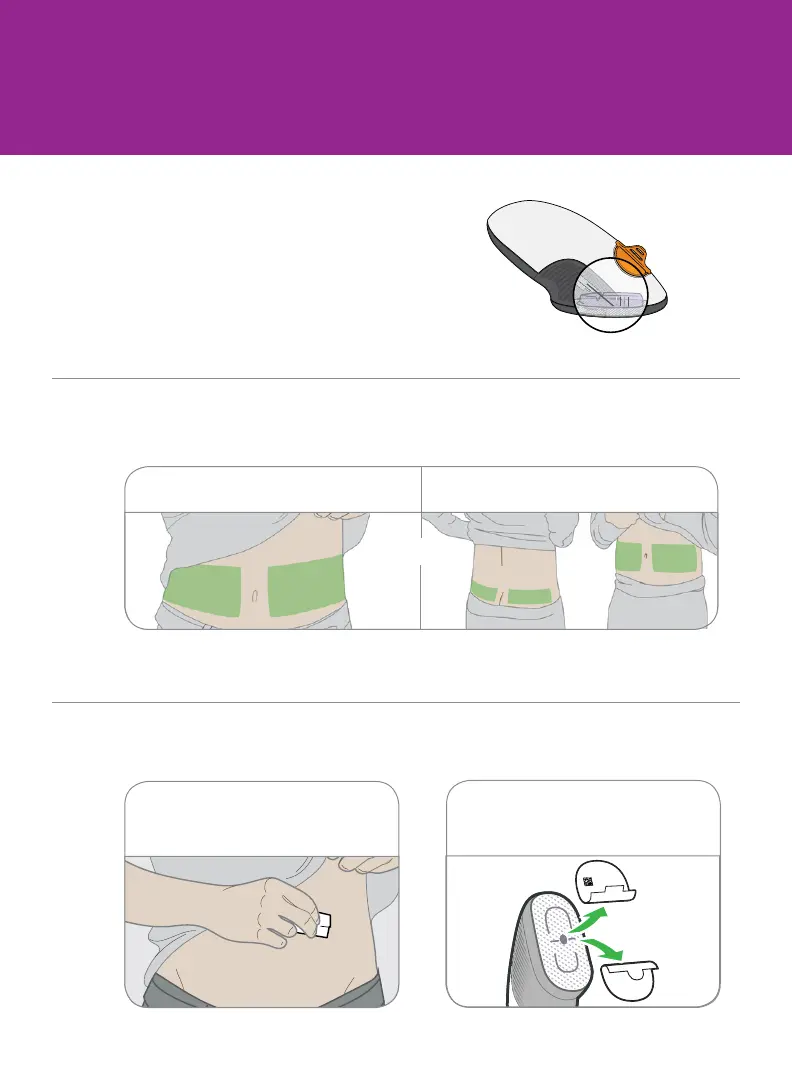
B Pick sensor site
C Use applicator to insert built-in sensor
2 Peel off adhesive backings.
Do not touch adhesive.
1 Wash and dry hands. Clean
sensor site with alcohol wipe.
Avoid bones, irritated skin, tattoos, and areas that get bumped.
18 years and older 2-17 years
or
Gather materials: applicator (with code
you just entered), transmitter, and wipes.



 To Next Page