MANUALLY ENDING A SESSION
To intentionallyendaSevenSensorsessionearly:
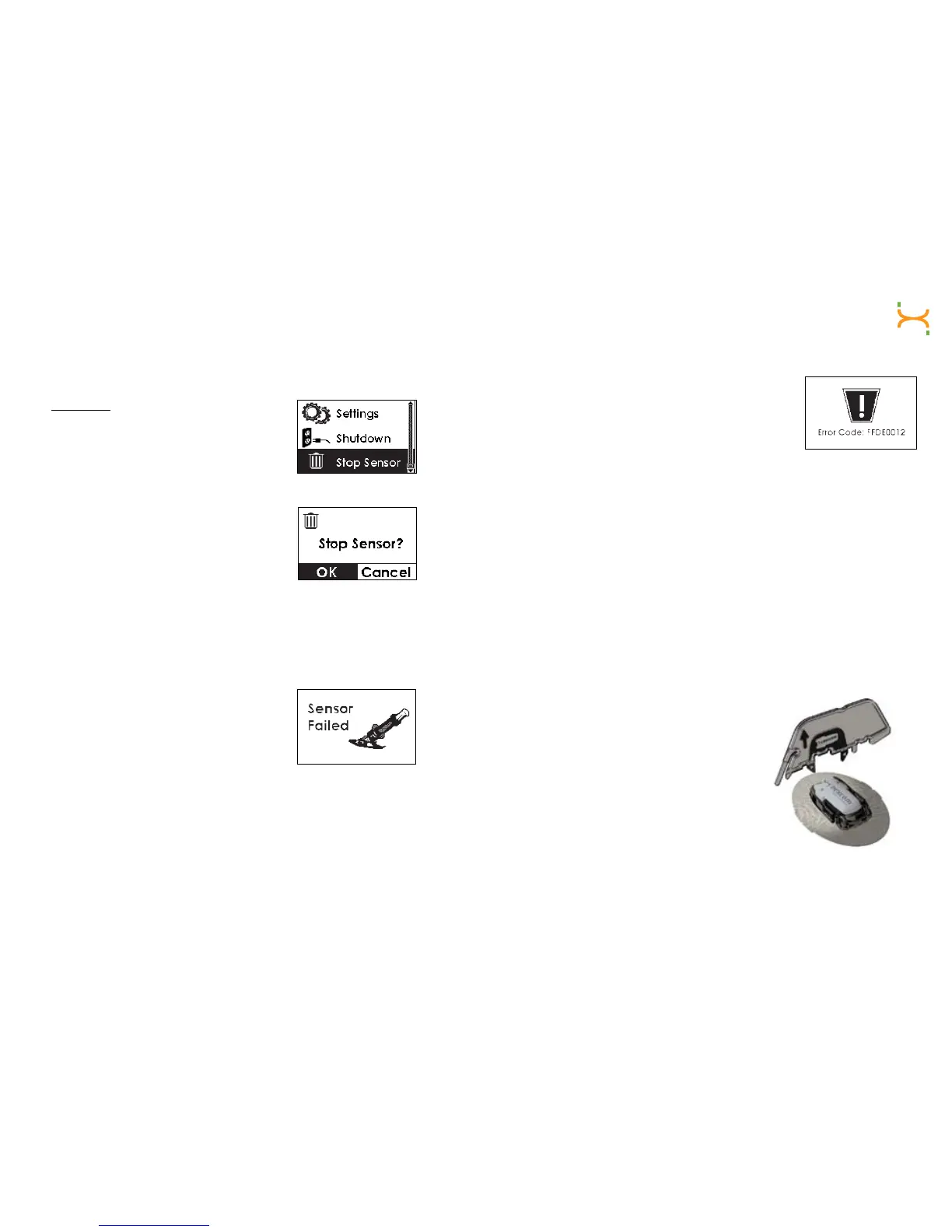
1. Select the “Stop Sensor” Menu.
2. Press the OK button to indicate that you want
to stop the Sensor.
3. Press the OK button again to Stop the
Sensor, or press the C button if you do not
want to stop.
4. Your Receiver will no longer record glucose readings and you can
remove your Sensor. A gray box will appear in the Status Box.
EARLY SENSOR SHUTOFF
You may see the Failed Sensor Screen during
your continuous glucose monitoring session.
If the screen to the right appears, the
TransmitterhasnotiedtheReceiverthatthe
Sensor is no longer working. A gray box will
appear in the Status Box.
Remove the Sensor and insert a new one. The Failed Sensor Screen can
appear during the Start-Up period or at any time after calibration.
ERROR CODE
The Error Code indicates the Receiver is not
working properly.
Note the Error Code displayed, and
contact DexCom Technical Support
at 1-888-SEVENGO (738-3646).
REMOVING THE SENSOR/ TRANSMITTER
Remove the Sensor Pod by gently peeling up the adhesive patch from the
skin and pulling out the Sensor Probe. Make sure the Transmitter is still
inside the Sensor Pod.
Once the Sensor is off your body, you will need to remove the Transmitter
from the Sensor Pod. Follow either of the two methods below to remove
the Transmitter.
Method 1 requires you to use the Safety Lock/Transmitter Key once
removed from the Applicator. Method 2 allows you to remove the
Transmitterwithyourngers.AfteryouremovetheTransmitter,storeitin
a cool, dry place until your next glucose monitoring session.
Method 1:
1. PlacetheSensorPodonaatsurface.
Hold the rounded edge of the Transmitter
Key. Make sure the jagged edge of the
Transmitter Key is facing down away from
theremovalarrowasshowntotheright:



 To Next Page