EasyManua.ls Logo

Dexter Laundry C-Series - User Manual

Dexter Laundry C-Series
80 pages
Print Icon
To Next Page IconTo Next Page
Loading...
8514-234-001 REV N page 1
– Do not store or use gasoline or other flammable vapors and
liquids in the vicinity of this or any other appliance.
– WHAT TO DO IF YOU SMELL GAS
• Do not try to light any appliance.
• Do not touch any electrical switch; do not use any phone
in your building.
• Clear the room, building or area of all occupants.
• Immediately call your gas supplier from a neighbor’s
phone. Follow the gas supplier’s instructions.
• If you cannot reach your gas supplier, call the fire
department.
– Installation and service must be performed by a qualified
installer, service agency or the gas supplier.
– Ne pas entreposer ni utiliser d'essence ni d'autres vapeurs
ou liquides inflammables dans le voisinage de cet appareil ou de
tout autre appareil.
– QUE FAIRE SI VOUS SENTEZ UNE ODEUR DE GAZ:
• Ne pas tenter d'allumer d'appareil.
• Ne touchez à aucun interrupteur. Ne pas vous servir des
téléphones se trouvant dans le bâtiment où vous vous
trouvez.
• Évacuez la pièce, le bâtiment ou la zone.
• Appelez immédiatement votre fournisseur de gaz depuis
un voisin. Suivez les instructions du fournisseur.
• Si vous ne pouvez rejoindre le fournisseur de gaz,
appelez le service des incendies.
– L'installation et l'entretien doivent être assurés par un
installateur ou un service d'entretien qualifié ou par le
fournisseur de gaz.
POUR VOTRE SÉCURITÉ
Ne pas enteposer ni utiliser d'essence ni d'autres
vapeurs ou liquides inflammables dans le voisinage
de cet appareil ou de tout autre appareil.
You, the purchaser, must post in a prominent location
instructions to be followed in the event the user smells
gas. Consult your local gas supplier for procedure to
be followed if the odor of gas is present.
AVERTISSEMENT: Assurez-vous de bien suivre
les instructions données dans cette notice pour
réduire au minimum le risque d'incendie ou
d'explosion ou pour éviter tout dommage matérial,
tout
e blessure ou la mort.
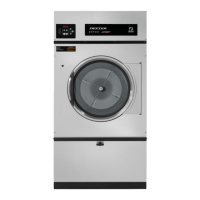
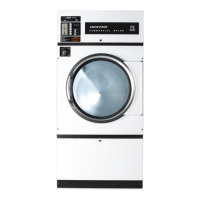
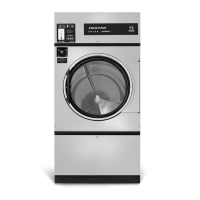
COMMERCIAL DRYER
MODEL T-30, T-50, T-80, T-120 VENDED
C-SERIES CONTROL, NATURAL GAS/LP HEATED
OPERATOR’S MANUAL
INSTALLATION & OPERATION INSTRUCTIONS
The dryer must not be stored or installed where it will be exposed to water and/or weather.
Post the following “For Your Safety” caution in a
prominent location:
It is important that you read this Manual and retain it
for future reference. For service or replacement parts,
contact the distributor in your area or the
manufacturer.
FOR YOUR SAFETY
THIS MACHINE IS FOR DRYING ONLY FABRICS CLEANED IN WATER.
To avoid possibility of fire, including spontaneous combustion, do not dry oiled floor mops, items containing
foam rubber or similarly textured rubberlike materials or any material on which you have used a cleaning
solvent or which contains flammable liquids or solids (such as petrol, kerosene, waxes, etc.)
Fabric
softeners, or similar products, should be used per the fabric softener instructions. Remove all objects from
pockets such as lighters and matches.
This appliance can be used by children aged from 8 years and above and persons with reduced physical, sensory
or mental capabilities or lack of experience and knowledge if they have been given supervision or instruction
concerning use of the appliance in a safe way and understand the hazards involved. Children shall not play with
the appliance. Cleaning and user maintenance shall not be made by children without supervision. Children of less
than 3 years should be kept away unless continuously supervised.
Dexter Laundry, Inc.
2211 West Grimes Avenue
Fairfield, Iowa 52556
WARNING:
FIRE OR EXPLOSION HAZARD
Failure to follow safety warnings exactly could
result in serious injury, death or property damage.
FOR YOUR SAFETY
Do not store or use gasoline or other flammable
vapors or liquids in the vicinity of this or any other
appliance.

Other manuals for Dexter Laundry C-Series

Questions and Answers

  • A
    Alexander PerrySep 12, 2025
    What to do if my Dexter Laundry Dryer displays 'TEMP SENSOR SHORT'?
    • N
      Nicholas GregorySep 12, 2025
      If your Dexter Laundry Dryer displays 'TEMP SENSOR SHORT', inspect the temperature probe wires. Ohm test the temperature probe; it should read 10K Ohms at room temperature.
  • D
    Donald FlynnSep 9, 2025
    What does 'Close Door' mean on my Dexter Laundry C-Series Dryer?
    • S
      sarahreynoldsSep 10, 2025
      The 'Close Door' message on your Dexter Laundry Dryer indicates that either the loading door or the lint compartment door circuit is not closed. Inspect the door switches and wiring. Also, check the lint door paddle to ensure it fully engages the lint door switch.
  • H
    hickssarahSep 8, 2025
    How to troubleshoot a 'Drive Overcurrent' error on my Dexter Laundry C-Series Dryer?
    • W
      wolfedeannaSep 8, 2025
      To troubleshoot a 'Drive Overcurrent' error on your Dexter Laundry Dryer: 1. Check that the dryer cylinder turns freely by hand. If it doesn't, remove the belt and see if the motor turns freely. If the motor doesn't turn freely, replace it. Check for obstructions in the cylinder or check the bearings. 2. Check the motor wires for a short circuit. Separate and insulate any touching conductors; splice broken wires or replace the motor. 3. Check braking resistors to ensure they measure the correct resistance. Replace any resistors that don't measure properly.
  • J
    James MillerSep 7, 2025
    What to do if my Dexter Laundry Dryer shows a 'Brown Out' error?
    • J
      Jeff GomezSep 7, 2025
      If your Dexter Laundry Dryer displays a 'Brown Out' error, test the incoming power to ensure the transformer is on the correct tap. Inspect the control board, and visually check resistor R185. If the resistor appears burnt, replace the control board after correcting the voltage issue to the machine.
  • J
    James WoodardAug 23, 2025
    Why is my Dexter Laundry C-Series taking so long to dry?
    • J
      jeremycookeAug 23, 2025
      Several factors can cause slow drying. Make sure the correct temperature setting is selected. Clean the lint screen. Ensure there are no air flow restrictions and that make-up air adheres to installation guidelines. Also, check the exhaust for any obstructions, following the installation guidelines.
  • S
    Stephen WhiteSep 5, 2025
    Why does my Dexter Laundry C-Series say 'Operation in Progress'?
    • J
      Jonathan BushSep 5, 2025
      The 'Operation in Progress' message on your Dexter Laundry Dryer indicates that the current drying cycle hasn't finished. The error will automatically disappear once the operation is complete.
  • J
    Joseph WillisSep 4, 2025
    What to do if the Dexter Laundry Dryer tumbler turns, but there is no burner flame?
    • V
      victoria54Sep 4, 2025
      If the tumbler of your Dexter Laundry Dryer turns, but there is no burner flame, check the following: * Ensure the gas shut-off valve is in the open position. * Follow the procedure for checking the ignition cycle listed in Dryer Ignition section of this manual.
  • D
    Dr. Linda BartlettSep 3, 2025
    How to fix a Dexter Laundry C-Series Dryer when the tumbler does not turn?
    • J
      johnmendezSep 3, 2025
      If the tumbler on your Dexter Laundry Dryer isn't turning, there are a few things you can check: * Make sure the loading door is completely closed. * Ensure the lint compartment door is also completely closed. * Inspect the drive belts for wear and replace them if needed. If these steps don't resolve the issue, it could be a Variable Frequency Drive Fault, and you should contact a Dexter agent for assistance.
  • A
    Adam ReedSep 2, 2025
    Why is my Dexter Laundry C-Series drying so slowly?
    • X
      xlopezSep 2, 2025
      If your Dexter Laundry Dryer is drying clothes slowly, there might be several reasons: * Ensure the correct temperature setting is selected. * Clean the lint screen. * Check for any obstructions in the exhaust and follow the installation guidelines. * Adhere to the installation guidelines for static back pressure and make-up air to resolve airflow restrictions.
  • R
    richard89Sep 1, 2025
    What to do if Dexter Laundry C-Series Dryer displays 'Temp Sensor Short' or 'Temp Sensor Open'?
    • B
      Brian LopezSep 1, 2025
      If the control displays a 'Temp Sensor Short' or 'Temp Sensor Open' error code, press the programming button to clear the error code. If the error code persists, contact a Dexter agent for assistance.

Dexter Laundry C-Series Specifications

General IconGeneral
Model SeriesC-Series
Drum MaterialStainless steel
Heat SourceElectric or Gas
Door StyleStandard or Reversible
Control TypeMicroprocessor
Exhaust OptionsSide
Door OptionsStandard or Reversible

Related product manuals