30
2
Hardware Installation
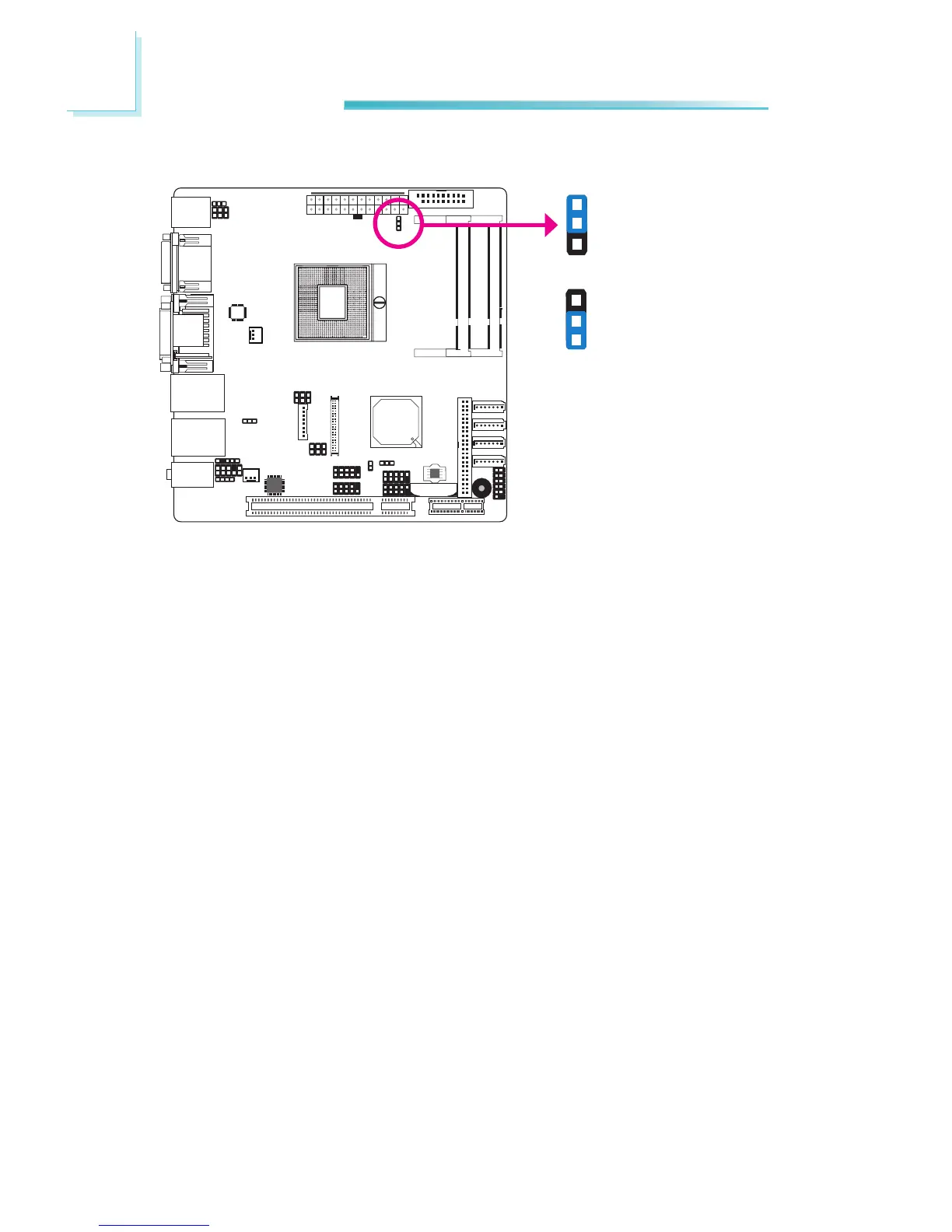
Power-on Select
JP6
To power-on via WOL after G3:
1. Set JP6 pins 2 and 3 to On.
2. Setthe“AfterG3”eldtoPower Off/WOL.
3. Set the “Wake On LAN From S5” to Enabled.
The BIOS elds are in the “South Bridge” submenu (Chipset menu) of the AMI
BIOSutility.
Topower-onviaACPower:
1. Set JP6 pins 2 and 3 to On.
2. Setthe“AfterG3”eldtoPower On.
1-2 On:
Power-onviapowerbutton
(default)
2-3 On:
Power-onviaACpower;
or
Power-on via WOL after G3
1
3
2
1
3
2



 To Next Page