132
5
Cool‘n’Quiet Technology
Step 3: Configure Power Management in Windows
1. On the Windows desktop, click Start then select Control Panel.
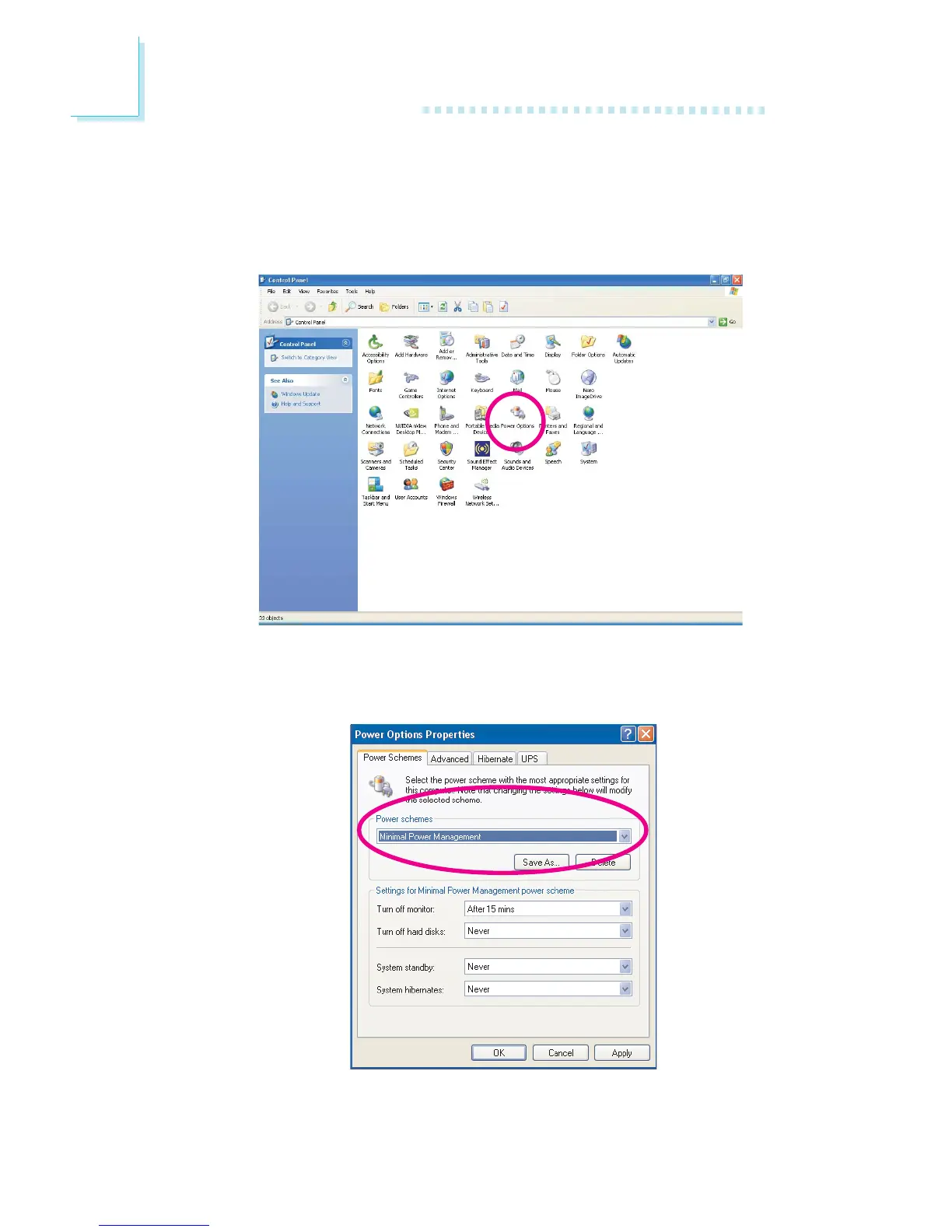
2. In Control Panel, double-click the Power Options icon.
3. In the Power Schemes tab, select Minimal Power Management
under the Power schemes section then click OK.



 To Next Page