A
Using the Suspend to RAM Function
103
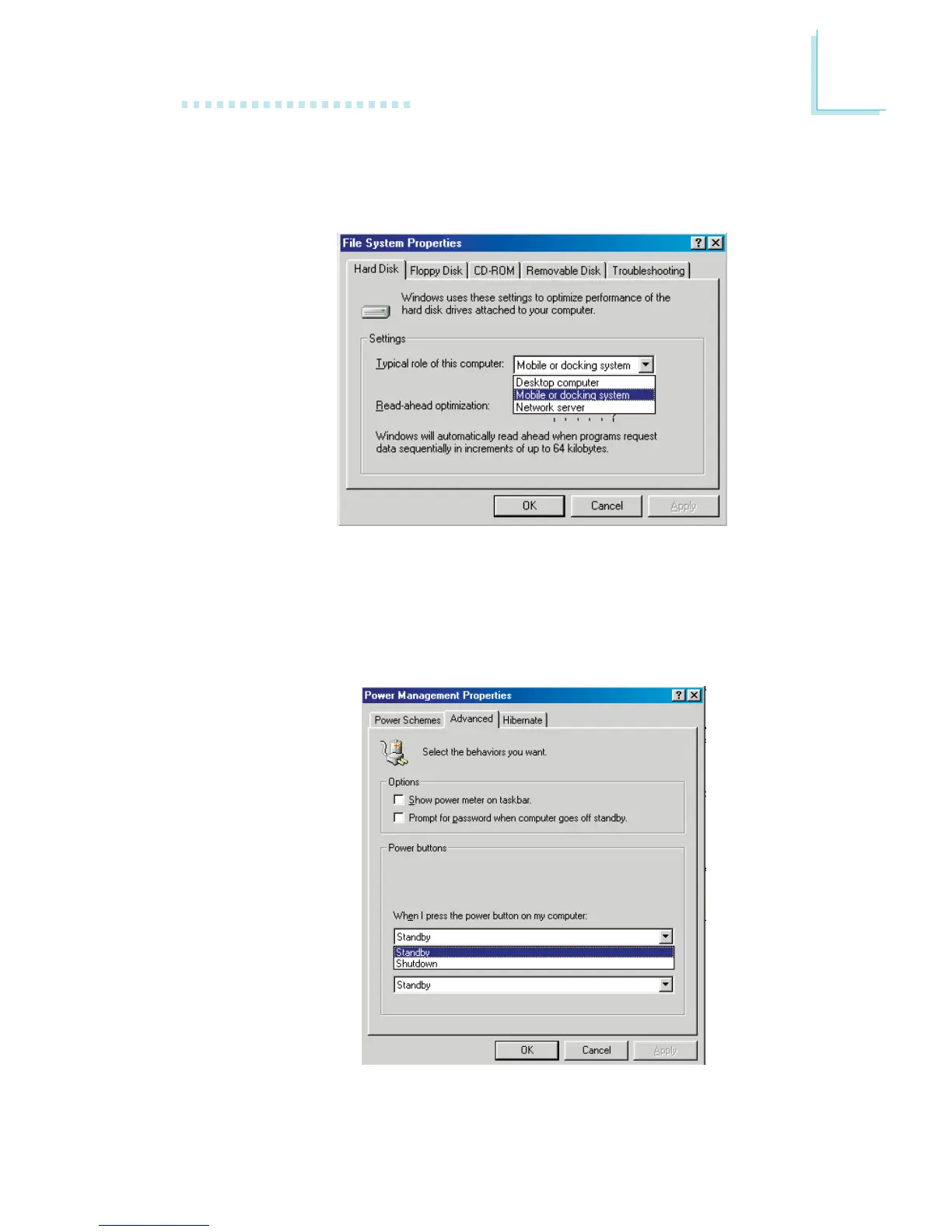
10. Repeat step 7 to open the Control Panel dialog box. Double-
click the Power Management icon.
11. Click the Advanced tab. In the “When I press the power
button on my computer” field, select “Standby”.
9. Click File System. In the “Typical role of this computer” field,
select “Mobile or docking system”. Click Apply, then click OK.
Restart the computer.



 To Next Page