16
Automotive Circuit Probe & Breaker Finder Kit
Is circuit breaker nder computer and air bag safe?
The circuit breaker nder LED and LCD pull no more than 1 millamp of current, therefore
when using it as a test light or multimeter it is computer and airbag safe. However, pressing
the power switch is a dierent sto. When you press the switch forward, you are
conducting full batte current to the tip of the probe. There is a nice safety feature built
into the tool. Simply connect the extra ground lead to the circuit breaker nder and press
the power switch forward until it trips the circuit breaker. This will prevent power from
going to the tip but still allow you to use the tool as a multimeter. When you are away
from computer components, simply press the reset button and you are ready to power up
again.
5. Circuit Breaker Finder Knowledge
Figure 15
6. Locating Open Circuit
6.1 How To Use The Circuit Breaker Finder
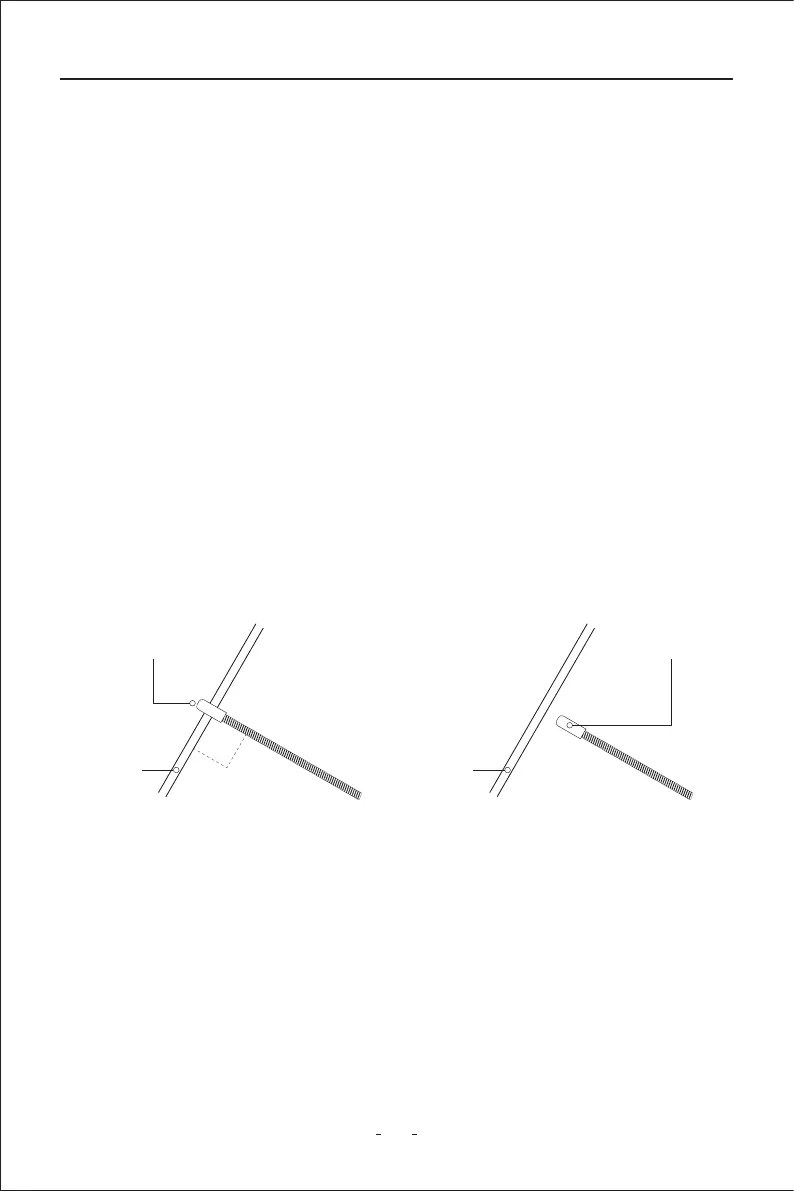
The probe of the breaker nder is built of coiled steel and may be bent as needed. In order
to reach wires in congested or dicult areas. Depending on the circuit characteristic and
sensitivity settings, the probe will pick up the signal from the wire in a range of positions.
However, for the best possible range, the Breaker Finder’s probe tip (black cap) should be
positioned perpendicular(at 90°)to the wire being traced and either above or below it.
6.2 Setting Sensitivity Level
To increase sensitivity, turn the rota switch of the circuit breaker nder clockwise. To
decrease sensitivity, turn the rota switch anticlockwise.
CORRECT
Sensor
Cable
90°
INCORRECT
Sensor
Cable



 To Next Page