Basic Manual D900 CHECKLIST
1
1. CHECKLIST
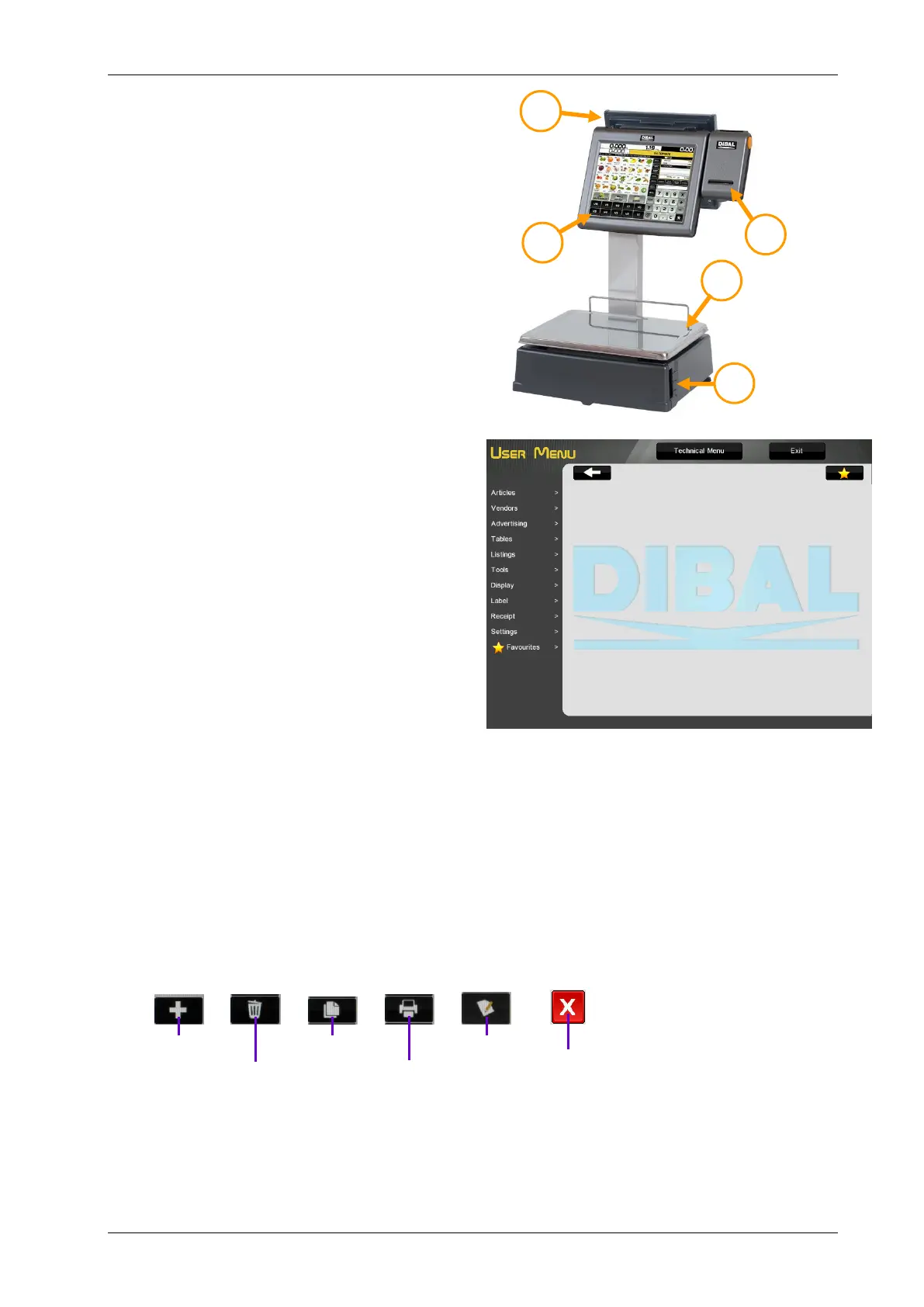
Machine
1. - Buyer display
2. - Touch screen
3. - Receipt printer
4. - Tray
5. - Label/receipt printer
Power cable
Quick guide
Manuals in CD
Accessories:
o Adhesive label paper roll or
Receipt paper roll (Depending on the model)
2. MAINTENANCE
The DIBAL Gama D-900 scales with touch screen
come with a programming system based on menus,
i.e. a hierarchical and coded menu structure, which
allows for quick and easy programming.
There are two ways to access the scale’s
programming menu:
1. Keep the MENU key pressed while the scale is
booting.
2. Press the MENU key in the selected operating
procedure screen.
If the scale is operating in a Self-service Mode, see
point 3 Working mode selection.
ITEMS Programming items
CASHIERS Cashier additions, removals and data.
TABLES Sections, Traceability, Recipes, Nutritional data, Barcode, Tares, Payment modes, VAT types,
Currencies.
LISTS Item lists, sales, totals…
TOOLS USB Loading/Unloading, Sending data to slaves, Operations with PC, Other Tools.
DISPLAY Start-up logo, Configuration User Display (Receipt Ops., Label Ops., PLUs, Sections and Cashiers
LABEL Programming Label
RECEIPT >Programming Receipt
SETTINGS Configuration Com. PC, Configuration Keyboard, Reading with scanner, working modes.
FAVOURITES A selection of the most commonly used operating procedures
The scale automatically displays a keyboard in the programming menus requiring data to be entered.
The functions of the programming keys are as follows:



 To Next Page