OPERATING PROCEDURE Basic Manual D900
4
4. OPERATING PROCEDURE
4.1. Quick PLU Entry
10000 items (PLU) can be programmed.
User Menu Items Press and edit the fields, for
example, Name, PLU/Direct key, WEIGHED/UNITARY…, Price
and VAT type.
4.2. Quick Cashier Entry
Maximum 20 cashiers, User Menu Cashiers Press
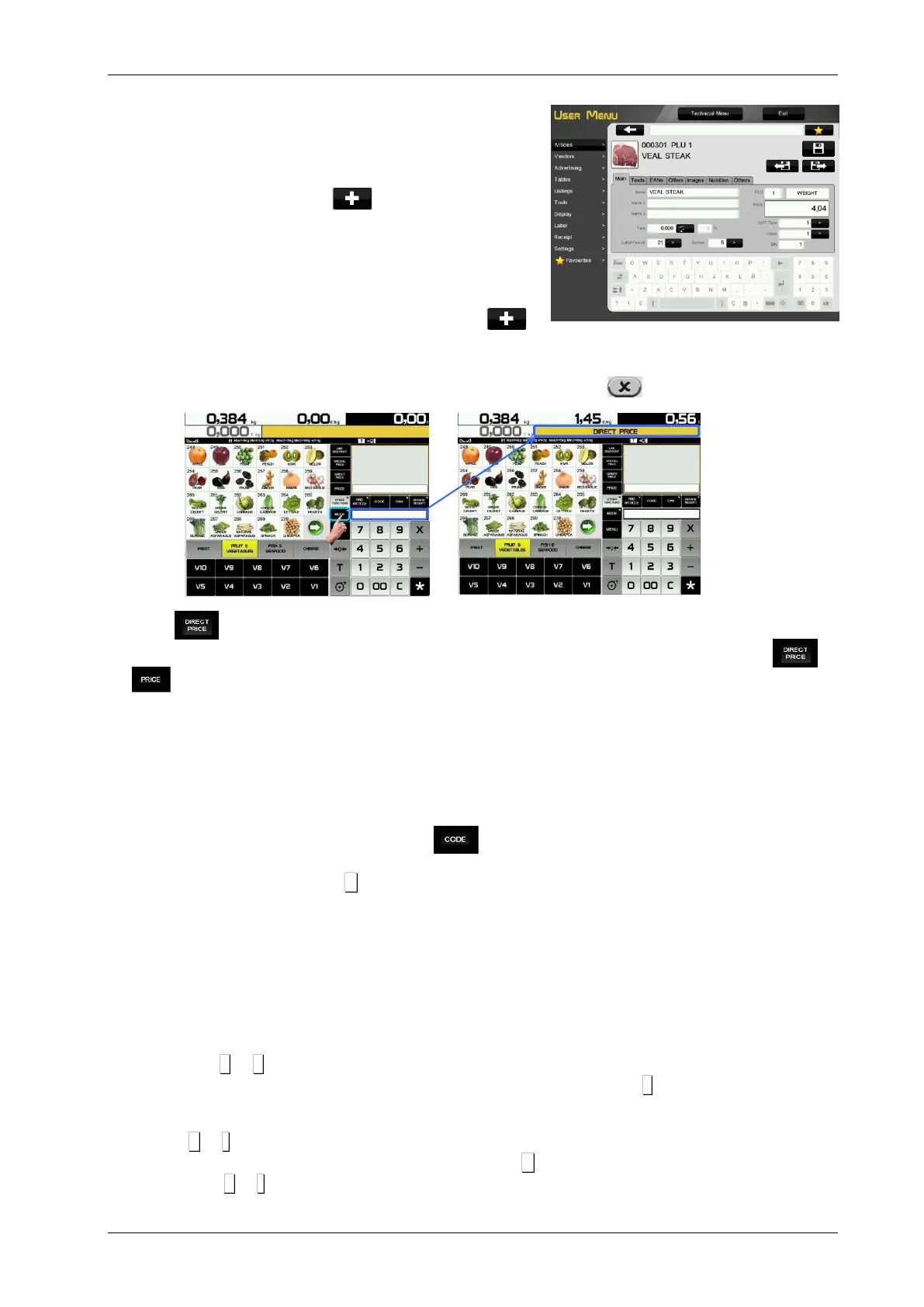
4.3. Direct price
1. User Menu Settings Configuration Keypad Disable Direct price
2. Press and the words DIRECT PRICE show on the display screen.
3. When the weight is placed on the tray, use the numeric keypad to enter the price and press or
.
4. To disable direct price just remove the weight from the tray or press the C key until DIRECT PRICE
disappears from the display.
4.4. Normal weighing
1. Place the product to be weighed on the tray.
2. Enter the price in any of the following ways:
Using Direct price. See the previous point and press the appropriate cashier.
Entering the item code and pressing the button.
Pressing the corresponding direct key (of the corresponding PLU).
In the event of an error, press C. The price is reset to 0.
3. Record the operation in the corresponding cashier.
4.5. Operations without weighing (adding, dividing and multiplication)
To work with items that are not sold by weight (price/kg) but have a price/unit, such as a bottle of milk.
User Menu Settings Configuration of keyboard Multiplication/Division/Addition.
A. Converting a weighed product into a unitary product.
1. Select the item.
2. Use the numeric keypad to enter the required units.
Press + or – depending on whether you want to add or subtract (A unit).
Enter a number of products (of there is more than one unit) and press x.
3. Record the operation in the corresponding cashier.
B. Direct price must be enabled.
1. Press + or - depending on whether you want to add or subtract.
2. Enter the price/unit of the product. In case of error press C . The units are reset to zero.
Press + or - depending on whether you want to add or subtract.



 To Next Page