Basic Manual D900 WORKING MODE SELECTION
3
3.1.1. Receipt / Label
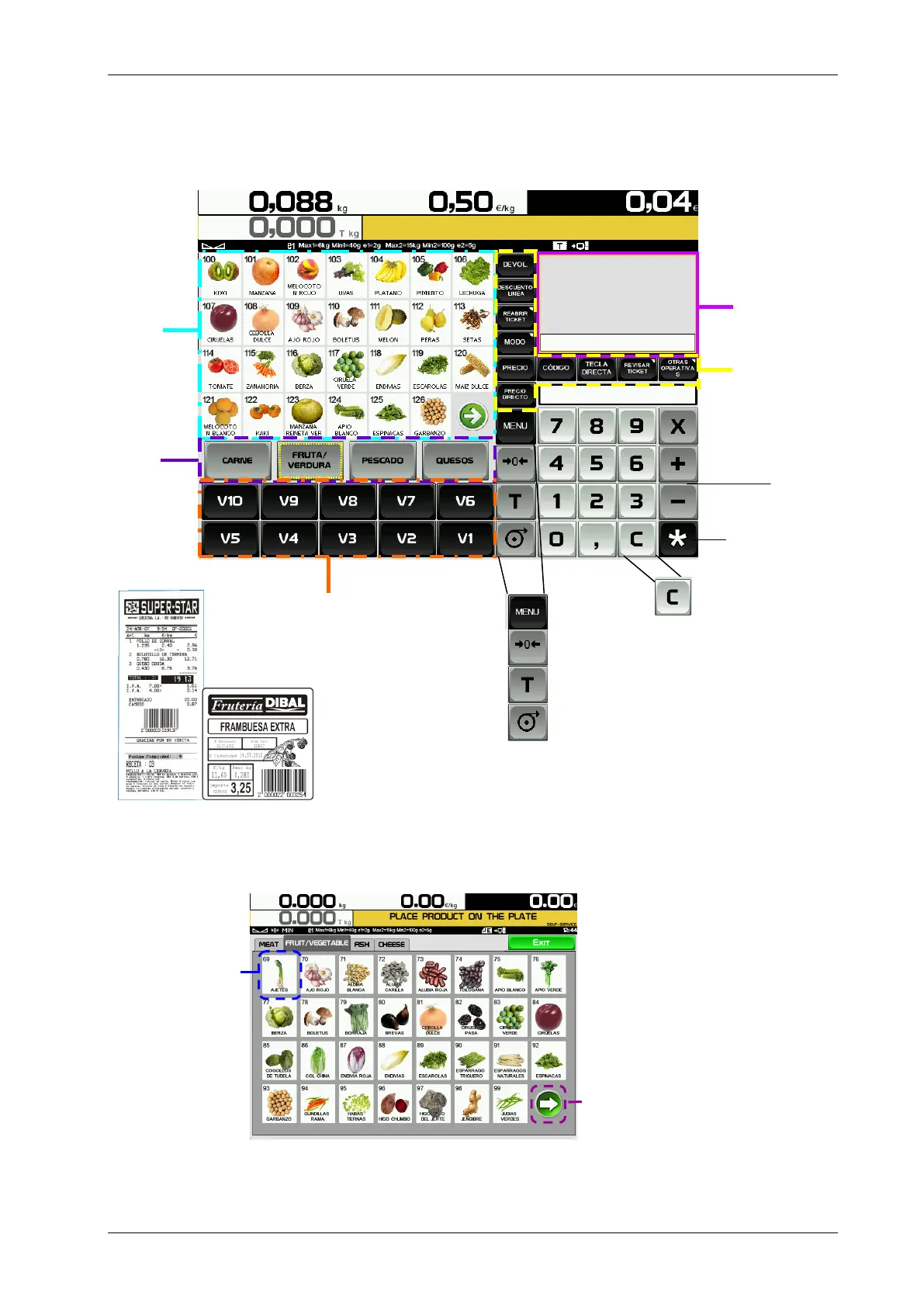
Receipt: With this mode you can make the sale of 1 or several items and print the total accumulated.
Label: The scale prints a label for each recording made, i.e., one per item. You can also work in Pre-
packaging Mode (Automatic weighing).
3.1.2. Self-service
The procedure to follow in this working mode is to place a weight on the tray and press the corresponding direct
key. The selected product’s label is obtained without the cashier’s intervention.
User Menu
Manual zero
Tare
Paper feed
CONFIGURABLE
Function Keys
Receipt/Label
Display Screen



 To Next Page