EasyManua.ls Logo

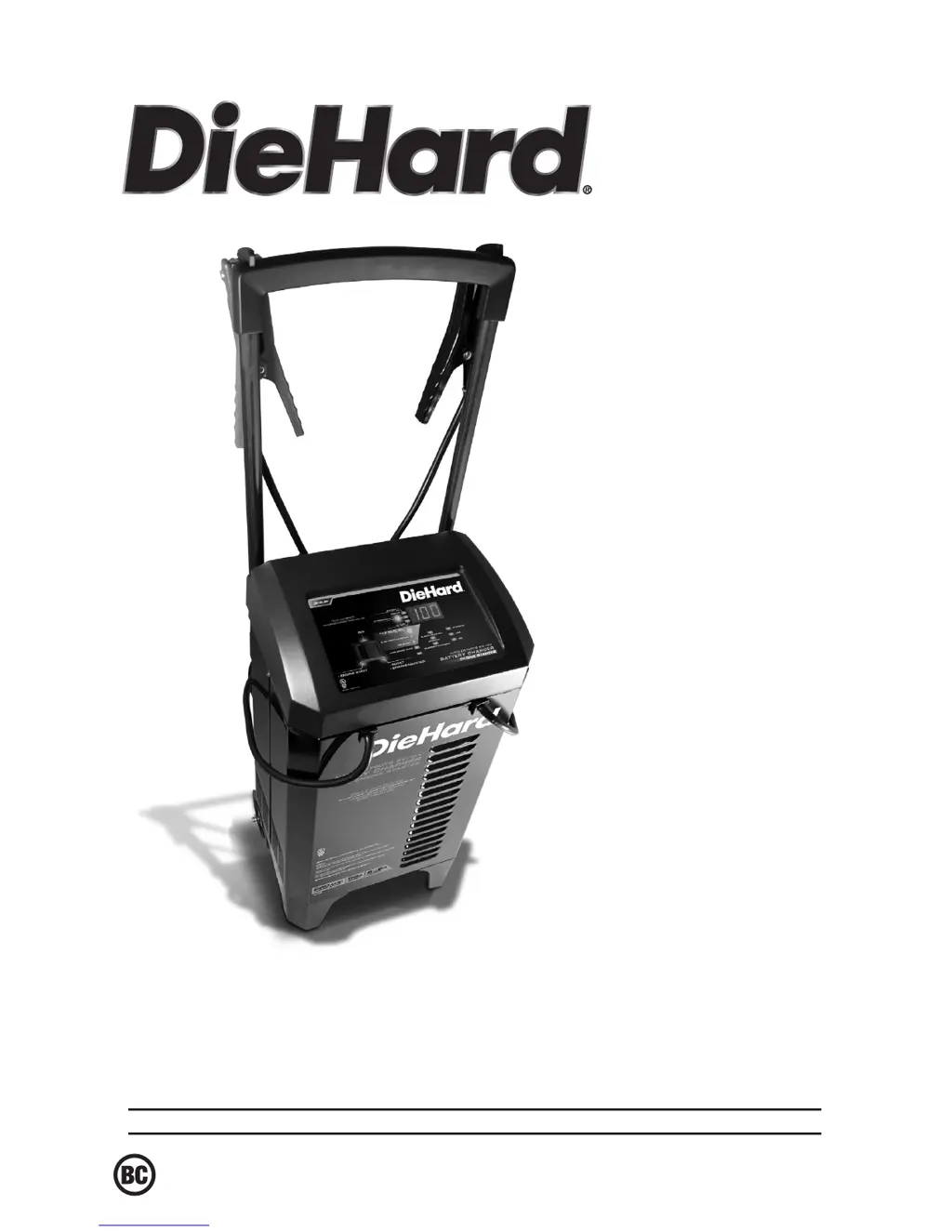
DieHard 28.71341 - User Manual

DieHard 28.71341
10 pages
Print Icon
To Next Page IconTo Next Page
Loading...
0099001449-00
Sears Brands Management Corporation, Hoffman Estates, IL 60179 U.S.A.
OPERATOR’S MANUAL /
MANUAL DEL USUARIO
CAUTION:
Read and follow all safety
rules and operating instructions
before every use of this product.
SAVE THESE INSTRUCTIONS.
ATENCIÓN:
Lea y siga todas las reglas
de seguridad e instrucciones de uso
antes de cada uso de este producto.
GUARDE ESTAS INSTRUCCIONES.
Model / Modelo:
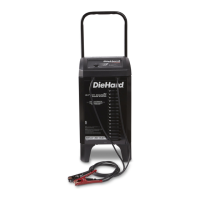
28.71341
6V/12V Automatic
Battery Charger
& Engine Starter
Cargador de baterías
automático 6V / 12V
y arrancador

Questions and Answers

  • T
    Timothy PowellAug 14, 2025
    How to fix reversed battery connections on DieHard Battery Charger?
    • N
      Natasha ThompsonAug 14, 2025
      If the connections to the battery are reversed on your DieHard Battery Charger, unplug the charger and reverse the connections to the battery.
  • M
    melissa88Aug 17, 2025
    What to do if engine start does not work on DieHard Battery Charger?
    • O
      ograyAug 17, 2025
      If the Engine Start function on your DieHard Battery Charger isn't working, it could be due to several reasons. You might be drawing more than 250 amps, which reduces crank time. Ensure you wait 3 minutes between cranking attempts, especially if the Engine Start LED is blinking, as the charger's thermal protector may need time to reset. Check that the charger vents are not blocked. For a severely discharged battery, try using the 40A Boost rate for 10 to 15 minutes before attempting to crank the engine.
  • B
    blackwellallisonAug 20, 2025
    Why DieHard Battery Charger will not turn on?
    • G
      gillpatriciaAug 21, 2025
      If your DieHard Battery Charger doesn't turn on when properly connected, check the AC outlet for an open fuse or circuit breaker. Also, inspect the power cord and any extension cords for loose connections. It's also recommended to have the battery checked, as a defective battery can prevent the charger from turning on.
  • M
    Michael HillAug 25, 2025
    What to do if DieHard Battery Charger battery won’t hold a charge?
    • K
      Kevin DavisAug 25, 2025
      If your battery isn't holding a charge when using the DieHard Battery Charger, it might be due to a drain on the battery or the battery itself could be faulty. First, make sure there are no loads on the battery; if there are, remove them. If there are no loads present, have the battery checked or replaced.
  • J
    John CastroAug 27, 2025
    Why DieHard 28.71341 Battery Charger battery is not reaching full charge?
    • D
      Daniel CoxAug 27, 2025
      If your battery isn't reaching full charge voltage with the DieHard Battery Charger, it could be because you're trying to charge a large battery or bank of batteries on too low of a current setting. Try charging again with a higher current setting or consider having the battery checked or replaced.
  • C
    Cheryl WeaverAug 30, 2025
    What to do if DieHard Battery Charger battery is getting too hot?
    • C
      Christine VaughnAug 31, 2025
      If the DieHard Battery Charger detects that the battery is getting too hot, it's recommended to have the battery checked or replaced.
  • S
    Shannon WilliamsSep 2, 2025
    Why is the boost LED flashing on my DieHard 28.71341 Battery Charger?
    • M
      mooretylerSep 3, 2025
      If the Boost LED is flashing on your DieHard Battery Charger, it means the charger was left in Boost mode for too long. The Boost LED will flash for 30 minutes, then turn off, and the Charging LED will light up, indicating that the charger has switched to Charging mode.
  • M
    Michael JohnstonSep 6, 2025
    What to do if DieHard 28.71341 voltage is too low?
    • V
      vsampsonSep 6, 2025
      If the battery voltage remains below 10V (for a 12V battery) or 5V (for a 6V battery) after 2 hours of charging with the DieHard Battery Charger, the battery may be defective. It is recommended to have it checked or replaced.
  • S
    Susan SmithSep 9, 2025
    What to do if DieHard 28.71341 cannot desulfate the battery?
    • B
      billy92Sep 9, 2025
      If the DieHard Battery Charger cannot desulfate the battery, have the battery checked or replaced.

Summary

IMPORTANT SAFETY INSTRUCTIONS

Safety Guidelines and Warnings

Covers safe handling, cord use, explosive gas risks, and Prop 65 warnings.

CONNECTING BATTERY IN VEHICLE

CONTROL PANEL FUNCTIONS

OPERATING INSTRUCTIONS

Charging a Battery in Vehicle

Steps for charging a battery while it is installed in the vehicle.

OPERATING MODES AND FEATURES

Charging Battery Outside Vehicle

Steps for connecting and charging a battery when it is removed from the vehicle.

Using Engine Start Feature

Instructions for jump-starting a vehicle using the engine start function.

TROUBLESHOOTING AND ERROR CODES

Error Code Reference

Lists error codes, their descriptions, and reasons/solutions.

Troubleshooting Guide

Lists common problems, their possible causes, and solutions.

TROUBLESHOOTING - CONTINUED

BEFORE RETURNING FOR REPAIRS

DieHard 28.71341 Specifications

General IconGeneral
Model28.71341
TypeBattery Charger
Input Voltage120V AC
Output Voltage12V DC
Output Current2A
Battery TypeLead Acid
Battery Voltage12V

Related product manuals