EasyManua.ls Logo

DieHard 28.71344 - User Manual

DieHard 28.71344
12 pages
Print Icon
To Next Page IconTo Next Page
Loading...
0099001453-00
Sears Brands Management Corporation, Hoffman Estates, IL 60179 U.S.A.
OPERATOR’S MANUAL /
MANUAL DEL USUARIO
CAUTION:
Read and follow all safety
rules and operating instructions
before every use of this product.
SAVE THESE INSTRUCTIONS.
ATENCIÓN:
Lea y siga todas las reglas
de seguridad e instrucciones de uso
antes de cada uso de este producto.
GUARDE ESTAS INSTRUCCIONES.
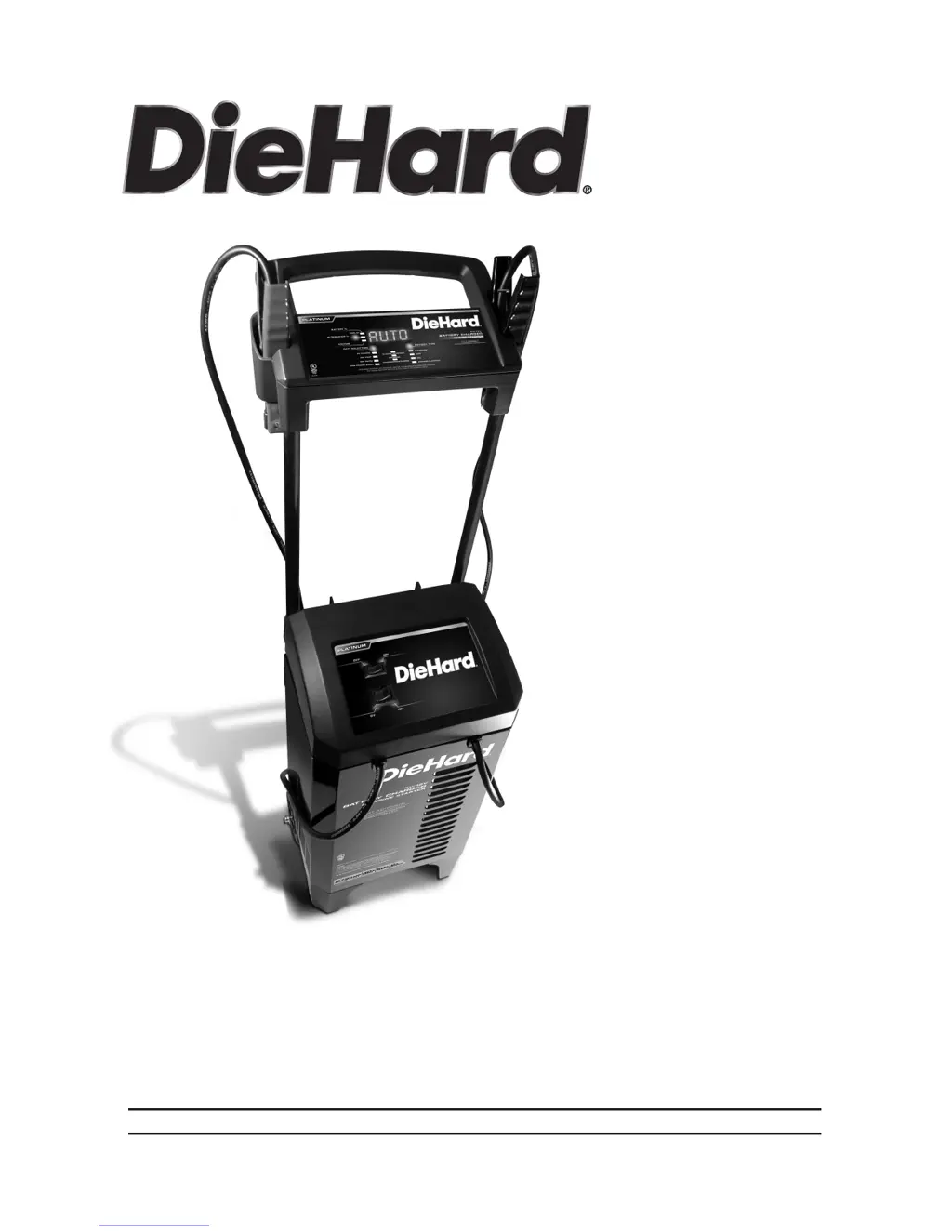
Model / Modelo:
28.71344
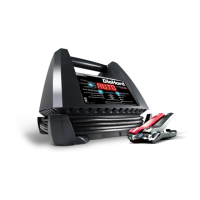
6V/12V Automatic
Battery Charger
& Engine Starter
6V / 12V Cargador
de baterías
automático
y arrancador

Questions and Answers

  • M
    Maria SchmittAug 13, 2025
    Why my DieHard 28.71344 will not turn on?
    • B
      Brett EvansAug 13, 2025
      If your DieHard Battery Charger won't turn on, check the AC outlet for an open fuse or circuit breaker. Also, inspect the power cord and any extension cords for loose connections. If the issue persists, have the battery checked for defects.
  • J
    Jacob HerreraAug 17, 2025
    What to do if my DieHard 28.71344 Battery Charger is on but not charging?
    • D
      Dawn LoweAug 17, 2025
      If your DieHard Battery Charger is connected and on but not charging, it might be in tester mode. Press the RATE SELECTION button to activate the charge mode and select a charge rate.
  • A
    Andrea JacksonAug 21, 2025
    Why is there no reading on the digital display of my DieHard Battery Charger?
    • Z
      Zachary PetersonAug 21, 2025
      If there is no reading on the digital display of your DieHard Battery Charger, ensure the charger is plugged into a working AC outlet. Check the fuse or circuit breaker supplying the AC outlet.
  • J
    John HughesAug 25, 2025
    What to do if my DieHard 28.71344 display shows 'CONNECT CLAMPS'?
    • K
      Kelly MackAug 25, 2025
      If your DieHard Battery Charger displays 'CONNECT CLAMPS', ensure the clamps are firmly connected to both the battery and the vehicle frame.
  • M
    Maria MendezAug 28, 2025
    Why does my DieHard 28.71344 have a short or no start cycle when cranking the engine?
    • T
      Tammy GomezAug 28, 2025
      If you experience a short or no start cycle when cranking the engine with your DieHard Battery Charger, verify that the AC outlet has power by checking for open fuses or circuit breakers. Ensure the AC cord and any extension cords are securely connected. Also, check the battery and frame connections for good contact. Allow 3 minutes of rest time between cranks. If the battery is severely discharged, charge it at the 60A rate for 10-15 minutes to assist cranking. Note that crank time varies with current draw; if it exceeds the engine start rate, crank time may be less than 5 seconds. Finally, ensure the charger vents are unblocked and the charger hasn't overheated; wait for it to reset if necessary.
  • M
    Michael ColemanSep 1, 2025
    What does it mean when my DieHard Battery Charger Digital Display reads HIGH when testing the alternator?
    • C
      Catherine JohnstonSep 1, 2025
      When testing the alternator, if the digital display of your DieHard Battery Charger reads 'HIGH', it means the alternator output is 14.6 volts or more. Have the electrical system checked by a qualified technician.
  • K
    Kimberly WilsonSep 5, 2025
    What does it mean when my DieHard Battery Charger Digital Display reads LOW when testing the alternator?
    • C
      Clifford BrownSep 5, 2025
      When testing the alternator, if the digital display of your DieHard Battery Charger reads 'LOW', it means the alternator output is 13.2 volts or less. Have the electrical system checked by a qualified technician.
  • K
    Katelyn MoralesSep 8, 2025
    Why is the yellow/orange CHARGING LED solid and the display shows ANALYZING BATTERY on my DieHard 28.71344 Battery Charger?
    • V
      Victor WalkerSep 9, 2025
      If the yellow/orange CHARGING LED is solid and the display shows 'ANALYZING BATTERY' on your DieHard Battery Charger, it means the charger is currently checking the condition of the battery.

Summary

Safety Instructions

General Safety Guidelines

Covers instructions regarding exposure, equipment, and explosive gases.

Personal Safety Precautions

Outlines measures for personal protection and safe battery handling.

Preparation and Charging Procedures

Connecting Battery When Installed in Vehicle

Step-by-step guide for connecting the charger to a battery inside a vehicle.

Operating Procedures and Settings

Operating Instructions

Steps for charging a battery inside or outside a vehicle, and automatic charging mode.

Testing Features

Engine Start Procedure

Instructions and notes for using the engine start feature.

Troubleshooting and Maintenance

Troubleshooting Common Problems

Lists common problems, their possible causes, and solutions.

DieHard 28.71344 Specifications

General IconGeneral
BrandDieHard
Model28.71344
CategoryBattery Charger
LanguageEnglish

Related product manuals