EasyManua.ls Logo

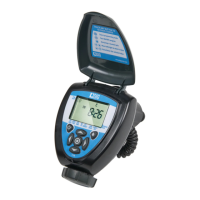
DIG ECO1 ILV-075 - User Manual

DIG ECO1 ILV-075
16 pages
Print Icon
To Next Page IconTo Next Page
Loading...
Ambient Light Powered,
Smart Irrigation Controller
E
CO1
ILV-075
INSTRUCTION MANUAL
Question and Answer IconNeed help?

Do you have a question about the DIG ECO1 ILV-075 and is the answer not in the manual?

Summary

About the Controllers

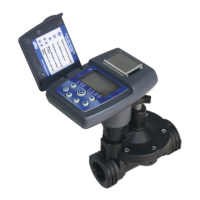
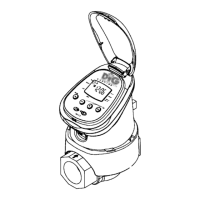
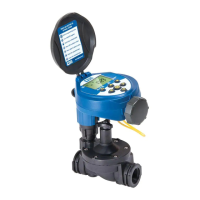
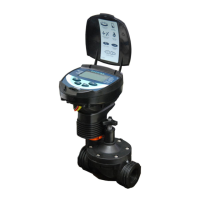
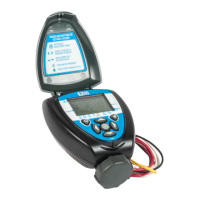
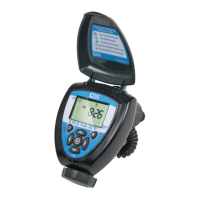
Component Identification

Solar PVM

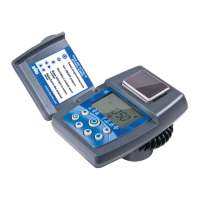
Solar panel that powers the controller.

LCD screen

Display screen showing time, date, and settings.

7 button keypad

Interface for programming and control.

Rain sensor connection

Port for connecting an optional rain sensor.

Quick reference label

Label with essential operating instructions.

Collapsible solenoid wire

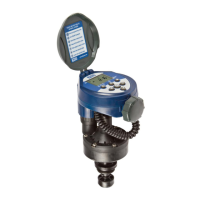
Wire connecting the controller to the solenoid valve.

Manual flow control

Manual override for water flow.

DC Solenoid

Electromagnetic valve controlling water flow.

System Components

Valve Installation

Programming

Setting Time and Date

Setting Current Time and Date

Instructions for setting the controller's current time and date.

Setting Watering Day Schedules

Setting Specific Days of the Week

Programming the controller to water on selected days of the week.

Setting Even or Odd Days

Programming the controller for even/odd day watering or cyclical watering.

Setting Watering Start Time

Setting Watering Run Times

Setting the SimpleSmart Option (SET ET)

Setting Seasonal Adjustment (Monthly Budget)

Rain Delay Setting

Events Off Setting

Turn Off Specific Days of a Month

Programming the timer to skip watering on specific days within a month.

Turn Off an Entire Month

Programming the timer to suspend all watering for a selected month.

Manual Watering

Connecting a Rain Sensor

Maintenance, Troubleshooting and Repairs

Restore Controller to Default Settings

Procedure to reset the controller to its original factory settings.

Warranty

Technical Assistance

Summary

About the Controllers

Component Identification

Solar PVM

Solar panel that powers the controller.

LCD screen

Display screen showing time, date, and settings.

7 button keypad

Interface for programming and control.

Rain sensor connection

Port for connecting an optional rain sensor.

Quick reference label

Label with essential operating instructions.

Collapsible solenoid wire

Wire connecting the controller to the solenoid valve.

Manual flow control

Manual override for water flow.

DC Solenoid

Electromagnetic valve controlling water flow.

System Components

Valve Installation

Programming

Setting Time and Date

Setting Current Time and Date

Instructions for setting the controller's current time and date.

Setting Watering Day Schedules

Setting Specific Days of the Week

Programming the controller to water on selected days of the week.

Setting Even or Odd Days

Programming the controller for even/odd day watering or cyclical watering.

Setting Watering Start Time

Setting Watering Run Times

Setting the SimpleSmart Option (SET ET)

Setting Seasonal Adjustment (Monthly Budget)

Rain Delay Setting

Events Off Setting

Turn Off Specific Days of a Month

Programming the timer to skip watering on specific days within a month.

Turn Off an Entire Month

Programming the timer to suspend all watering for a selected month.

Manual Watering

Connecting a Rain Sensor

Maintenance, Troubleshooting and Repairs

Restore Controller to Default Settings

Procedure to reset the controller to its original factory settings.

Warranty

Technical Assistance

DIG ECO1 ILV-075 Specifications

General IconGeneral
BrandDIG
ModelECO1 ILV-075
CategoryController
LanguageEnglish

Related product manuals