Need help?
Do you have a question about the DIG 710AP Series and is the answer not in the manual?
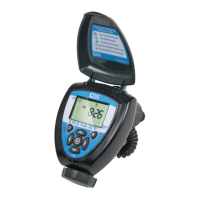
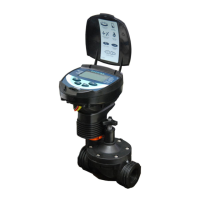
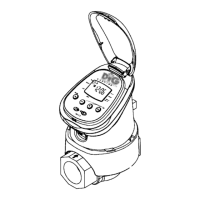
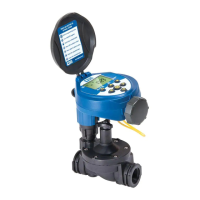
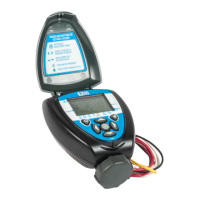
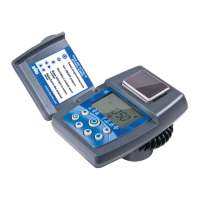
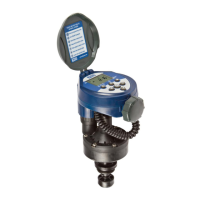
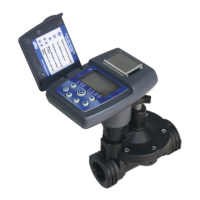
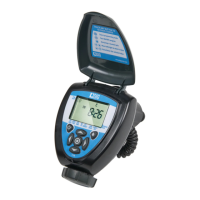
Provides an overview of the 710AP propagation and irrigation controller's features and waterproof housing.
The protective outer casing of the controller unit.
Contains a label with quick reference information for the controller's functions.
Various adapters included to fit different valve types.
A feature on the valve allowing manual control of water flow.
An adapter used for mounting the solenoid.
A bracket for mounting the controller to a wall or valve box.
Explanation of various icons displayed on the controller's LCD screen.
Icon that flashes when batteries need replacement.
Icon indicating a connected and active rain sensor.
Icon that indicates the valve is open and watering.
Explains the function of each control button: Enter/Exit, On/Off, Start/Stop, Scroll, and Adjust.
Instructions for mounting the controller directly onto the valve's solenoid.
Instructions for mounting the controller assembly to a wall or valve box using a bracket.
Steps for opening the battery compartment, inserting batteries, and securing the cap.
Procedure for shutting off water, removing existing solenoid, and installing the 710AP series solenoid into the adapter.
A chart listing compatible valves for different adapter models.
Instructions for installing the controller onto an in-line valve, including pressure and Teflon tape usage.
Diagram showing in-line valve installation above ground.
Diagram illustrating in-line valve installation below ground.
Explains how to assign irrigation or propagation schedules using the controller buttons.
Illustrates the circular arrangement of program settings and navigation methods.
How to change the time display format between 12-hour and 24-hour.
Procedure for setting the current hour, minutes, month, day, and year.
Determines how often the controller operates: days of week, Even/Odd, by-hour, by-minute, or cyclical.
Explains how watering frequency determines the mode (propagation or normal irrigation).
How to select specific days of the week for watering.
Procedure to set watering for even or odd numbered days of the month.
Configuring cyclical watering intervals from 1 minute to 12 hours for propagation.
Setting the controller to water once every 1 to 30 days.
Procedure for setting the first irrigation start time, including hour and minute adjustment.
How to program up to five separate start times per day.
Steps to delete an existing start time by setting it to OFF.
Determines the duration the valve remains open, from minutes to hours.
Adjusts programmed run times by a percentage on a monthly basis (5-200%).
Suspends watering for a set number of days (up to 99) due to rain or other conditions.
How to cancel an active rain delay by setting the days to OFF.
Steps to switch the controller to propagation mode for specific watering intervals.
Configuring cyclical watering intervals from 1 minute to 12 hours.
Defining the start and stop times for propagation watering cycles.
Setting the run time in minutes and seconds for propagation mode.
Using the ON/OFF button to start the program immediately in propagation mode.
How to initiate a manual watering cycle for system testing.
Procedure to stop a manual watering cycle before its scheduled end.
Instructions for connecting a 'normally closed' rain or soil moisture sensor to the controller.
How the sensor's active status is indicated on the controller's display.
Diagnosing and resolving issues with the valve failing to open automatically or manually.
Troubleshooting why the valve functions manually but not automatically.
Resolving issues where the controller display is blank.
Diagnosing and fixing problems with the valve not closing properly.
Troubleshooting why the rain sensor is not preventing watering.
Resolving issues where the controller waters more than the programmed number of times.
Information on how to contact DIG's Technical Service Team for assistance.
Where to download specification documents and manuals.
Details the three-year limited warranty, coverage, and exclusions.
Instructions for returning the unit for repair or replacement under warranty.
 General
| Brand | DIG |
|---|---|
| Model | 710AP Series |
| Category | Controller |
| Language | English |

 To Next Page