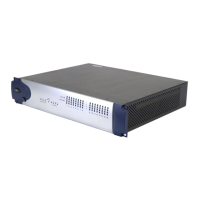
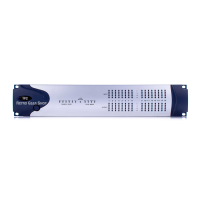
Using the 888/24 I/O
9
To use the 888/24 I/O as a stand alone D/A
converter:
1
Make sure that a digital device providing
a word clock signal is connected to
AES/EBU inputs 1–2 of the 888/24 I/O and
turned on.
2
Turn on the 888/24 I/O. The 888/24 I/O
will search for a valid word clock or a word
clock signal on channels 1–2 of its digital
input ports.
3
When a valid word clock lock is recog-
nized, the 888/24 I/O will enter digital
sync mode and function as a stand-alone
D/A converter using AES/EBU inputs 1–8
and analog outputs 1–8.
The 888/24 I/O D/A sample rate is deter-
mined by the sample rate it detects on
channels 1–2 of its AES/EBU inputs.
✽
The 888/24 I/O defaults to listening to a
digital word clock signal on channels 1–2 of its
AES/EBU digital input ports. To use a S/PDIF
device as your source of word clock, you must
reset this default by opening the 888/24 I/O
and moving an internal jumper switch. See
“Changing the Default Word Clock Lock Port of
the 888/24 I/O in D/A Stand-Alone Mode” on
page 10.
To return the 888/24 I/O to Pro Tools-based
operation:
◆
Turn on your computer.
– or –
◆
If your computer is on, launch Pro Tools.
Changing the Default
Sample Rate of the
888/24 I/O in A/D Stand-
Alone Mode
The default sample rate of the 888/24 I/O
in stand alone A/D mode is 44.1kHz. If you
wish to change this default setting to
48 kHz, you must open the 888/24 I/O and
manually reset it by moving an internal
jumper switch.
To change the default sample rate of the
888/24 I/O in stand alone A/D mode:
1
Make sure that your computer and
888/24 I/O are turned off.
2
With a Phillips screwdriver, remove the
screws from the top of the 888/24 I/O.
3
Using the 1/16 inch hex wrench in-
cluded with the 888/24 I/O, carefully re-
move the front four panel screws as noted
on the bag containing the hex wrench.
4
Lift the top off of the 888/24 I/O.
5
Inside the left-front of 888/24 I/O’s chas-
sis, near the large FPGA chip, is a set of
three jumper switches, each with a remov-
able cap. Each of these switches controls a
different default function which is shown
in Figure 1 and 2.
6
Locate the jumper switch for the default
that you wish to modify and gently lift the
cap off the 3-pronged connector.
7
Place it in the position corresponding to
the value that you desire. For a 44.1 kHz de-
fault sample rate, it should be placed over
the right two prongs. For a 48 kHz default
sample rate, it should be placed over the
left two prongs. Refer to Figure 1 and 2 for
details.


 To Next Page
 Loading...