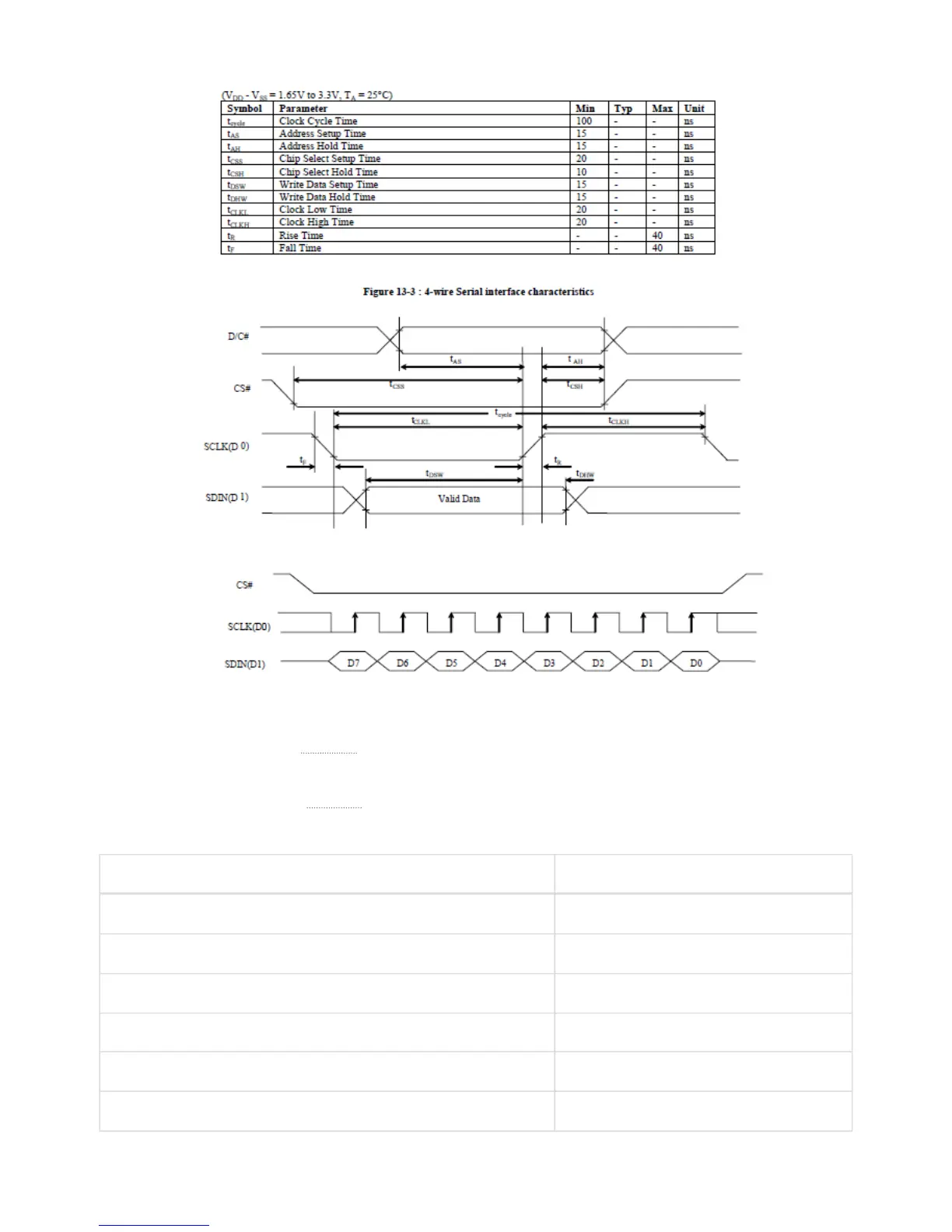
Start-up sequence:
1. Power up VDD by pulling
OLED ()_VDD low. Wait 1ms.
2. Pulse RES# low for at least 3us.
3. Send initialization/configuration commands (see Table 17).
4. Power up VBAT by pulling
OLED ()_VBAT low. Wait 100ms for voltage to stabilize.
5. Clear screen by writing zero to the display buffer.
6. Send “Display On” command (0xAF).
Command function Command bytes
Charge pump enable 0x8D, 0x14
Set pre-charge period 0xD9, 0xF1
Contrast control 0x81, 0x0F
Column inversion disable 0xA0
Scan direction 0xC0
COM pins configuration 0xDA, 0x00
Page 31 of 3


 To Next Page