DigiPoS Retail Active 8000
14
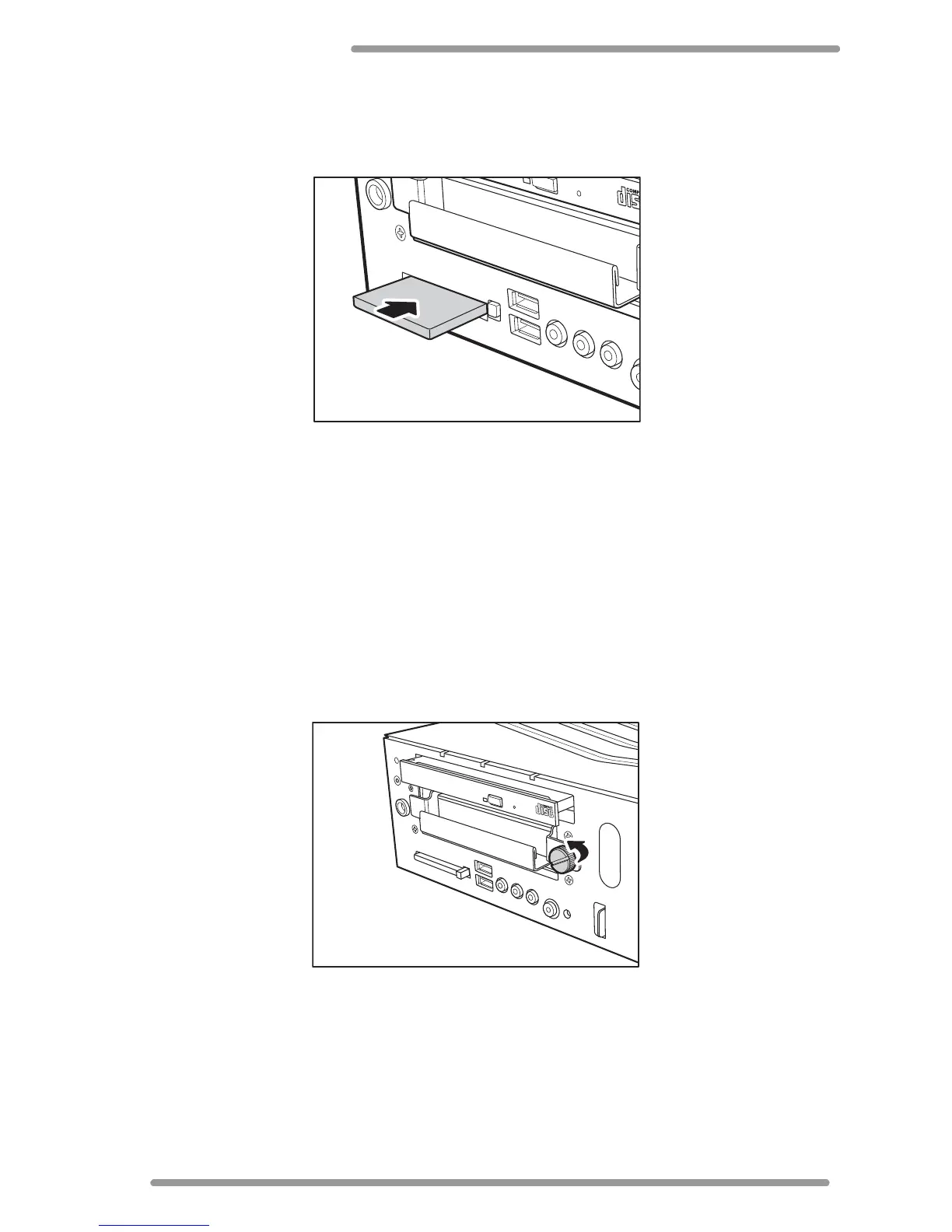
Installing the Flash Card
1 Remove the front cover. See “Removing the Front Cover” on page 13.
2 Insert the flash card to the direction of the arrow.
3 Fully push the flash card until the eject button comes out.
To remove the flash card, simply push the eject button.
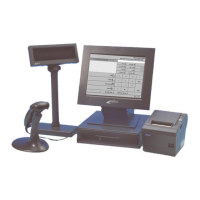
Removing the Hard Disc Drive
The DigiPoS Retail Active comes with a removable hard disk drive tray. Follow the steps
below to remove the hard disc drive:
* Warning: Be sure to turn the power off the Retail Active before proceeding.
1 Remove the front cover. See “Removing the Front Cover” on page 13.
2 Unscrew the HDD tray screw.


 To Next Page