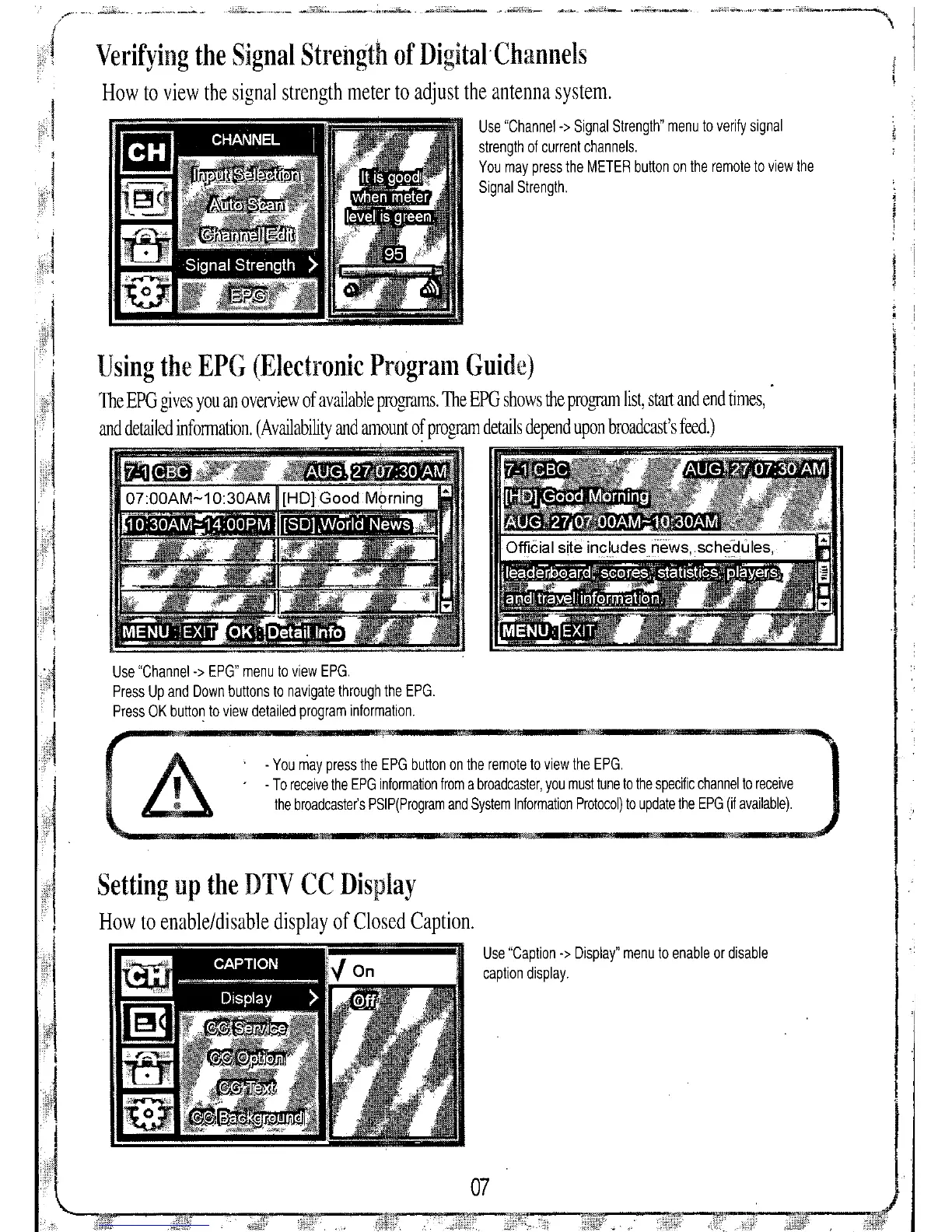
Use "Caption -> Display" menu to enable or disable
caption display,
- You may press the EPG button on the remote to view the EPG,
- To receive the EPG information from a broadcaster, you must tune to the specific channel to receive
the broadcaster's PSIP(Program and System Information Protocol) to update the EPG (if available),
Use "Channel-> EPG" menu to view EPG,
Press Up and Down buttons to navigate through the EPG,
Press OK button to view detailed program information,
Using the EPG (Electronic Program Guide)
The EPG gives you an overview of available programs. The EPG shows the program list, start and end times,
and detailed infonnation. (Availability and amount of program details depend upon broadcast's feed.)
Setting up the DTV CC Display
How to enable/disable display of Closed Caption.
Verifying the Signal Strength of
Digital Channels
How to view the signal strength meter to adjust the antenna system.
Use "Channel-> Signal Strength" menu to verify signal
strength of current channels,
You may press the METER button on the remote to view the
Signal Strength,


 To Next Page