Sexual content.
Violence.
S:
v:
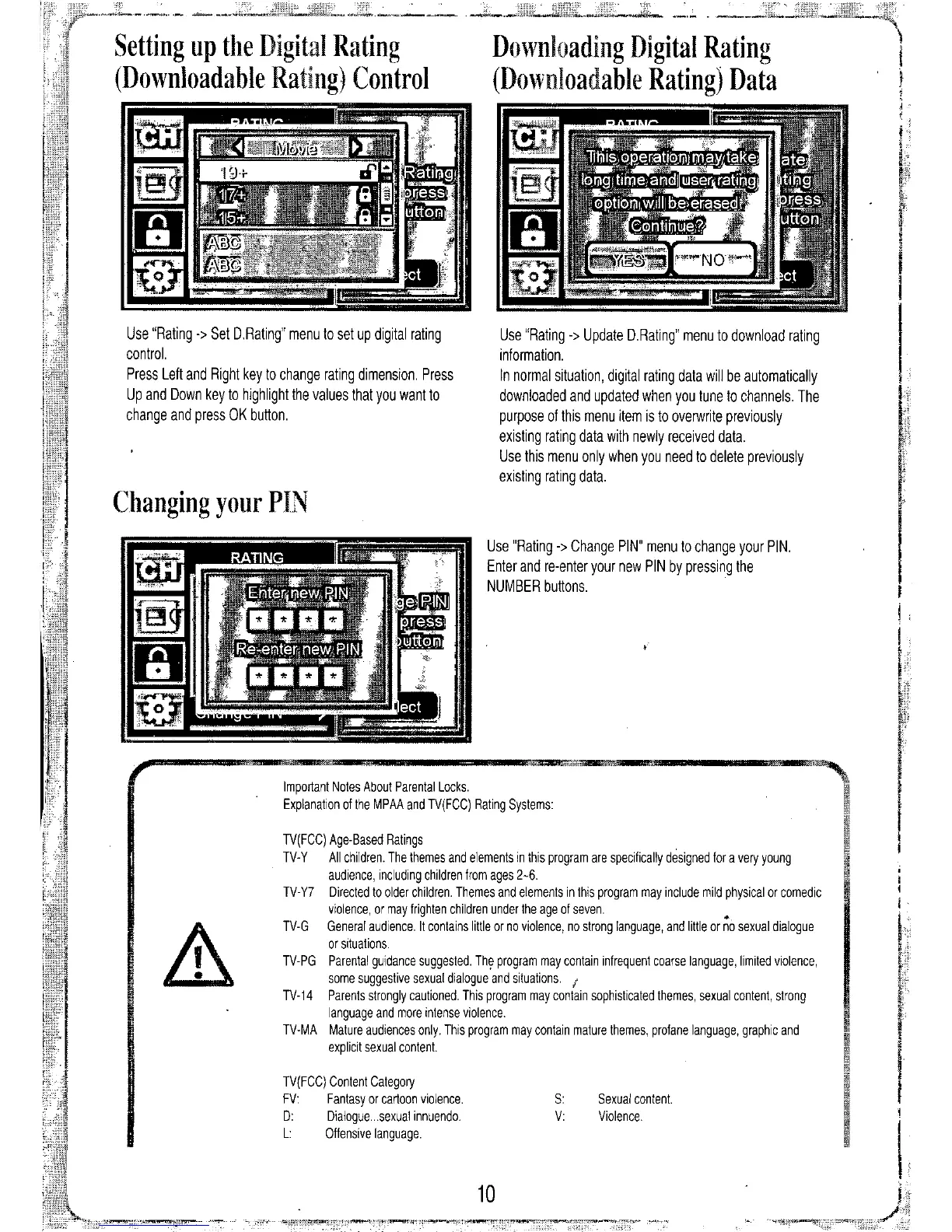
Use "Rating
->
Update D.Rating" menu to download rating
information.
In normal situation, digital rating data will be automatically
downloaded and updated when you tune to channels. The
purpose of this menu item is to overwrite previously
existing rating data with newly received data.
Use this menu only when you need to delete previously
existing rating data.
Downloading Digital Rating
(Downloadable Rating) Data
Use "Rating
->
Change PIN" menu to change your PIN.
Enter and re-enter your new PIN by pressing the
NUMBER buttons.
10
TV(FCC) Age-Based Ratings
TV-Y All children. The themes and elements in this program are specifically designed for a very young
audience, including children from ages
2.6.
TV- Y7 Directed to older children. Themes and elements in this program may include mild physical or comedic
violence, or may trighten children under the age ot seven. •
TV-G General audience. It contains little or no violence, no strong language, and little or no sexual dialogue
or situations.
TV-PG Parental guidance suggested. The program may contain infrequent coarse language, limited violence,
some suggestive sexual dialogue and situations.
j
TV-14 Parents strongly cautioned. This program may coniain sophisticated themes, sexual content, strong
language and more intense violence.
TV-MA Mature audiences only. This program may contain mature themes, profane language, graphic and
explicit sexual content.
Important Notes About Parental Locks.
Explanation of the MPAA and TV(FCC) Rating Systems:
TV(FCC) Content Category
FV: Fantasy or cartoon violence.
D: Dialogue ...sexuat innuendo.
L: Offensive language.
Use "Rating
->
Set D.Rating" menu to set up digital rating
control.
Press Left and Right key to change rating dimension. Press
Up and Down key to highlight the values that you want to
change and press OK button.
Setting up the Digital Rating
(Downloadable Rating) Control
Changing your PIN


 To Next Page