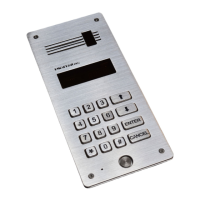
DD-5100
2. Code >> Action with PIN Codes
1. U.Pin Add or Delete User PIN code related to Users ID (1-255):
To delete U.PIN code, enter User ID and enter U.PIN=0000
[visual] and {audio} notifications:
[done] {pyyp} – U.PIN is saved
[Err] {pyp pyp} – Incorrect User ID (ID=0 or ID>255)
2. S.Pin Change System PIN code:
[visual] and {audio} notifications:
[done] {pyyp} – S.PIN is saved
3. C.Pin Change Common PIN code:
[visual] and {audio} notifications:
[done] {pyyp} – C.PIN is saved
4.rESEt-ALL Delete All PIN codes except S.Pin
[visual] and {audio} notifications:
[done] {pyyp} – all Pin deleted
3. Settings >> Main System Settings
1. Lc.Delay Lock delay time (1-99 sec.):
[visual] and {audio} notifications:
[done] {pyyp} – Setting is saved
[Err] {pyp pyp} – Wrong time value (=0 or >99)
2. Lc.Type >> Lock Type:
1. nc – Normal closed circuit (electromagnet)
2. no – Normal open circuit (electric bolt)
[visual] and {audio} notifications:
[done] {pyyp} – Setting is saved
3. Acc.Type >> Type of Access Control
1. Code >> Access to unlock door by using User PIN code:
1. dis – Access is disabled
2. en – Access is enabled
[visual] and {audio} notifications:
[done] {pyyp} – Setting is saved
2. t.tag >> Access to unlock door by using TM Tag:
1. dis – Access is disabled
2. en – Access is enabled
[visual] and {audio} notifications:
[done] {pyyp} – Setting is saved
3. r.tag >> Access to unlock door by using RFID Tag:
1. dis – Access is disabled
2. en – Access is enabled
[visual] and {audio} notifications:
[done] {pyyp} – Setting is saved
4. Err.Unl >> Door unlock timer in case error
1. Set Set door unlock timer (in case error) interval (1 – 60 min):
[visual] and {audio} notifications:
[done] {pyyp} – Setting is saved
18


 To Next Page