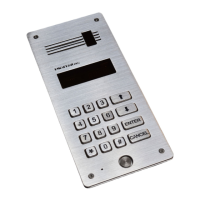
DD-5100
If made a mistake, press and start the procedure over. If all steps are performed correctly, the PIN code will
be changed.
5. Programming of new identificators
NOTE. This function is unavailable in case factory PIN code is not changed. The System will ask to change
a factory code first and then programming of identificators becomes available.
Two persons are necessary to program new identificators: one staying outdoors near a call panel, other – indoors
by a handset.
1. Enter a flat number, press and wait till a person indoors answers.
2. Press and hold . A person indoors should press a door unlock button for three times (each second).
3. Four dashes will be shown on a display. Enter PIN code.
4. A new key list number will be shown on a display. Attach a new identificator to the reader. It will be
programmed. In case of attaching an old key, the system peeps two times without re-programming.
New keys should be programmed one by one separately. In order to program several keys, repeat the procedure
several times. Should a mistake appear, press CANCEL and start the procedure from the beginning.
* DD-5100T – door phone with TM reader, DD-5100R – door phone with TM and RFID readers.
** Ways of entering identificators to a door phone memory are described in the clause “Add a new identificators”, page 22 or
“User’s Manual”, above.
*** A possibility to unlock the door using a handset could be limited by programming (See “Disable a user according to ID“, Page
28).
38
CANCEL
ENTER


 To Previous Page