b) network settings menu for L type configured doorphone.
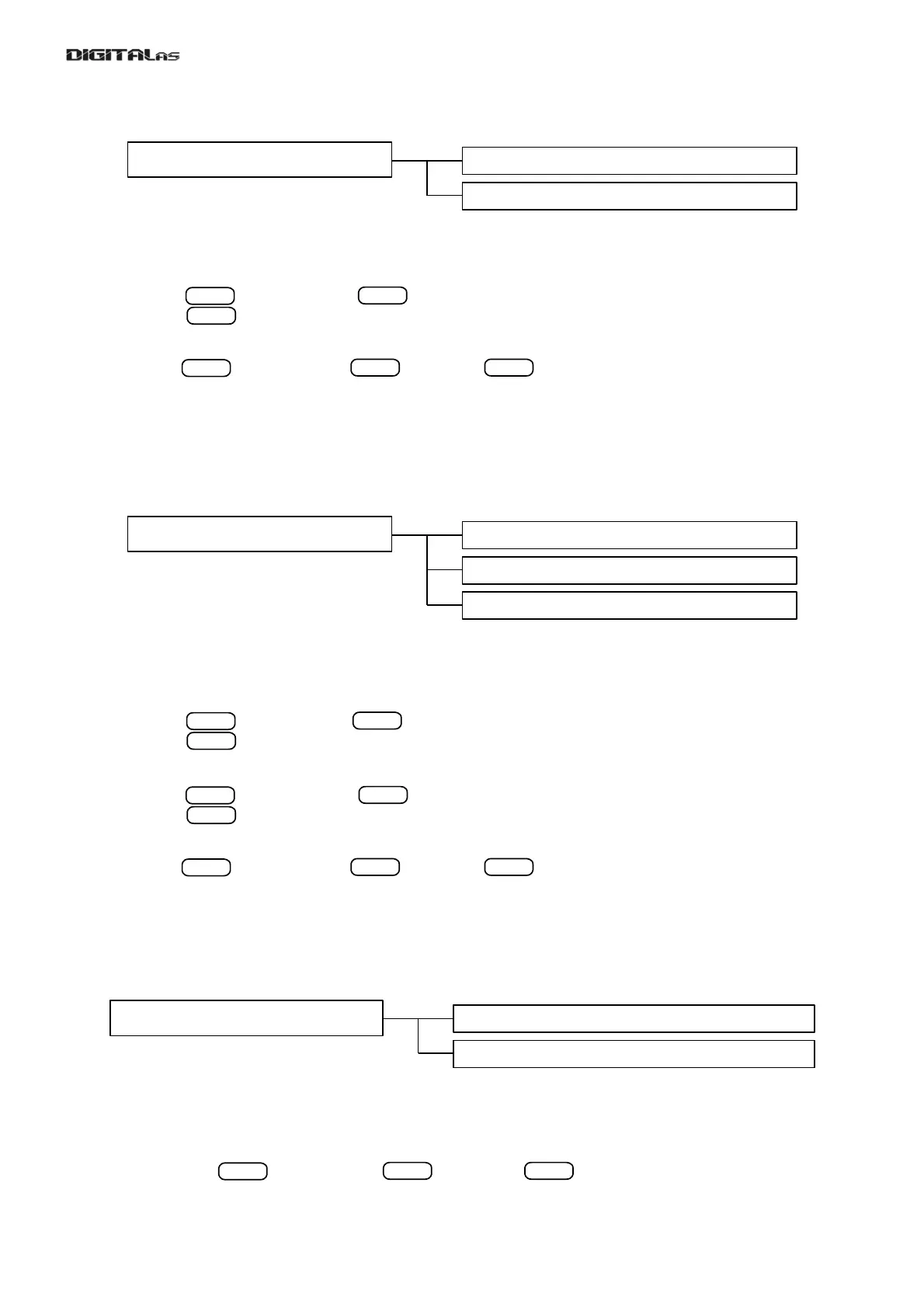
If L type doorphone was chosen, then only two actions are available: edit and reset as shown in fig. 31.
To change allready selected ID of L type doorphone select menu item [1.Edit-L] and enter new ID:
[7.nEt] > > [1.Edit-L] > > [id- ] > (enter ID=(let' say 3) for third L type doorphone in
network) > > [donE]
Network settings reset is done exactly the same way as in a) variant – main (default) menu:
[7.nEt] > > [2.rSt.nEt] > > [rSt?] > > [n. 0] > [donE]
After reset a) variant (main – default) network settings menu is active.
c) network settings menu for H type configured doorphone.
If H type doorphone was chosen, then three actions are available: add L type doorphone to H type's list, edit
ID of H type doorphone and reset network settings to default values. Fig. 32 Shows menu structure of H type
configured doorphone.
H type doorphone must know which L type doorphones are connected to network. So ID's of all L type
doorphones in network should be addet to H type (master) doorphone's list. To do so please do following:
[7.nEt] > > [1.Add-L] > > [id- ] > (enter ID=(let' say 3) for third L type doorphone in
network) > > [donE] - third L type doorphone was added to H type doorphone's list.
To change allready selected ID of L type doorphone select menu item [1.Edit-L] and enter new ID:
[7.nEt] > > [1.Edit-H] > > [id- ] > (enter ID=(let' say 1) for first H type doorphone in
network) > > [donE]
Network settings reset is done exactly the same way as in a) variant – main (default) menu:
[7.nEt] > > [2.rSt.nEt] > > [rSt?] > > [n. 0] > [donE]
After reset a) variant (main – default) network settings menu is active.
4.3.8. Reset to factory settings
DD-5100 has two reset options: reset only DD-5100 settings, and complete reset including deleting of all
users data. Structure of factory reset menu is shown in fig. 33.
To reset only system configurations settings to factory settings choose [1.ProG.] menu item and confirm
your choice. See an example of reset to factory settings:
[8.F.rESEt] > > [1.ProG.] > > [rSt?] > > [donE]
To reset all settings including all user data erasure, choose [2.ALL] menu item and confirm your choice. See
31
ENTER
ENTER
Fig. 31: network settings menu of L type configured doorphone
Fig. 32: Structure of network settings menu of H type configured doorphone
Fig. 33: Structure of factory reset menu


 To Next Page