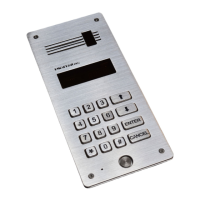
DD-5100
[done] {pyyp} – Setting is saved
[Err ] (pyp pyp) – Incorrect User ID
2. Enable >> Enable User ID
1. One Enable one User ID
[visual] and {audio} notifications:
[done] {pyyp} – User ID is enabled
[Err] {pyp pyp} – Incorrect User ID (ID=0 or ID>255)
2. Group Enable group of Users ID
[visual] and {audio} notifications:
[done] {pyyp} – Group of User ID is enabled
[Err] {pyp pyp} – Incorrect User ID (IDF=0, IDL=0; IDF>255, IDL>255; IDF>IDL)
3.UnLc Enables the option to open the door from the apartment
[visual] and {audio} notifications:
[done] {pyyp} – Setting is saved
[Err ] (pyp pyp) – Incorrect User ID
6. Addressing >> Addressing mode settings
1. Regular Regular addressing mode (0<ID<256).
[visual] and {audio} notifications:
[done] {pyyp} – Setting is saved
2. Shifted Shifted addressing mode. Min shift=1. Max shift=9744.
[visual] and {audio} notifications:
[done] {pyyp} – Setting is saved
[Err] {pyp pyp} – Incorrect shift (sh=0 or sh>9744)
The context of this menu depends on configuration (state)
Default configuration, or when network or all settings has been reset
7. Net >> Network settings
1. Set >> Enable Net configuration
1. nt1 First type network configuration. Please refer to Chapter 3 for more info.
1. H-Set „H“ type doorphone ID setting (min HID=1, max HID=255)
[donE] (pyyp) – HID address successfully saved
[Err] (pyp pyp) – wrong ID typed (0<HID<256)
2. L-Set „L“ type doorphone ID setting (min LID=1, max LID=9999)
[donE] (pyyp) – LID address successfully saved
[Err] (pyp pyp) – wrong ID typed (0<LID<10000)
2. nt2 Second type network configuration
1. H-Set „H“ type doorphone ID setting (same as in nt1)
2. L-Set „L“ type doorphone ID setting (same as in nt1)
3. nt3 Third type network configuration
1. H-Set „H“ type doorphone ID setting (same as in nt1)
2. L-Set „L“ type doorphone ID setting (same as in nt1)
2. rst.net Net configuration settings are reset to default values (Net function will be turned off).
[donE] (pyyp) – default values was set. Default values are shown in Table 1.
Menu structure if H setting was already set in any net type
20


 To Next Page