EasyManua.ls Logo

Digitus DS-55204 - User Manual

Digitus DS-55204
7 pages
Print Icon
To Next Page IconTo Next Page
Loading...
4K HDMI Extender Set, 4K2K/60Hz
Manual
DS-55204
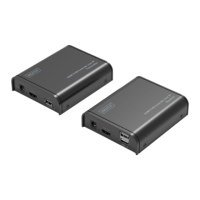
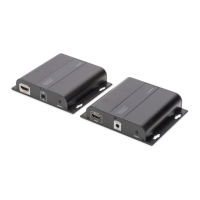
The Digitus 4K Extender Set, 4K2K/60Hz offers an extender solution of up to 60 m for
the highest demands - both for high-resolution graphics and for absolutely smooth
video playback. It transmits digital 4K2K/60Hz video and audio signals to a maximum
length of up to 30 m. 4K2K/30Hz content can be transmitted to up to 60 m. It also
supports UTP/STP CAT 6, 6a as well as 7 network cables (as per IEEE-568B standard).
It consists of a transmitter as well as a receiver unit. It also includes two infrared
units (transmitter, receiver) which enable the use of the remote control of the
connected input source.

Other manuals for Digitus DS-55204

Questions and Answers

  • J
    Justin WhiteJul 28, 2025
    What to do if there is no picture or picture flicker with Digitus Extender?
    • L
      Lisa GarzaJul 28, 2025
      If you experience no picture or picture flicker when using the Digitus Extender, the issue might be with the HDMI or UTP cable quality, or a poor connection. Ensure that the HDMI and UTP connections are secure. If the problem persists, try replacing the cables with high-quality HDMI 2.0 standard HDMI cables or UTP cables (CAT6 or higher is recommended).
  • S
    Susan ShepherdAug 5, 2025
    Why is there no sound or are there sound issues with my Digitus DS-55204?
    • J
      Jason GonzalezAug 5, 2025
      Sound problems with the Digitus Extender can stem from a faulty HDMI connection, an unsupported audio format, or the source player's settings. Verify that the HDMI cables are securely connected. Also, check if your display supports the current audio format. If not, switch to a supported format. Alternatively, try using a different audio output port on your player.
  • R
    Robert ClarkAug 16, 2025
    How to troubleshoot Digitus DS-55204 when it is not power-connected and all LEDs are off?
    • R
      Ronald MyersAug 16, 2025
      If your Digitus Extender isn't powering on and all the LEDs are off, it could be due to a poor power supply connection or using the wrong power adapter. Please ensure the power supply is properly connected and that the output voltage matches the recommended value.

Summary

Product Information

Manual Title and Model Number

Identifies the document as the manual for the DS-55204 model.

Safety and Features

Important Safety Instructions

Critical guidelines for safe installation and operation.

Product Features Overview

Highlights key capabilities like HDMI 2.0, 4K resolution, and transmission specs.

Detailed Specifications

HDMI Performance and Interface

Details resolution, latency, color depth, and connector types.

Power Supply and Protection Details

Specifies PSU requirements, consumption, and ESD protection.

Accessories and Installation Requirements

Accessory and Physical Properties

Lists included accessories, weight, and color.

Installation Requirements

Outlines necessary devices and cable types for installation.

Interface Details and Cable Preparation

Receiver Unit Interface Description

Describes ports and functions of the receiver unit.

CAT 6 Cable Standards

Details the IEEE-568B standard for network cable wiring.

Connection and IR Guide

Connection Instructions and Diagram

Illustrates and explains the connection process for TX and RX units.

IR Remote Control Setup

Guides on connecting and using IR blaster/receiver cables.

Troubleshooting

Frequently Asked Questions (FAQ)

Addresses common issues like no output or black screen.

Digitus DS-55204 Specifications

General IconGeneral
BrandDigitus
ModelDS-55204
CategoryExtender
LanguageEnglish

Related product manuals