4.1 PTZ/ Preset
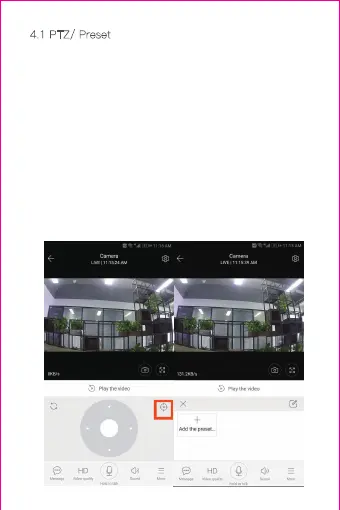
1) PTZ.
By sliding steering wheel or sliding the screen on the live
preview can control the camera's rotation.
2) Preset.
1、Click the preset icon to enter the preset management
interface.
2、Add the preset: several presets can be added.
3、Delete the preset: click the edit icon to delete the
preset that has been added.
4.1.1 Add the preset position



 To Next Page
 Loading...