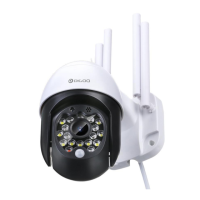
C. White Light Set to Auto while IR LED Set to Turn Off:
White light not working when it`s in a light environment. Turn
on when it`s in a dark environment and keep for every 60
min and shut down for 1sec then turn on again.
D. White Light Set to ON while IR LED Set to whatever:
White light keeps working, the color of live video controls by
IR LED. (Example: when IR LED ON, the color of live video
will turn to black and white.)
E. White Light Set to OFF while IR LED Set to whatever:
White light not working at all, and the color of live video only
controls by IR LED. (Example: when IR LED ON, the color of
live video will turn to black and white.)


 To Next Page
 Loading...