Dimension One Spas – Reflections Owner’s Manual
11
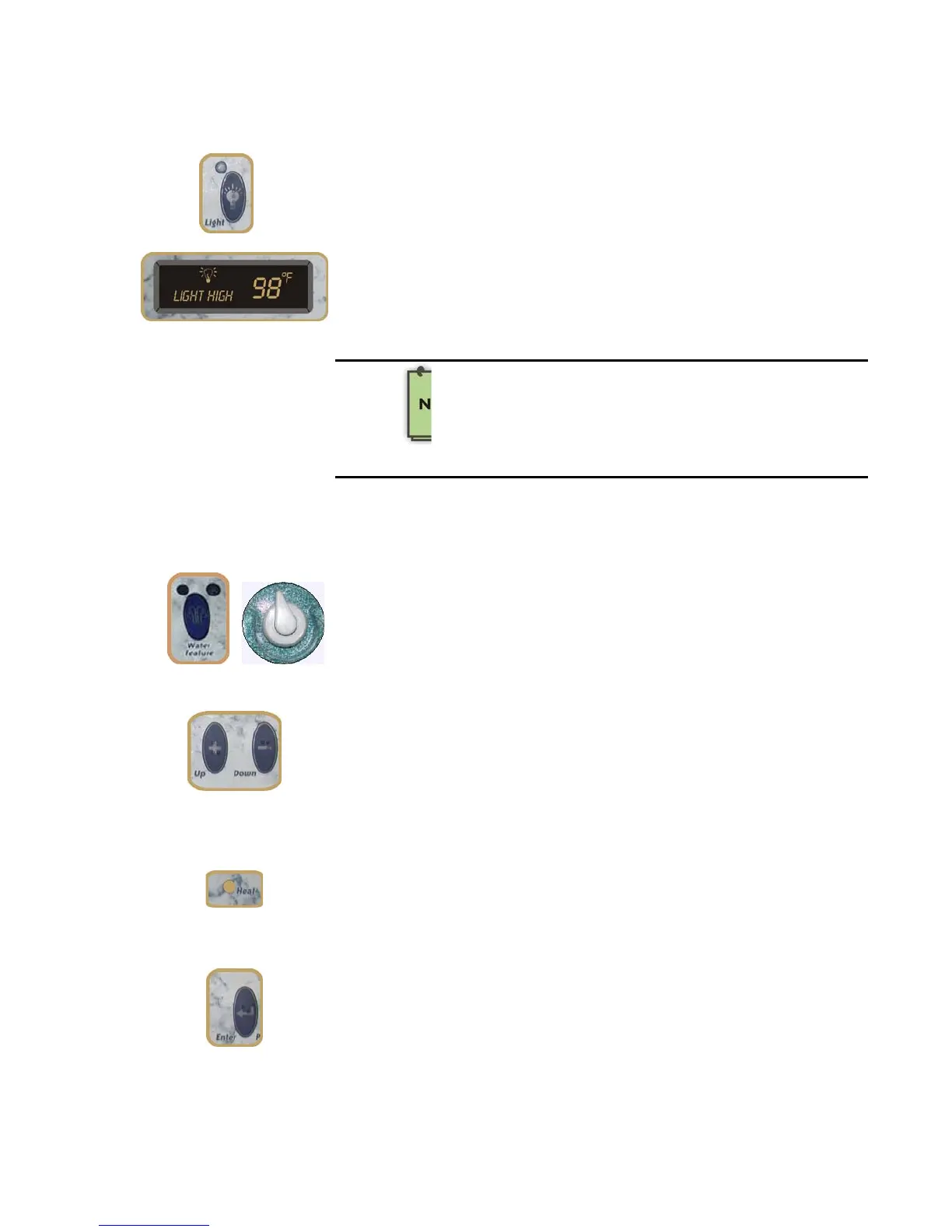
Push the LIGHT Button once to turn on the spa light at the brightest
setting. Push a second time for medium, a third for dim, and a fourth
to turn the light off. When the spa light is on, the indicator light glows
on the control panel, and a Light icon appears in the display
window.(If your spa is equipped with the Scrolling Message Center
HIGH, MEDIUM, or LOW scrolls twice in the display window, and dots
around the light icon indicate the brightness). When the spa is no
longer in use, the light automatically turns off after one hour.
NOTE: On Liquid FX spas, the Light and Enter functions share a
button. In the programming menu, the Light\Enter button acts as
the Enter button; at all other times, it performs the Light functions.
LIGHT Button
If your spa is equipped with the optional Dynamic L.E.D.
Light or the SoftTouch™ Lighting Package, the Low,
Medium and High settings are disabled. The Light
Button turns the Dynamic Light on or off and controls
programmed sequences. See the “Dynamic L.E.D.
Light” section for details.
WATER FEATURE
Button (Liquid FX spas
only)
Push the WATER FEATURE Button to turn on the water feature. Push a
second time to turn the water feature off. To adjust the water
feature, use the Water Feature Control Knob described on page 31.
TEMPERATURE Buttons
You control the water temperature with the Up (+) and Down (-)
Buttons. Push a button once to change the temperature by one
degree, or hold it down to rapidly change it by many degrees. For
your safety, the temperature can be set no higher than 104 F. For
a detailed description of setting the temperature, see the section
that applies specifically to your type of control panel (either the
“Scrolling Message Center” or the “Digital Control Panel”.
Heat Status Light
The Heat Status Light glows when the heater is on. This is a normal
function.
ENTER Button
If your spa is equipped with the Scrolling Message Center, the Enter
Button is used to control some programming operations, or to exit
the programming sequence at any time. (This button is not present
on the Digital Control Panel).
NOTE: On Liquid FX spas, the Light and Enter functions share a
button. In the programming menu, the Light\Enter button acts as
the Enter button; at all other times, it performs the Light functions.



 To Next Page