Dimension One Spas – Reflections Owner’s Manual
17
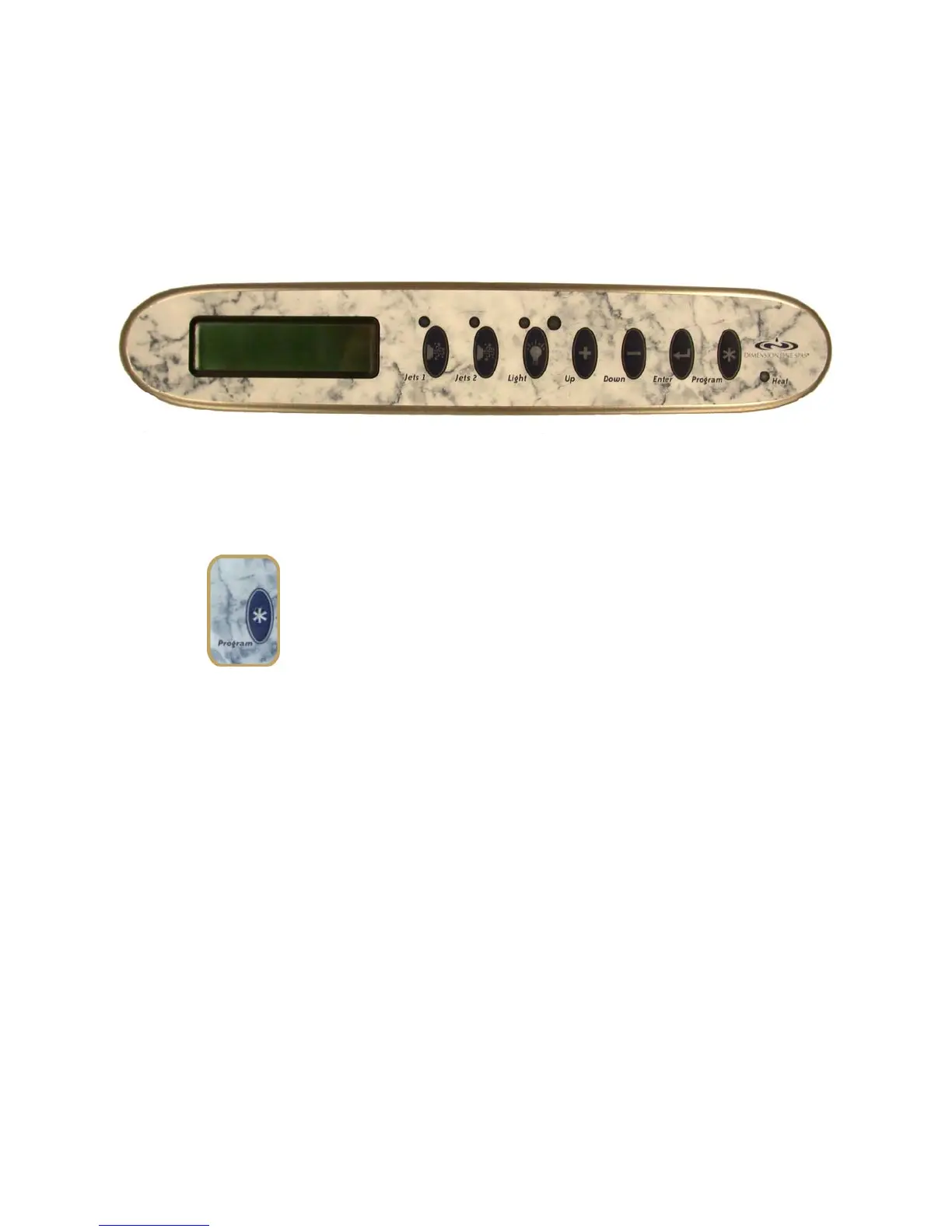
Programming the “Scrolling Message Center” Control Panel
You can program your spa any time to change the automatic filter cycles and other functions. You
have the Scrolling Message Center if your control panel has an Enter button. (For instructions on
programming the “Digital Control Panel” found on some other models, see “Programming the
Digital Control Panel”).
The Scrolling Message Center Control Panel
The Program Button
Starting the Programming Sequence
To start programming the Scrolling Message Center control
panel, push and hold the Program Button for 3 seconds. If
within 10 seconds you do not continue programming, the hot
tub will automatically exit the programming mode and go
back to the main screen.
Exiting the Programming Sequence at Any Time
To exit the programming sequence at any time, push the
Enter Button, or simply do not press any button for 10
seconds. Any programming changes made up to that point
are saved.



 To Next Page