4.2.2 Disable Free-E
4.2.3 Set Date / Time
4.2.4 Light OFF Interval
This option allows you to set the current date and time for the Free-E user interface. This function is important
for the smooth operation of the boost timers and other data. Please ensure that the current date and time are set
correctly.
This option allows you to set the OFF time for the backlight of the Free-E user interface when not in use. The light
OFF interval can be set to 1 minute, 30 minutes or never, which will prevent the backlight from turning off. The
default setting is 30 seconds.
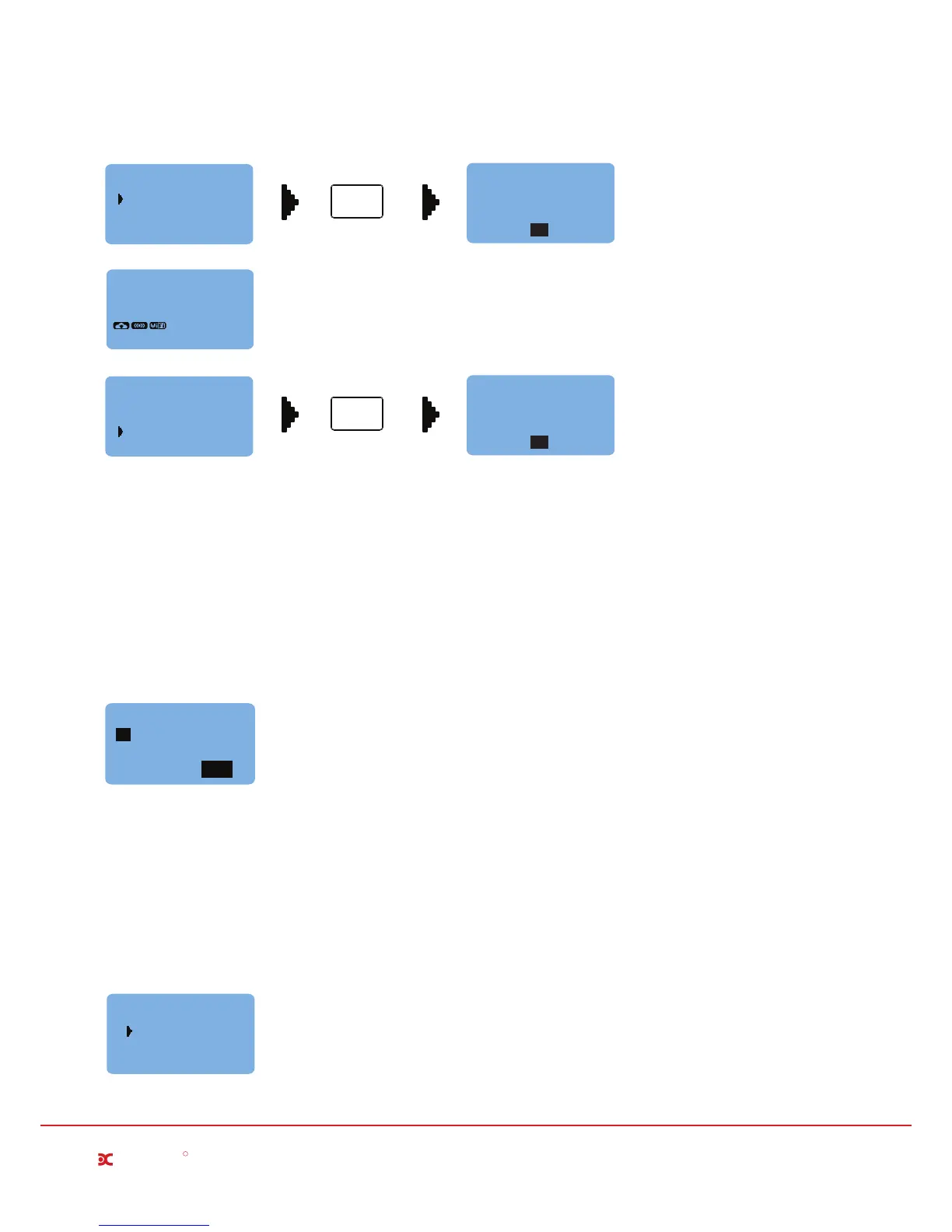
This option allows you to temporarily disable the Free-E. If, for any reason, the Free-E needs to be turned off, do
not disconnect the system from the mains supply.
The Disable Free-E function is provided for this purpose, and is useful, for example, if you are going on holiday
and would like to turn off the system while you are away.
Selecting Disable Free-E ON will disable the system, and a message will appear on the main screen saver to
indicate that the Free-E is on standby (see image above). During this time, the Free-E will not perform functions,
however you will still have full access to all menus.
Millbrook House, Grange Drive, Hedge End, Southampton SO30 2DF
0844 879 3587
dimplex.co.uk | gdcgroup.co.uk
8
Dimplex
R
ON
OFF
Disable Free-E
ENTER
Press Enter Button
CANCEL
Set Date / Time
SAVE
00:00
01/01/2015
Free-E Disabled
System on Standby
Disable Free-E
OK
ON
OFF
Disable Free-E
ENTER
Press Enter Button
Free-E Enabled
Normal Operation
Disable Free-E
OK
02/02/2015
08:35
ON STANDBY
1 minute
30 seconds
Light off
30 minutes
Never
Light OFF Interval


 To Next Page