4.1 Main User Interface Screen and Colours
4.2 Settings Menu
4.1.1 Backlight Colour Indications
If the Free-E is exporting energy and storing power, the backlight will be green. If no energy is being exported or
energy is being imported from the grid, the backlight will be blue. If there is a fault or error with the operation of the
Free-E, the backlight will be red.
4.1.2 Main Menu
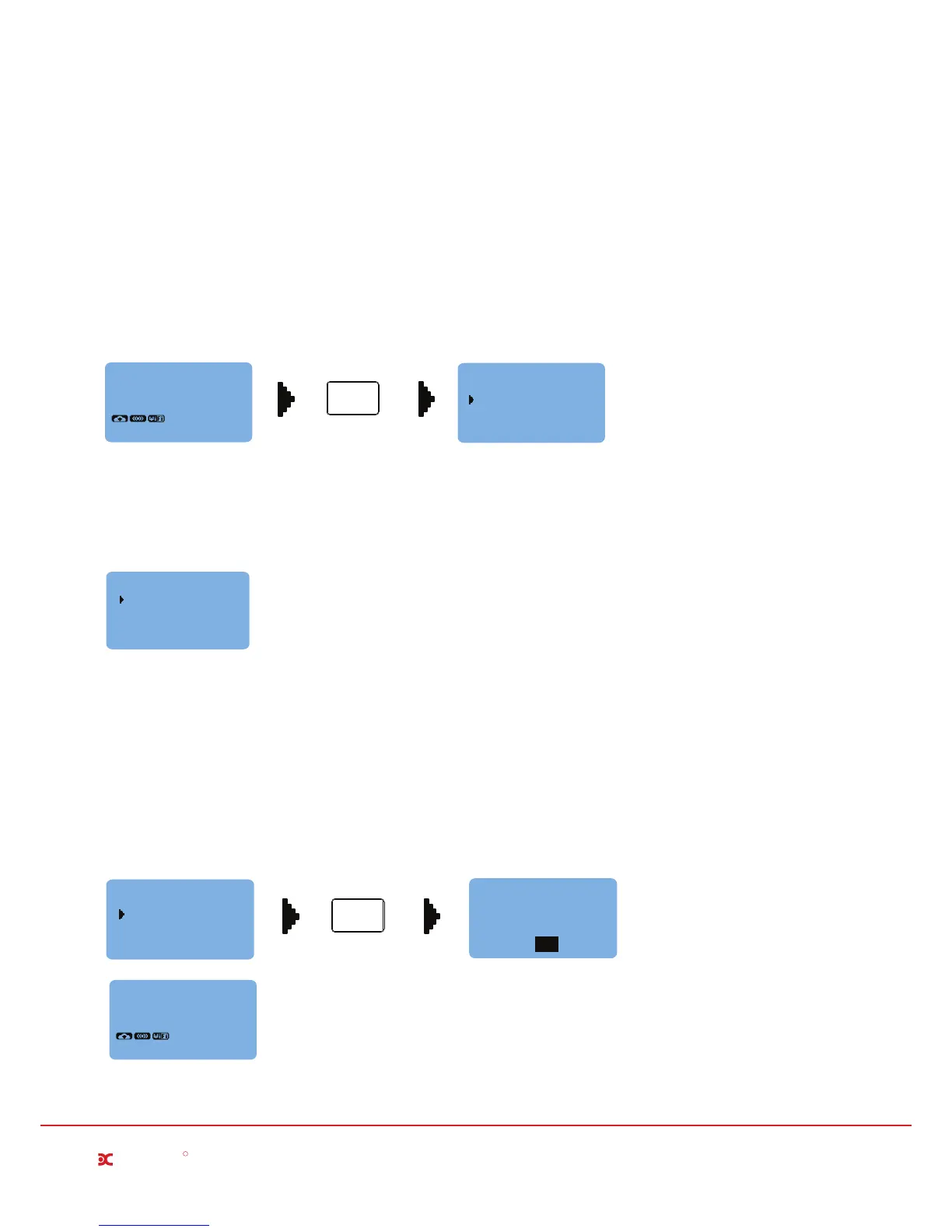
To access the main user menu, simply press the enter button when on the default screen saver as shown below.
From the main menu, you will have access to the settings and advanced settings menus.
02/02/2015
08:35
Export
Import
0.00kW
0.00kW
ENTER
Press Enter Button
MAIN MENU
ADVANCED SETTINGS
SETTINGS
The settings menu allows access to boost set-up options, disabling the Free-E device, date and and time settings
and light off interval settings.
SETTINGS
Boost Options
Disable Free-E
Set Date / Time
Light Off Interval
4.2.1 Boost Options
The Free-E provides options for both a manual (ON/OFF) one-hour default boost, or for a timed boost, which can be
set for three different timer periods, up to 7 days a week.
Manual Boost
To activate the manual boost, simply select Boost Options, then Manual Boost. You will see the confirmation screen
as shown below when the manual boost is activated, and the default display screen on the screen will display the
Manual Boost message shown below.
Manual Boost
Timed Boost
Boost Options
ENTER
Press Enter Button
Millbrook House, Grange Drive, Hedge End, Southampton SO30 2DF
0844 879 3587
dimplex.co.uk | gdcgroup.co.uk
6
Dimplex
R
Boost function ON
Manual Boost
OK
02/02/2015
08:35
MANUAL BOOST


 To Next Page