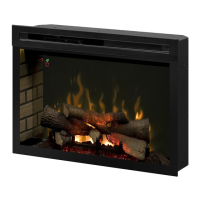
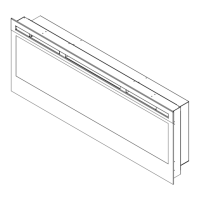
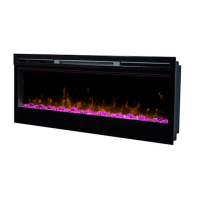
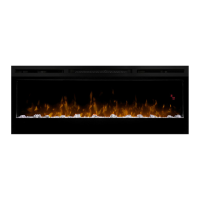
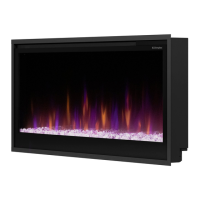
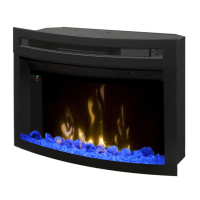
This document is the Owner's Manual for Dimplex electric fireplaces, specifically models PF2325 and PF3033, with a serial number format of 690932XXXX. It provides comprehensive instructions for installation, operation, maintenance, and warranty information.
Function Description
The Dimplex electric fireplace is designed to provide supplemental heat and a visual flame effect, mimicking a traditional fireplace without the need for combustion. It utilizes Comfort$aver™ technology, which automatically adjusts fan speed and heater wattage to maintain a desired room temperature efficiently. The heater operates continuously at a low level once the set point is reached, and will cycle on and off to circulate air and maintain temperature if external factors cause the room temperature to rise. The unit features gWave™ controls for touchless operation and an IR multifunction remote control for convenience. It also includes various ambient lighting color combinations (Multi-Fire XD™) and a sleep timer function.
Important Technical Specifications
- Models: PF2325, PF3033
- Power Requirement: Nominal 120-volt circuit, 15 Amp/120 Volt outlet. A dedicated circuit is preferred, especially if the heater causes regular circuit breaker trips.
- Grounding: The product must be properly grounded with an equipment-grounding conductor and a grounding plug, conforming to local codes and ordinances. It has a polarized plug (one blade wider than the other).
- Firebox Dimensions (Width x Height x Depth):
- PF2325: 24.1 in. (612 mm) x 18.1 in. (459 mm) x 8.9 in. (225 mm)
- PF3033: 31.3 in. (796 mm) x 22.5 in. (573 mm) x 8.9 in. (226 mm)
- Minimum Enclosure/Opening Dimensions (A x B x C):
- PF2325: 25.0 in. (635 mm) x 18.5 in. (470 mm) x 10.0 in. (254 mm)
- PF3033: 32.1 in. (816 mm) x 22.8 in. (579 mm) x 10.0 in. (254 mm)
- Air Intake: Requires 35 in² (226 cm²) of continuous intake air into the back of the unit.
- Temperature Adjustment Range: 5 °C to 30 °C (41 °F to 86 °F).
- Remote Control Battery: One 3V (CR 2032) battery.
- Heater Cool Down Period: 1 minute after shutdown.
Usage Features
- General Operation: The fireplace turns on with the last used settings. The intake temperature is displayed on the On Screen Display for 5 seconds when any button is pressed.
- gWave™ Controls: Touchless operation by waving a hand approximately 4 inches (102 mm) in front of the gWave™ sensor in the upper right corner. Waving up turns the unit On, waving down turns it Off. Holding the hand in front for 7 seconds activates a 95-second demonstration mode. The gWave™ controls can be turned On/Off using a button below the LED pilot light (requires a straightened paperclip).
- Remote Control: An IR multifunction remote control is provided. It must be pointed towards the front of the unit for correct operation.
- Standby: Turns the unit On or Off.
- Flame On/Off: Turns the flame effect On or Off. The heater can operate even when the flame is not visible.
- Heat On/Off: Turns the heater On or Off. Indicated by an icon and intake temperature on the Floating Display™. Holding a hand in front of the gWave™ sensor for 3 seconds also activates this.
- Temperature Down (-): Decreases heat output.
- Temperature Up (+): Increases heat output.
- Eco Mode: Runs the heater in a reduced wattage range.
- Boost Function: Turns On/Off the heater boost, running the unit at full rated wattage for a predetermined time (up to 20 minutes in 5-minute increments) to quickly heat a cold room.
- Multi-Fire XD™: Provides different presets of ambient lighting color combinations, including top lighting, flame base, and media lighting. A personalized color setting ("P") allows adjustment of red, green, and blue tones (25 settings for each color).
- Brightness: Changes the brightness of the lights in the unit, with settings like "A" (high), "b" (low), "C" (high with media flicker), and "d" (low with media flicker). Media flicker is not available on Multi-Fire XD™ levels 5, 6, or P.
- Sleep Timer: Turns the unit off after a preset duration, from 30 minutes (0.5h) to 8 hours, in 1/2 hour increments.
- Numerical Display: Default displays heater air intake temperature or settings (e.g., Multi-Fire XD, Brightness).
- Disable Heat: The heater can be disabled, allowing the unit to operate with only the visual effects. This is indicated by "--" on the On Screen Display.
Maintenance Features
- Safety First: Always disconnect power before any maintenance or cleaning to prevent electric shock or injury. Allow the element and body casing to cool down.
- Regular Inspection: Inspect the heater regularly for cleanliness of the fan exhaust and intake grille. Clean by vacuuming off dust and dirt.
- Glass Cleaning: The front glass can be cleaned with a clean dry cloth for dust. For fingerprints or marks, use a damp cloth and dry completely with a lint-free cloth to prevent water spots. Avoid abrasive cleaners or spray liquids to prevent scratching.
- Fireplace Surface Cleaning: Clean the exterior finish with a damp cloth and mild detergent, then dry completely with a lint-free cloth.
- Servicing: Except for installation and cleaning described in the manual, all other servicing should be performed by an authorized service representative.
- Temperature Cutoff Switch Reset: If the heater overheats and automatically cuts off, unplug the unit and wait 15 minutes before plugging it back in. If continuous resets are needed, disconnect power and contact Dimplex customer service.
- Battery Replacement: Replace the 3V (CR 2032) battery in the remote control by sliding open the battery cover, installing the new battery, and closing the cover. Dispose of batteries properly according to local regulations.


 To Next Page
 General