EasyManua.ls Logo

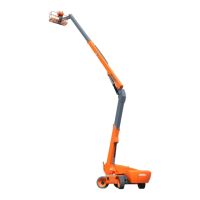
DINGLI BA20ERT - Alarm;Warning Interface

Default Icon
111 pages
Print Icon
To Next Page IconTo Next Page
To Previous Page IconTo Previous Page
Loading...
Secti
o
4-15
4.
M
o
5.
After e
n
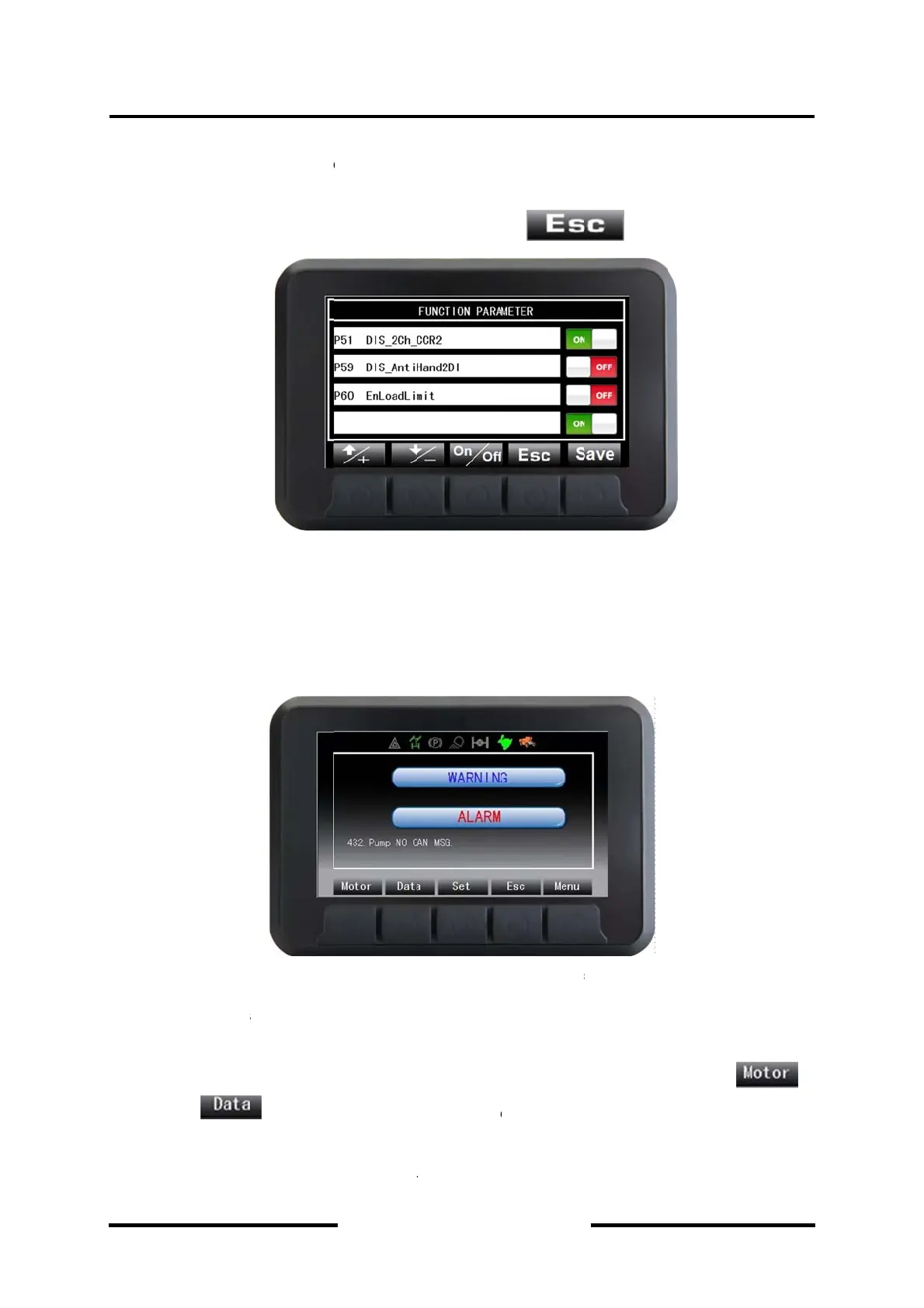
DIS_2C
authori
z
4.2.3.5
A
The int
e
service
1.
T
a
2.
3.
T
o
n4-Mac
h
Indi
c
M
odifying“F
o
n. It will re
t
It returns b
a
n
tering the
H_CCR2”,
z
ed by Ding
L
A
larm/War
n
e
rface appe
a
personnel f
o
T
he data o
n
a
nd
It will return
T
he messa
g
h
ine Con
t
c
ators
58 Main Bo
o
t
urn back at
a
ck to main
i
setting inte
r
P59DIS_A
n
L
i, because
n
ing Interfa
Fi
g
a
rs automa
t
o
r help.
n
motor and
at the cu
r
back main
i
g
es will indi
c
t
rols and
Din
g
o
m Angle I
n
the mome
n
nterface, w
h
Figure 4
-
r
face throu
g
n
tiHand2DI”
the parame
t
ce (chang
e
g
ure 4-9 A
l
t
ically whe
n
vehicle wo
u
r
rent interfa
c
i
nterface w
h
c
ate circula
r
O
p
g
li Mach
n
Safe Angl
e
n
t of interru
p
h
en the but
t
-
8 Setting
g
h entering
and “P60 E
t
ers above
r
e
automatic
l
arm/War
n
n
there is s
y
u
ld be read
s
c
e, but it do
e
h
en the alar
m
r
ly when ma
p
eration
&
inery
e
Confi
r
”, is
o
p
tion of pow
e
t
on
Interface
password
nLoadLimit
r
elate to the
ally)
n
ing Inter
f
y
stem fault,
s
eparately
b
e
s not retur
n
m
ing and w
a
ny alarms o
&
Mainte
n
o
nly valid in
e
r supply.
is dep
r
The para
m
can be mo
d
security of
t
f
ace
to warn op
e
b
y depressi
n
n
back mai
n
a
rning are e
r warnings
a
n
ance M
a
condition o
f
ressed.
m
eter such
dified. But i
t
t
he machin
e
e
rator to a
s
n
g button
n
interface.
liminated.
a
re activate
d
a
nual
f
power
as “P51
t
must be
e
.
s
k proper
d
.

Table of Contents

Related product manuals