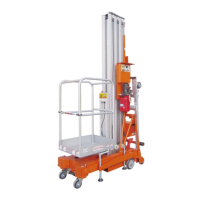
Controls on the ground
Select a stable, level work area free of
obstacles.
Position the key-operated switch of the
truck panel on the controls on the ground;
the LCD must light up without showing
any error message.
Note: in cold climates, the LCD display
requires a short warm up time before
lighting up.
Turn the ignition key on the symbol
representing the truck then start up the
engine by pressing the green button.
Emergency stop test
Press the red emergency stop button by
turning it to the OFF position: the engine
must switch off and no function can be
operative.
Turn the red stop emergency button to the
ON position and restart the engine
Testing the machine functions
Do not activate the movement enable key.
Activate each of the platform and boom
functions buttons: the boom and platform
functions must not be operative.
Activate the movement enable key and
activate each of the boom and platform
functions buttons: all the platform and
boom functions must be operative for a
complete cycle.
Auxiliary pump test
Press the red emergency stop button:
stop the I.C. engine and then reset the
button.
Activate the auxiliary pump and test the
movements of the booms and platform.
NOTE: to avoid consuming the batteries,
limit the test duration time.
After confirming the correct working,
deactivate the auxiliary pump and restart
the I.C. engine.
Testing the warning sound
Press the yellow button of the warning
sound and check its working.
Checking the errors
Select from the control panel the alarm
pages and check for the absence of
alarms.
If this is not the case, immediately
proceed with solving the problem.
Controls on the platform
Position the key-operated switch of the
trucks control panel on the controls in the
platform and start up the I.C. engine.
Emergency stop test
Press the red emergency stop button on
the platform by turning it to the OFF
position: the engine must switch off and
no function can be operative
Turn the red stop emergency button to the
ON position and restart the engine.
Testing the pedal switch
Press the red emergency stop button on
the controls in the platform, bringing it to
the OFF position.
Turn the red emergency button to the ON
position.
Press the pedal switch and try to start up
the engine: if everything works correctly,
the engine will not start up.
Do not press the pedal switch down and
start up the engine: if everything works
correctly, the engine will start up.
Do not press the pedal switch down and



 To Next Page