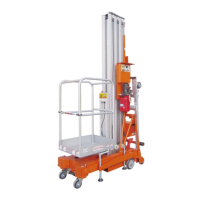
Control panel on the ground
The control panel on the ground must be
usually used to operate the platform for
storage and for operating tests. The control
panel on the ground can be used in case of
emergency to save a person who is unable
to move on the platform. When the control
panel on the ground is activated, the
controls from the platform are deactivated,
except for the emergency stop.
The control panel on the ground is housed in a
removable compartment placed on the LH side
of the truck near the fuel tank. To remove it,
act on both the handles, opening it by pressing
the lock as described below, then lift the
technical compartment.
1 Red emergency stop button
To stop all the functions and switch off the
engine, press down the red emergency
stop button. To activate the machine, pull
the red emergency stop button to the ON
position by turning it clockwise.
2 Auxiliary power supply button
Use the auxiliary power supply in case of
a fault in the main power supply (I.C.
engine).
Press down the button to activate the
auxiliary power supply, and then set the
platform in safety condition.
3 Movement enable key
To enable the hydraulic movements
from the control panel on the ground,
turn the key clockwise and hold it in
this position.
4 Diagnostics panel
This panel contains the basic information
for monitoring the working of the truck.
The pages and options available are
displayed in the lower part of the screen
[A] and are controlled by the
corresponding buttons present below [B].
Main page
The upper band shows:
alarm indicator light;
battery electric voltage low indicator
light;
engine spark plugs preheating
indicator light;
steering mode selection indicator
light;



 To Next Page