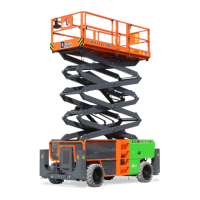
OPERATOR’S MANUAL with Maintenance Information
Control Panel
10
Platform Control Panel
1. Battery Charge/Fault Code (LEDs)
On normal power-up and operation this
series of LEDs visually indicates the
amount of change left in the batteries.
(+) GREEN LEDs lit indicate maximum
charge.
(-) RED LED’s lit indicate minimum
charge remaining.
The number of LEDs lit will change
depending on the level of charge in the
batteries.
If battery voltage falls below 16.8 volts a
fault condition will occur and the machine
will stop operating. The batteries will need
recharged.
2. Max. Drive Speed Setting (LEDs)
Indicates current Maximum Drive Speed
Setting. Slow to Fast
3. Decrease Max. Drive Speed
Press this button to decrease the
drive speed.
4. Increase Max. Drive Speed
Press this button to increase the
drive speed.
5. Horn Button
Push the horn button and the horn will
sound. Release the horn button and the
horn will stop.
6. Drive Function (Enable)
Press the button to enable the
drive function.
7. Platform Function (Enable)
Press the button to enable the
Left function.
8. Joystick with Enable Button
On the side of control handle, press the
enable button to active the drive or left
function.
Lift function:
Press and hold the function
enable switch to enable the lift function on
the platform control handle. Move the
control handle in the forward direction the
platform will raise. Move the control handle
in the backward direction the platform will
lower. The descent alarm should sound
while the platform is lowering.
Drive function:
Press and hold the function
enable switch to enable the drive function
on the platform control handle. Move the
control handle in the forward direction the
machine will move ahead. Move the control
handle in the backward direction the
machine will move back. Move the control
handle in the left direction the machine will
turn to left. Move the control handle in the
right direction the machine will turn to right.
9. Red Emergency Stop button
Push in the red Emergency Stop button to
the off position to stop all functions. Turn
clockwise the red Emergency Stop button
to the on position to operate the machine.


 To Next Page