TPW
38
Commands
USER_MAN_ENG_TPW_v4
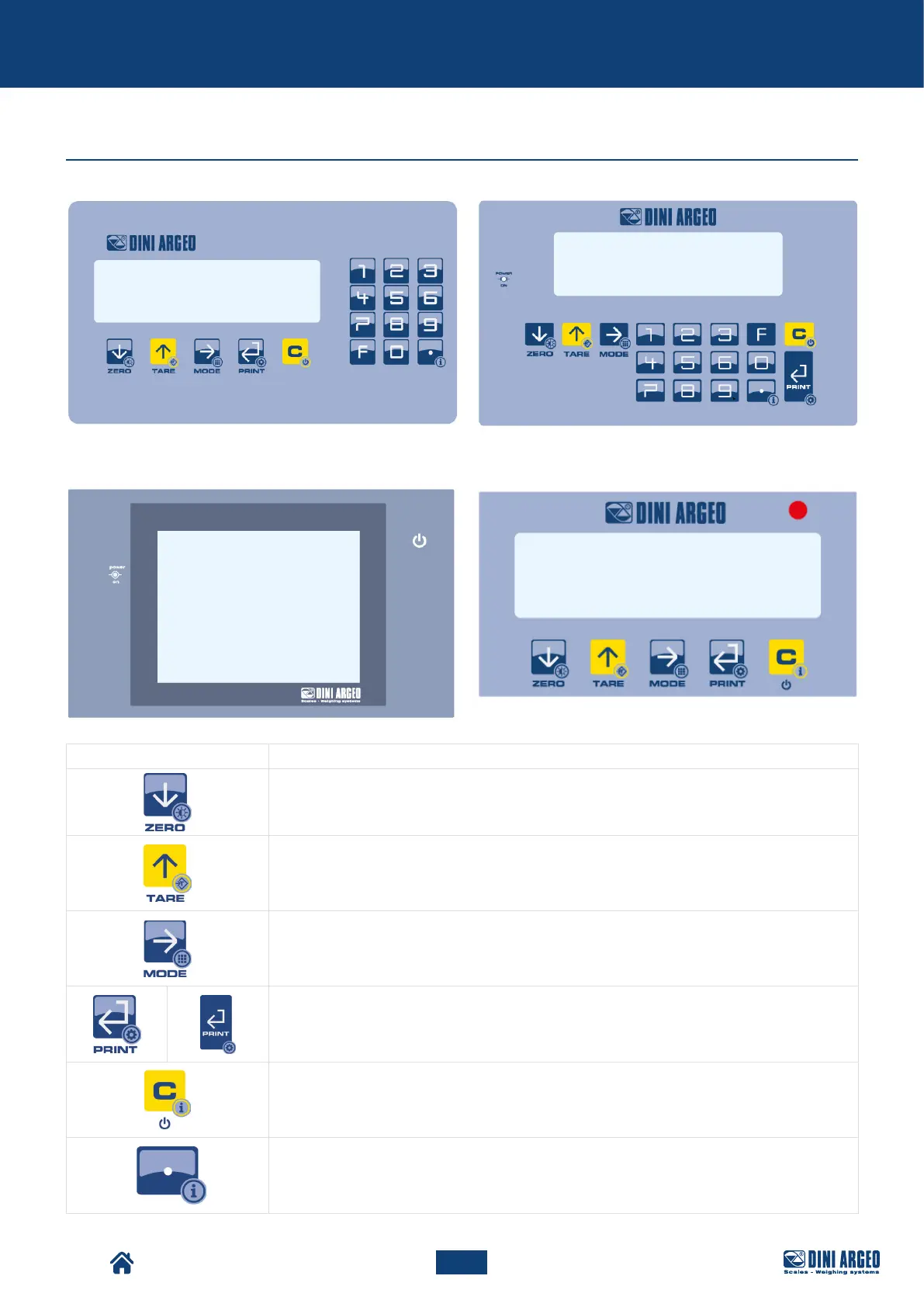
Keyboard types
Button Description
• Resets the weight on the scale.
• If pressed for a long time (2 sec), it is possible to set the brightness of the display.
• Performs tare on the scale.
• If pressed for a long time (2 sec), a preset tare can be entered.
• Recalls the specific function of the operating mode.
• If pressed for a long time (5 sec), it allows to change the operating mode.
• Confirm key.
• Prints the receipt.
• If pressed for a long time (5 sec), the configuration menu can be accessed.
• If pressed for 2 sec it switches o the instrument.
• If pressed for 5 sec it displays the metrological information.
If pressed for a long time (2 sec) it displays the metrological information.
KEYBOARD FOR DFWK06 INDICATOR
KEYBOARD FOR DFWLKI INDICATOR
KEYBOARD FOR 3590EGTXP INDICATOR KEYBOARD FOR DFWL-1 INDICATOR



 To Next Page