23
403.FORD6 3.24 2013 Ford Taurus (40-Bit)
©2022 VOXX•DEI LLC. All rights reserved.
Quick Reference Guide
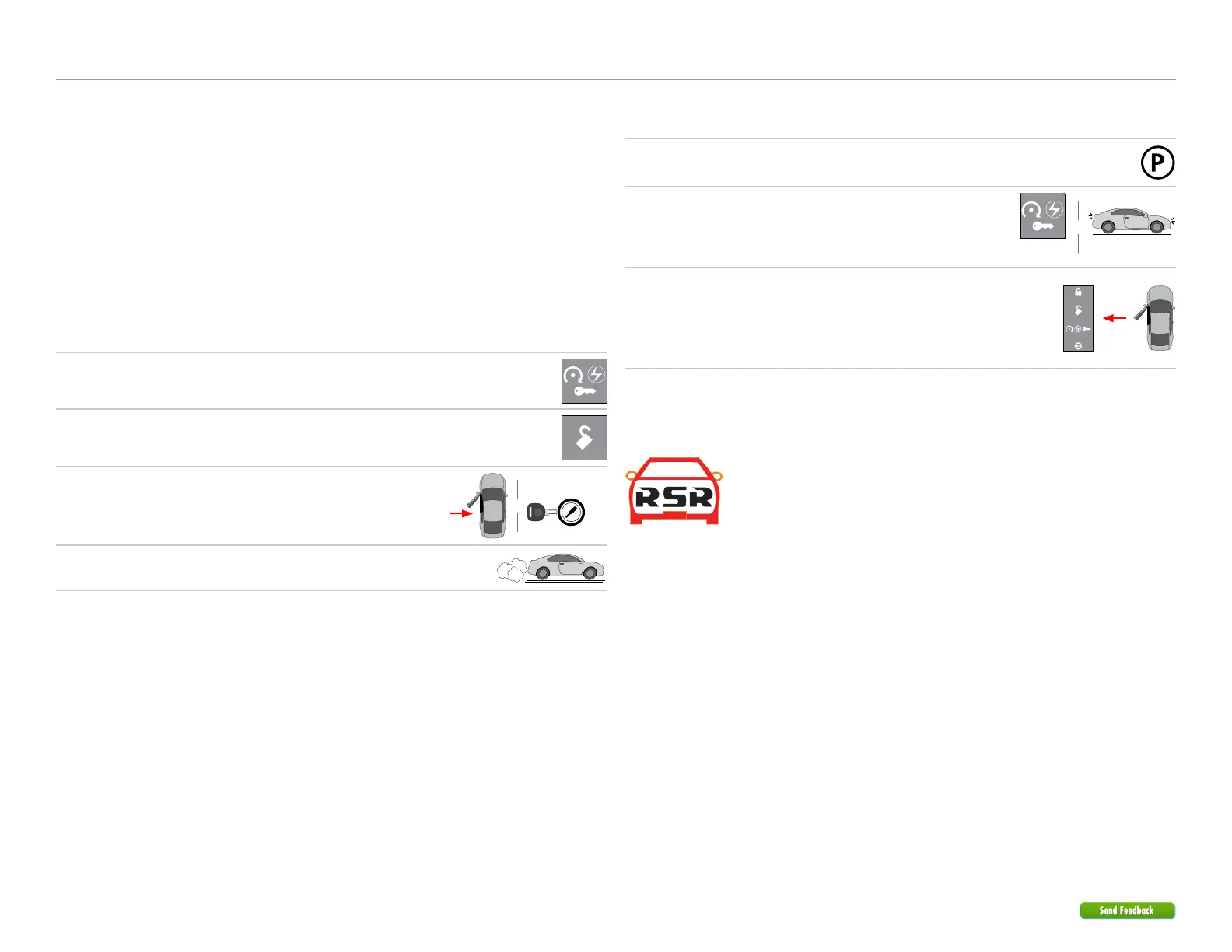
Pit stop/idle mode
1
Stop the vehicle in a safe parking spot and put the
gear in Park (P).
Put
gear in
Park
2
Press the Remote Start button on the transmitter.*
The parking lights will flash once to indicate the
vehicle is now in Pit Stop Mode.
Parking lights flash x1
Press Remote
Start button*
&
3
It is safe to leave the engine running and exit the
vehicle with the factory remote in hand.
Note: We recommend that you always lock the
doors of your vehicle when leaving it unattended.
Exit vehicle
with remote
* Icon and remote appearance may differ depending on the model purchased.
Remote Start Ready (RSR)
Remote Start Ready (RSR) is a function that enables the interface
module to remote start the vehicle completely on its own.
Consequently, there is no need for an aftermarket or an OEM remote
starter in order to start the vehicle from a distance.
3x OEM Lock Remote Start Activation
This solution includes the option to remote start your vehicle by pressing the Lock
button 3 times consecutively. If your vehicle allows the OEM remote to remain active
while the engine is running, you may shut down your remote starter by pressing the
Lock button 3 times once more.
Note: The range offered by OEM remotes is limited and typically requires you to be
within eyesight of the vehicle to control it.
Sending commands to your vehicle
Whether you want to remote start the engine, lock/unlock the doors or pop the trunk,
there are 3 possible ways you can send commands to your vehicle, using the:
• Factory remote.
• Aftermarket remote.
• Directed SmartStart application via your smartphone.
If applicable, you can also start the engine remotely by pressing the Lock button 3
times quickly on your factory remote.
Vehicle takeover with regular key
1
Close the vehicle doors, hood and trunk, then send
the Remote Start command to start the vehicle.*
Press Remote
Start button*
2
Send the Unlock command on the factory or
aftermarket remote.*
Press Unlock on
either remote*
3
Enter the vehicle, insert your key in the ignition
barrel, and turn it to the ON position.
START
Key OUT
ON
OFF
START
Key IN
ON
OFF
START
Key IN
ON
OFF
Enter
vehicle
&
4
Depress the brake pedal, put the car in gear and
drive off.
Ready to
drive off
* Icon and remote appearance may differ depending on the model purchased.


 To Next Page