User Guide P.13
SafeStart
This feature will eliminate accidental remote starts, e.g. when children are playing with the
transmitter.
Safe start enabled: If this feature is enabled, the user must press the button twice within
3 seconds to remote-start the vehicle.
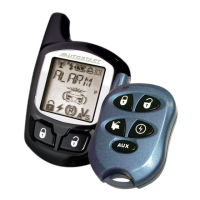
Swap start (2-way remote): If this feature is enabled;
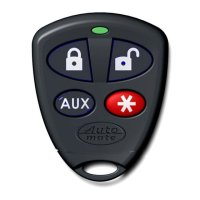
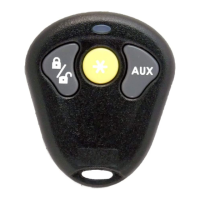
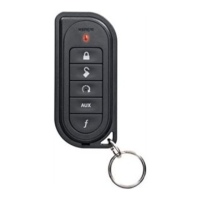
1. Press and release the AUX button.
2. The button on the transmitter will light up.
3. While it is lit, press to remote start the car.
The AUX 2 output can be activated by pressing the button.
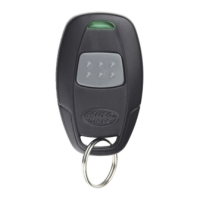
Swap start (1-way remote): If this feature is enabled;
1. Rapidly press AUX twice. The remote’s LED will start flashing.
2. While the LED is flashing, press to remote start the car.
The
AUX 2 output can be activated by pressing the button.
EngineRunTime
If you have a gas engine, your Remote Car Starter can be programmed to run the engine for 3, 15,
or 25 minutes (15 minutes by default). If you have a diesel engine, the Remote Car Starter can be
programmed to run the engine for 8, 20, or 30 minutes (20 minutes default).
TurboMode
If Turbo Mode is configured at installation, it will allow a turbocharger to idle down after the user
leaves the vehicle: the unit will take over the vehicle and keep it running for 60 seconds (or until it
is shut down by remote control), then shut down the engine.
If your vehicle has an automatic transmission, proceed as follows to set the system to Turbo Mode:
1. With the engine running, make sure to release the brake pedal and press the ,
or button on the transmitter until the parking lights come ON.
Note: SmartStart™ can be setup to use the SmartStart™ icon to activate Turbo
mode.
2. Remove the ignition key from the ignition switch. The engine will continue running.
3. Exit the vehicle and close all doors, hood and trunk.
4. Press the button; this will lock the doors, arm the OEM-style alarm (if
configured) and confirm that the vehicle is in Turbo Mode.
5. The engine will shut down after 60 seconds.
If your vehicle has a manual transmission, follow all steps of the Ready Mode routine (page-7) to
activate Turbo Mode. At the last step, press either:
• to lock the doors and have the engine shut down after 60 seconds;
The parking lights will flash 3 times and remain lit.
The OEM-style alarm and starter kill (if configured) will be armed.
•
to unlock the doors and have the engine shut down after 60 seconds;
The parking lights will flash 3 times and remain lit.
• to shut down the engine without affecting the doors.
Note: The vehicle will enter Ready Mode once the engine run time expires.



 To Next Page