127
Q: Why are the DIRECTV menus/screens not displaying on
my TV?
OR
Why do I see this message: “This TV or its cables are
not HD. To see screen graphics, press the RES key on
the front of the Receiver until this message no longer
appears”.
When the Receiver resolution is set to 720p, 1080i, or 1080p, DIRECTV
screens and menus (user interface) will not appear on Standard Definition (SD) outputs. A message is displayed to notify you that
the resolution setting needs to be changed.
Possible Causes:
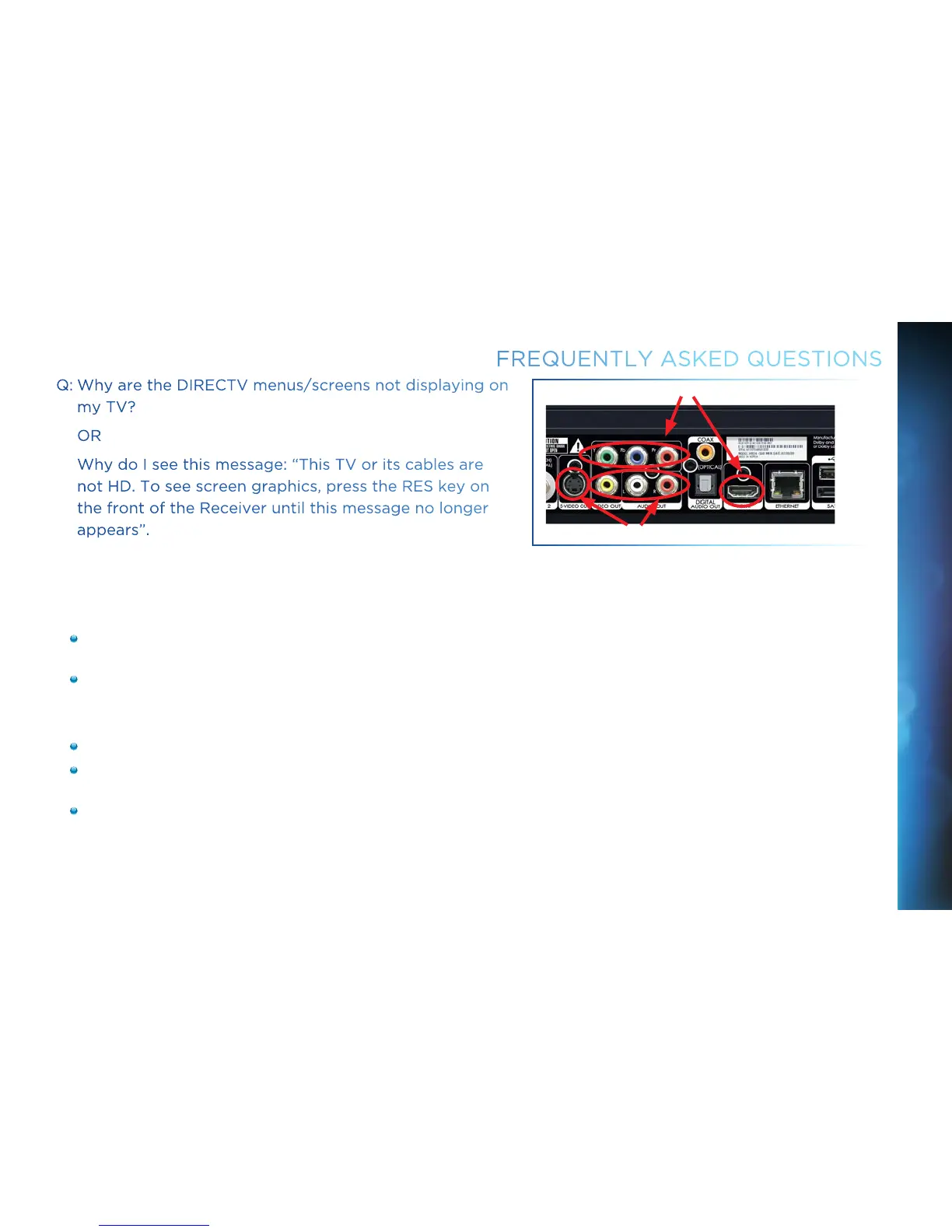
You have connected your Receiver to your TV using both a High Definition output (HDMI) and Standard Definition (SD) outputs
(S-Video, Component (Red/Yellow/White), or Coaxial) on the same Receiver.
You are using SD outputs (S-Video, Component (Red/Yellow/White), or Coaxial) and have the Receiver set to HD resolutions
such as, 720p, 1080i or 1080p.
Solutions:
Change the Receiver resolution to 480i or 480p by pressing the RES button on the front Receiver panel until 480i or 480p is selected.
Uncheck all resolutions except 480i or 480p on the TV Resolutions menu. Press MENU, select Settings, HDTV and then TV
Resolutions. Follow the onscreen instructions.
Turn Native Off. Press MENU, select Settings, HDTV, Video, then Native, and follow the onscreen instructions.
FREQUENTLY ASKED QUESTIONS
SD Video Outputs
HD Video Outputs
CHAPTER 8 - TROUBLESHOOTING & FAQS



 To Next Page