75
DIRECTV
®
WHOLE-HOME DVR SERVICE
CHAPTER 5 - EXTRAS & SPECIAL FEATURES
After your system is set up, see the following steps to personalize
your Whole-Home experience and take advantage of its many
great features and functionality.
1. Activate DIRECTV
®
Whole-Home DVR Service:
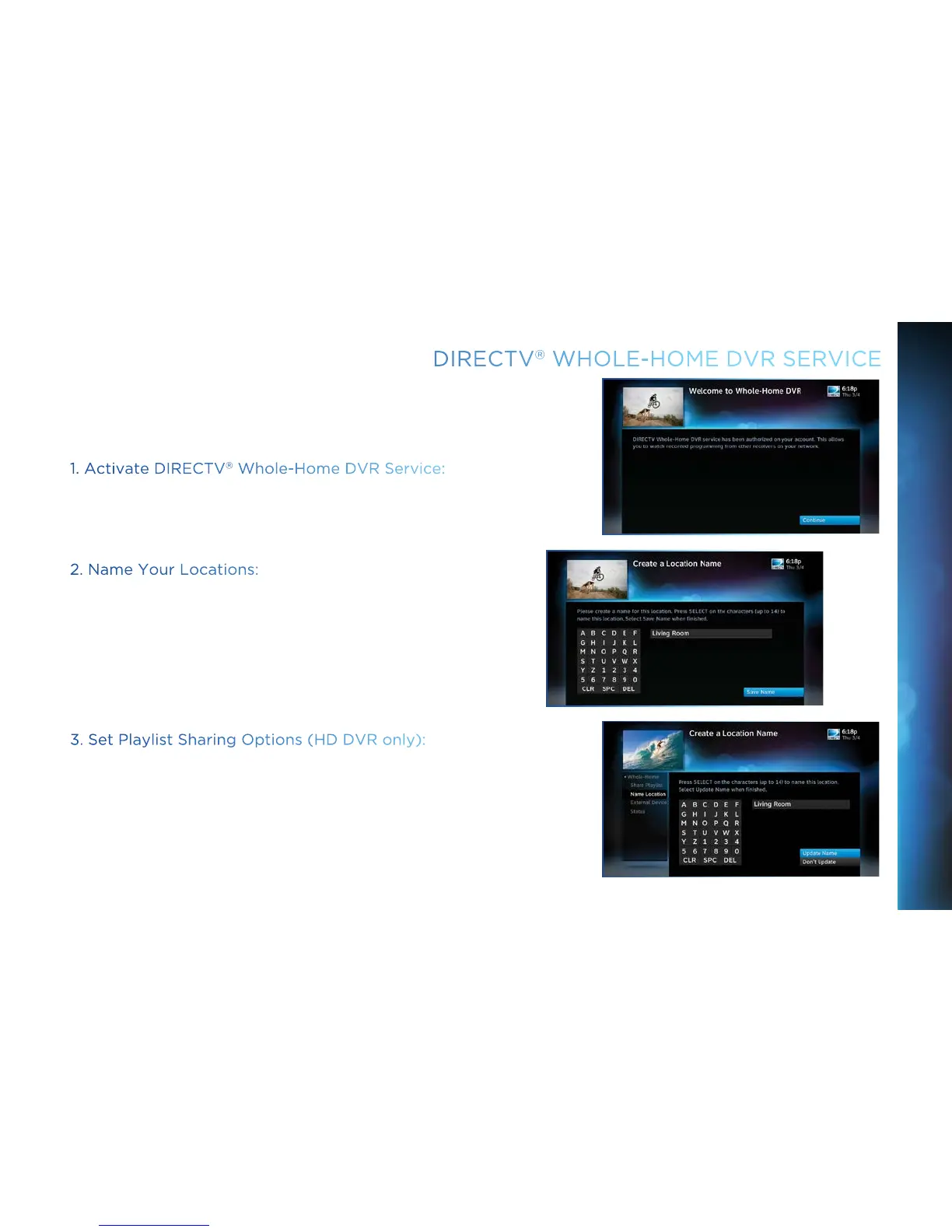
Once DIRECTV
®
Whole-Home DVR service is activated on your
account, press the LIST button on your Remote. The service
confirmation message at right will display. Select Continue.
2. Name Your Locations:
Now, give each Receiver or Client a name. We refer to this as
Location. The name must be 14 characters or less , and should
be easy to remember or associate with its location, such as
“Living Room.” You must be at the Receiver or Client to assign
its name.
To change a Location Name, press MENU, select Settings &
Help, then Settings, Whole-Home and then Name Location.
3. Set Playlist Sharing Options (HD DVR only):
If the Receiver is an HD DVR, you’ll be prompted to set the
following Playlist sharing options during initial setup:



 To Next Page