4
FEATURES AND FUNCTIONS
Key Charts
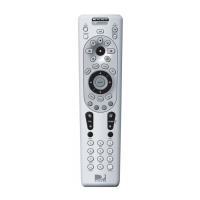
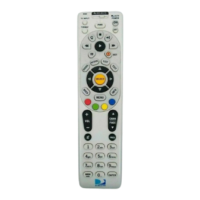
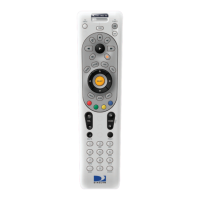
Slide the MODE switch to
the DIRECTV, AV1, AV2 or
TV positions to select the
component you want to con-
trol. A green LED under each
switch position indicates the
component being controlled.
Press TV INPUT to select
the available inputs on your
TV. (Note: Additional setup
is required to activate the
TV INPUT
key. See instruc-
tions on page 10.)
Press FORMAT to cycle
through the resolution and
screen formats. Each press
of the key cycles to the next
available format and /or reso-
lution. (Not available on all
DIRECTV Receivers.)
Press PWR to turn the select-
ed component on or off.
Press TV POWER ON/OFF
to turn the TV and DIRECTV
Receiver on or off. (Note:
These keys are only active af-
ter the remote has been setup
for your TV. See page 10.)
continued on next page…
AV1 AV2 TV
TV
INPUT
FORMAT
TV
POWER
OFF
ON
PWR
Remote Control UG-Philips.indd 4Remote Control UG-Philips.indd 4 7/26/05 11:10:46 AM7/26/05 11:10:46 AM



 To Next Page