Satellite Receiver
13
Remote Control(s)
Remote Control Batteries
Each remote control comes with four AAA batteries. When you replace old
batteries, you should replace all of the batteries. Use batteries of the same
type together, for example, all alkaline. Don’t mix batteries of different
types/chemistries. Alkaline batteries will last longer than carbon zinc.
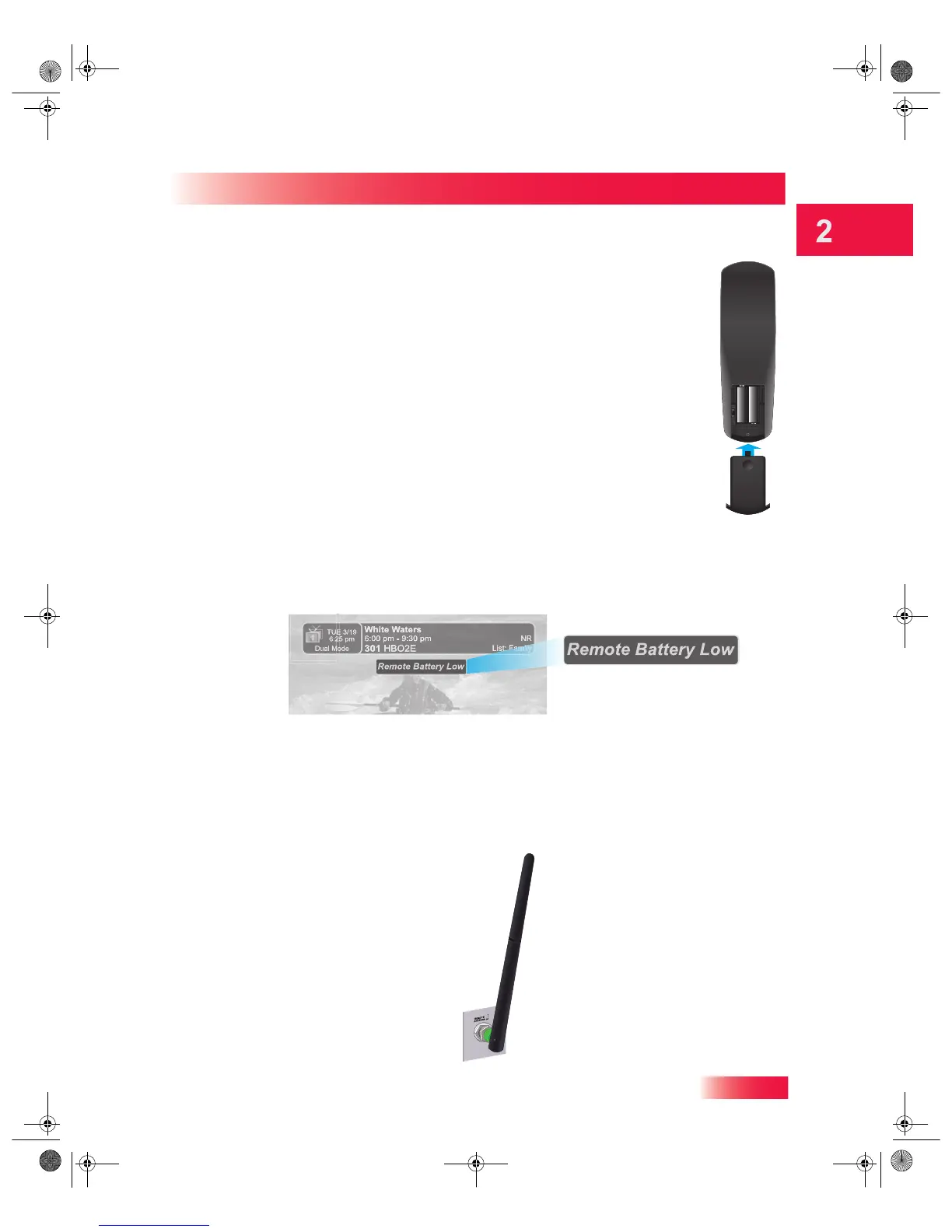
1 Press down on the dimple at the top of the battery cover on the back of the
remote control and slide off the cover.
2 Take out all four of the old batteries.
3 Put in new batteries. Make sure you match the plus (“+”) ends with the plus
markings on the battery case.
4 Slide the battery cover back into place on the back of the remote control.
Low Battery Warning
When you see a low-battery warning message below the Program Banner on your TV
screen, the batteries in your remote control are weak and need to be replaced.
Attach the Remote-Control Antenna
Attach the remote-control antenna to the REMOTE ANTENNA connection on the Hopper with
Sling back panel to use your UHF-2G remote. (The Joey Receiver’s remote antenna is
internal.) Without a remote-control antenna attached, you cannot use this remote to
control a Hopper. See Adjusting the Remote-Control Antenna on page 14 for information
about improving the performance of your UHF-2G remote control. (Image may vary.)
913.book Page 13 Tuesday, January 15, 2013 4:57 PM



 To Next Page