Finding Programs to Watch
35
Homes With a Second Hopper with Sling Installed
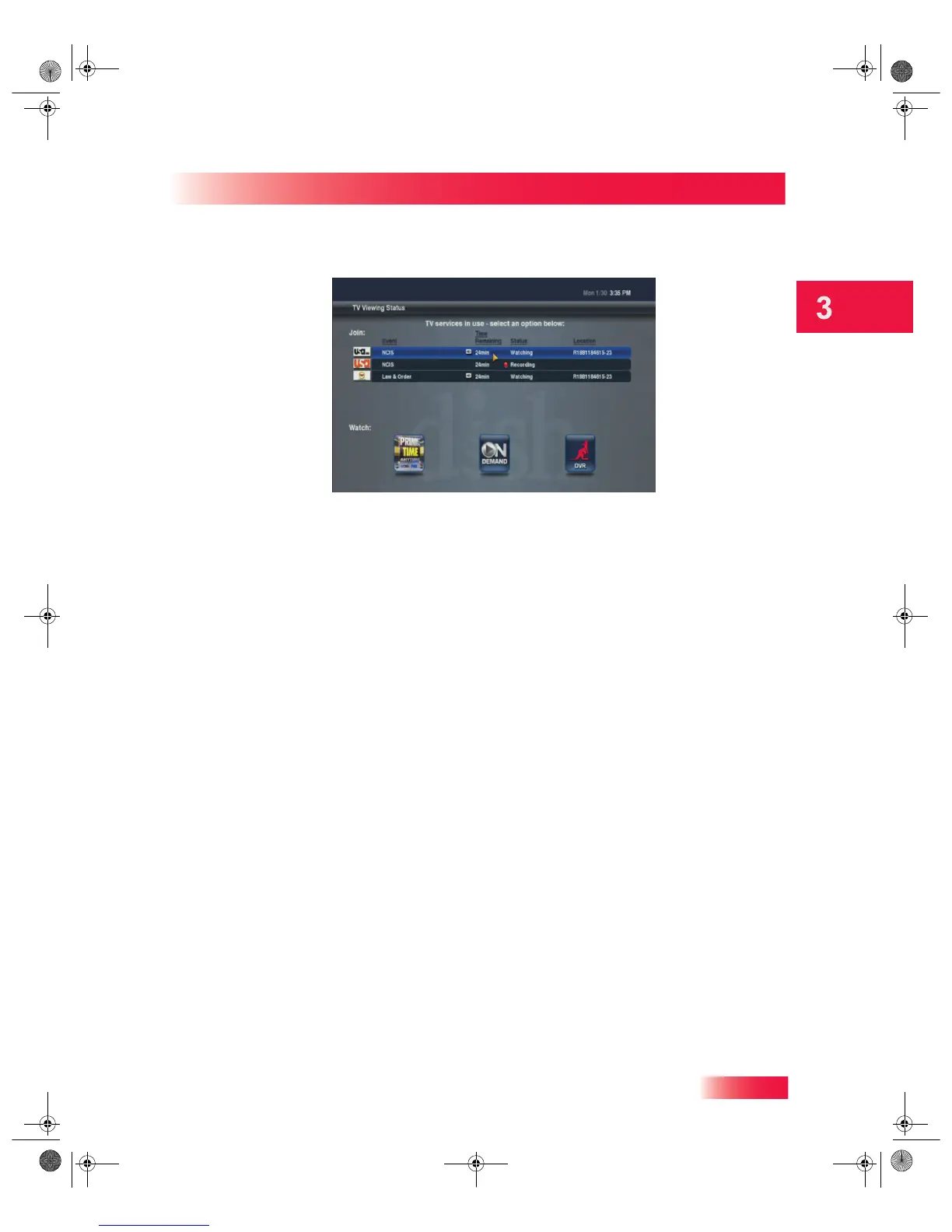
3 Press the red button on this remote control to display the TV Viewing Status screen.
4 From the TV Viewing Status screen, select the program you want to resume and continue
watching from where you paused it.
HOMES WITH A SECOND HOPPER WITH SLING INSTALLED
Users with two Hoppers with Sling now can experience true Whole-Home HD DVR
functionality. You can toggle between the two DVR libraries and access any of their
contents from any room with a linked Joey Receiver in the house.
Accessing the DVR Library on a Second Hopper
To access the DVR library on a second Hopper with Sling from any TV in your system, do
the following:
1 Press the DVR button on your remote control, or press the MENU button and highlight and
select the DVR tile from the Main Menu screen.
2 Select the second Hopper with Sling HD DVR from the yellow Hopper drop-down menu.
3 View the DVR library available on the second Hopper with Sling in your system. You can
switch back to the original Hopper’s DVR at any time using the Hopper drop-down menu.
Linking a Joey Receiver to a Different Hopper
You can link any Joey Receiver to the Hopper with Sling HD DVR of your choice in your
whole-home system. If the tuners of the currently linked Hopper with Sling are busy, for
example, you can link a Joey Receiver to the second Hopper and use its available tuners
to view live or recorded content on the TV connected to that Joey Receiver.
1 Press the MENU button and select the Settings tile on the Main Menu screen.
2 Select Network Setup, and then Whole-Home.
913.book Page 35 Tuesday, January 15, 2013 4:57 PM



 To Next Page