Home
Dish Network
Receiver
Wally
Setup Guide
Page 8 (Downloading Your Wally Software)
Dish Network Wally - Downloading Your Wally Software
16 pages
Manual
Save Page as PDF
To Next Page
To Next Page
To Previous Page
To Previous Page
Loading...
6.
Dow
n
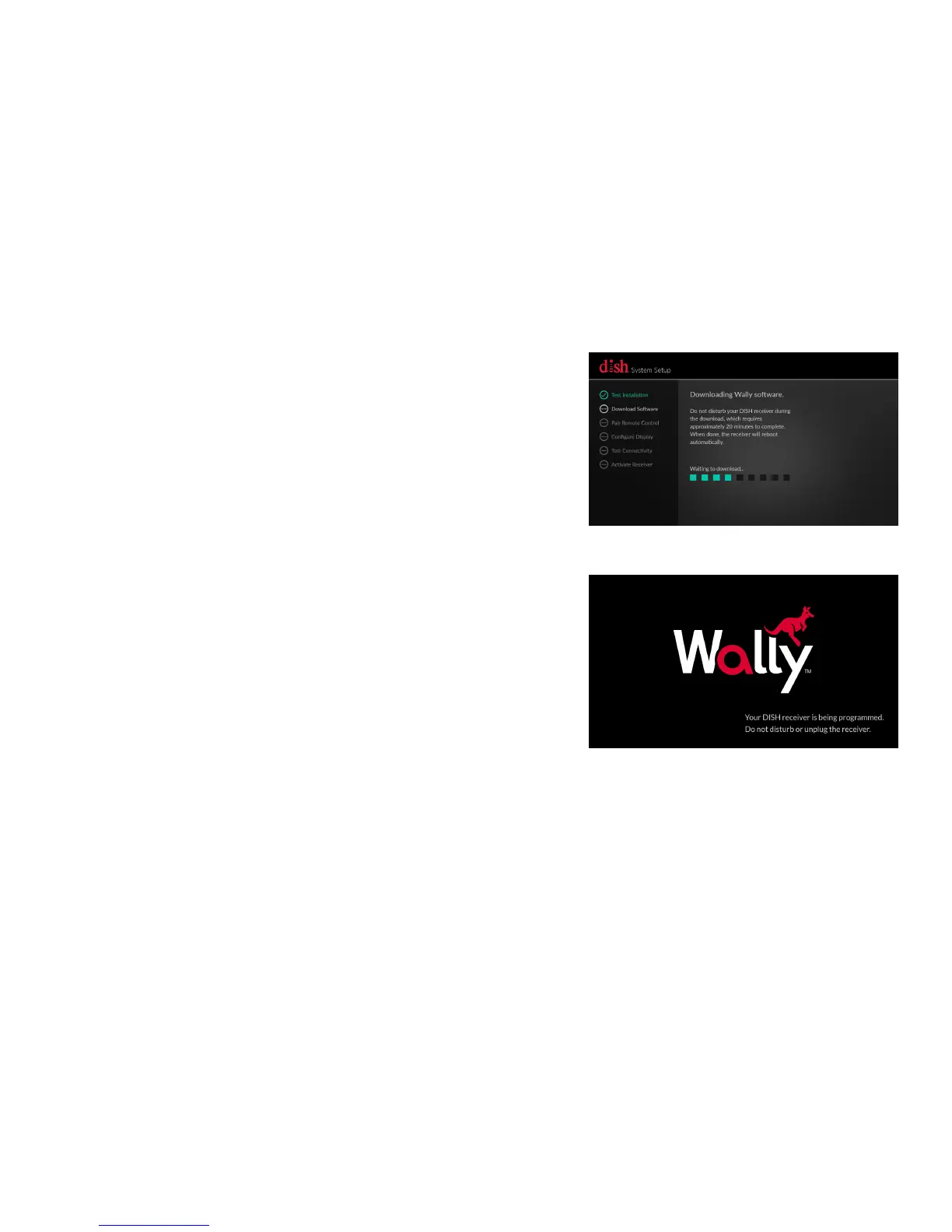
loading Your Wally Software
a.
Wait while the System Setup wizard
downloads your Wally software. This
process will take approximately 20
minutes.
b.
When the download is complete,
your Wally will reboot
automatically.
7
9
Table of Contents
Main Page
Labeling Your Cables
2
Disconnecting Your Cables
3
Connecting the Cables to Your Replacement Receiver
4
Powering Your Equipment
6
Acquiring a Satellite Signal
7
Downloading Your Wally Software
8
Pairing Your Remote Control and Setting Your Wally Location
9
Setting Your TV Configuration
10
Testing Your Hopper Connectivity to the Internet
12
Activating Your Wally
13
Returning Your Original Receiver
14
Other manuals for Dish Network Wally
User Guide
69 pages
Manual
36 pages
Setup
20 pages
Related product manuals
Dish Network 311
99 pages
Dish Network 322
137 pages
Dish Network 500
144 pages
Dish Network VIP222
143 pages
Dish Network 123698
98 pages
Dish Network DISH322
6 pages
Dish Network Receiver
160 pages
Dish Network ViP 222k
2 pages
Dish Network Solo 311
106 pages
Dish Network ViP 211 Series
2 pages
Dish Network SoloDVR ViP 612
135 pages
HDTV DVR Satellite Receiver
147 pages










 To Next Page