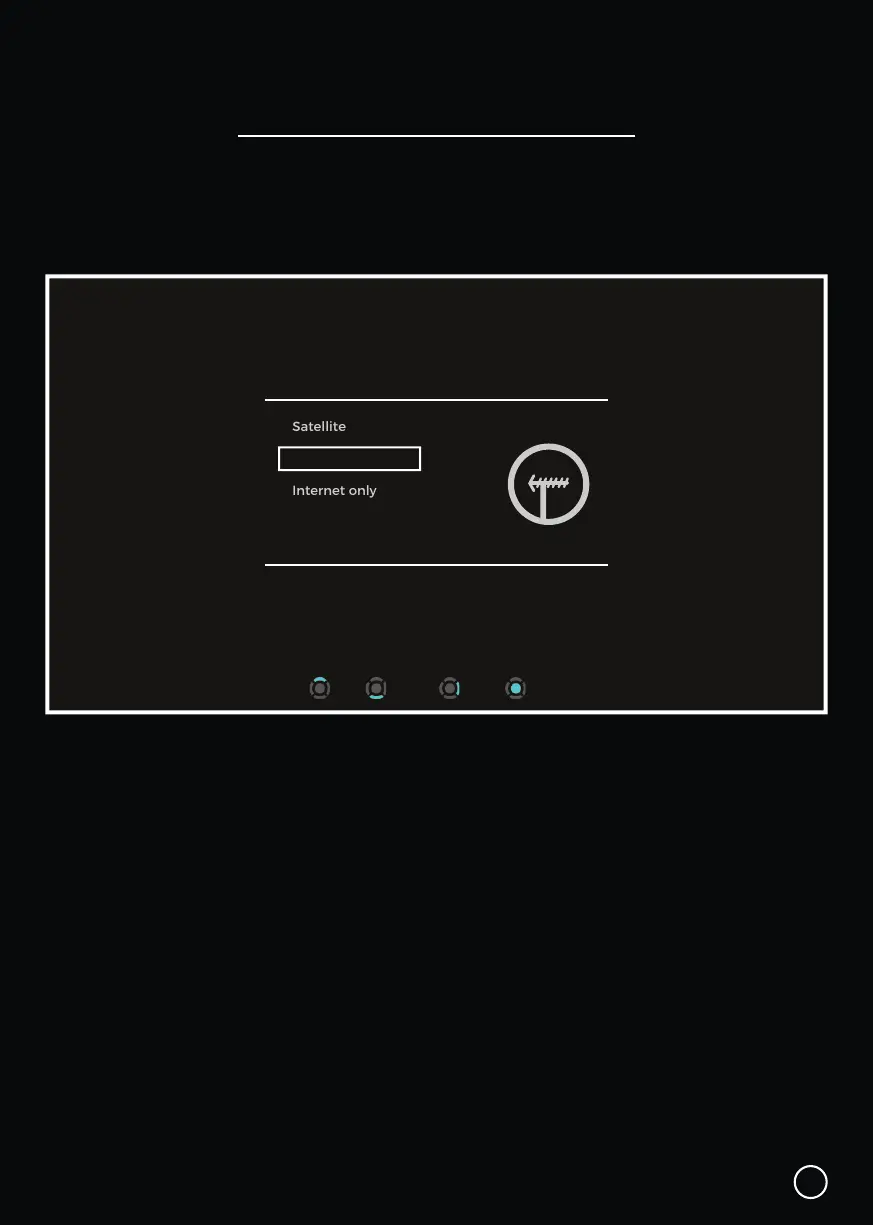
Select Tuning Type
10
Installation
Next Select
Select Tuning Type
Satellite
UHF Aerial
Internet only
Up Down
Use the ▲ UP or ▼ DOWN navigation arrows on the Bluetooth Remote, to select
one of the following:
• Select Satellite, if using a Satellite Dish.
• Select UHF Aerial, if using a UHF Aerial.
• Select Internet Only, if using the Internet only.
To re-tune the channels or change the tuning type at a later stage, go to:
Menu → Settings → Advanced Settings → Select Signal Type.
Your SmartVU+ works with both a UHF Aerial OR Satellite Dish. During the initial setup
you will be prompted to tune in your SmartVU+
The SmartVU+ is not able to access both the Satellite and UHF Aerial (Antenna) Tuners simultaneously.


 To Next Page