10
Changing the covers and keypad
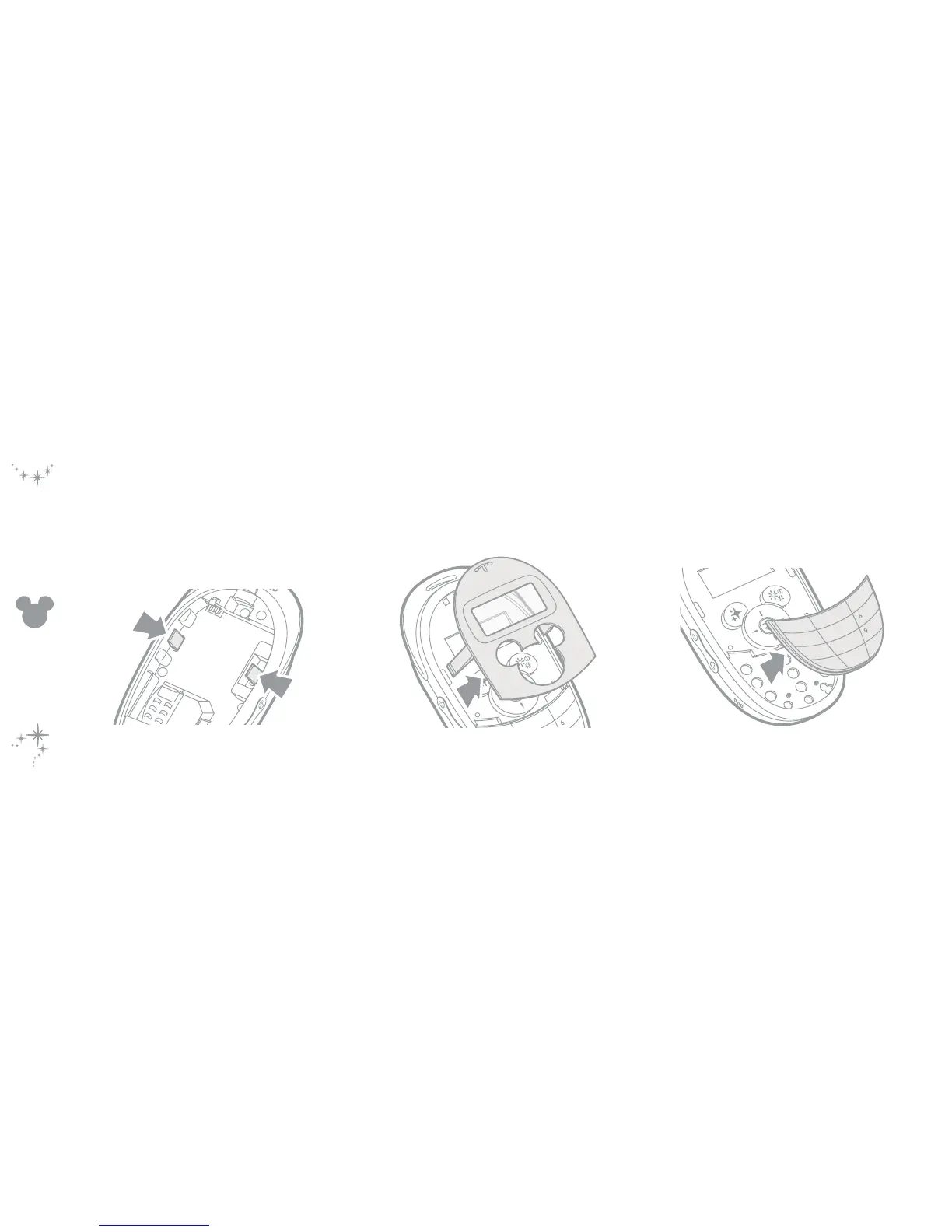
Removing the covers and keypad
1 Remove the rear panel and battery.
2 Press the two clips inwards and as you do so, press
down slightly on each to release the front panel.
3 Gently lift the front panel away from the main body.
4 At the top edge of the keypad, lift it away from the
main body.



 To Next Page