7
Getting started
Before you can begin making and receiving calls,
please take a moment to prepare your mobile by fol-
lowing the basic steps outlined in this chapter.
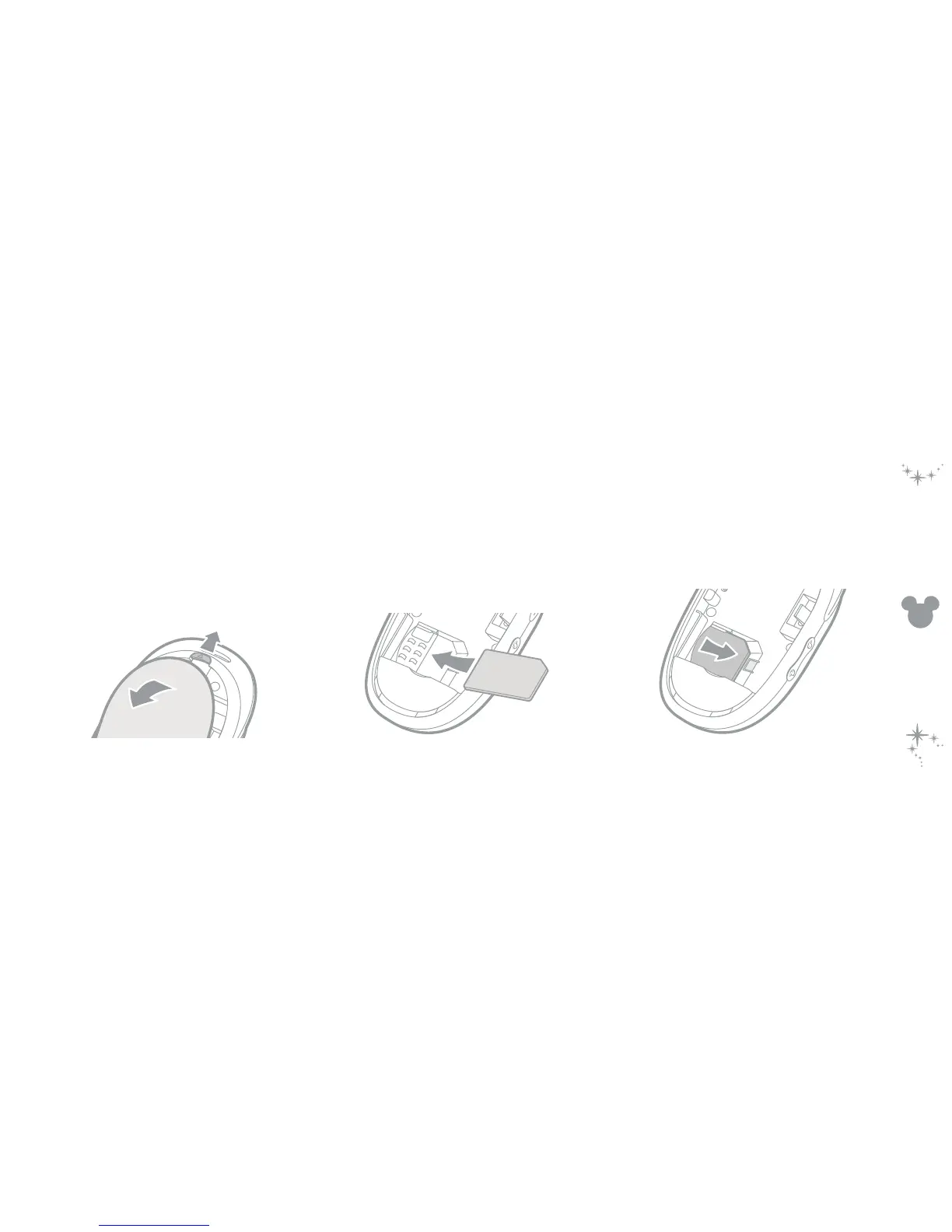
To remove the rear panel
1 Slide the release clip towards the lanyard loop and
simultaneously lift the rear cover away from the
main body.
Fitting your SIM card
To insert your SIM card
1 Orientate your SIM card with its gold contacts fac-
ing downwards and push it fully into the holder as
shown below.
2 Replace the battery and rear panel.
To remove your SIM card
1 Press down lightly on the clip adjacent to the SIM
card and as you do so, push the SIM card out of the
holder.



 To Next Page