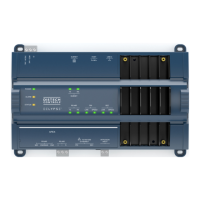
EC-BOS-6
AX
Mounting and Wiring Instructions
Revised: February 2008 Part Number: 05DI-HIBS6AX-10
Power Up and Initial Checkout
Communications Wiring
16
Note If a modem option card (EC-NPB-MDM) is installed, this port becomes disabled—except if rebooted
with the mode jumper (see Figure 2 on page 7) in the “Serial Shell” position.
RS-485—An RS-485, optically isolated port uses a 3-position, screw terminal connector and always operates
as COM2. Wire to this connector with shielded 18-22AWG wiring (refer to the TIA/EIA-485 standard). As
shown in Table 3, the screw terminals (from left-to-right) are shield, plus (+), and minus (–).
USB—A single USB port is on the top of the board.
Note The USB port is for future use.
Power Up and Initial Checkout
Ensure power wiring to the EC-BOS-6
AX
is ready—see the “Power Wiring” section on page 11. Refer to
Figure 2 on page 7 for the locations of the EC-BOS-6
AX
battery connector, status LEDs and barrel power
connector (for EC-WPM-XX only). Refer to Figure 3 on page 13 for location of the power connector on the
EC-NPB-PWR/-UN power module.
Following all mounting and wiring, perform the following:
Procedure 4 Initial power up and checkout
Step 1
Connect the Backup Battery.
Step 2
Apply Power.
Step 3
Check the Status LEDs.
Table 3 Serial port (RS-232 and RS-485) pinouts.
Base RS-232 DB-9 Port (COM1)
Base RS-232 DB-9 Port (COM1)Base RS-232 DB-9 Port (COM1)
Base RS-232 DB-9 Port (COM1) Base RS-485 Port (COM2)
Base RS-485 Port (COM2)Base RS-485 Port (COM2)
Base RS-485 Port (COM2)
Pinout References
Pinout References Pinout References
Pinout References Signal
SignalSignal
Signal DB-9 Plug Pin
DB-9 Plug PinDB-9 Plug Pin
DB-9 Plug Pin Pinouts
PinoutsPinouts
Pinouts
DCD Data carrier detect 1
RXD Receive data 2
TXD Transmit data 3
DTR Data terminal ready 4
GND Ground 5
DSR Data set ready 6
RTS Request to send 7
CTS Clear to send 8
not used on the EC-BOS-6
AX
9
3-position connector (male)
S
+
–


 To Next Page