50 ECL-PTU-207 Preloaded Applications
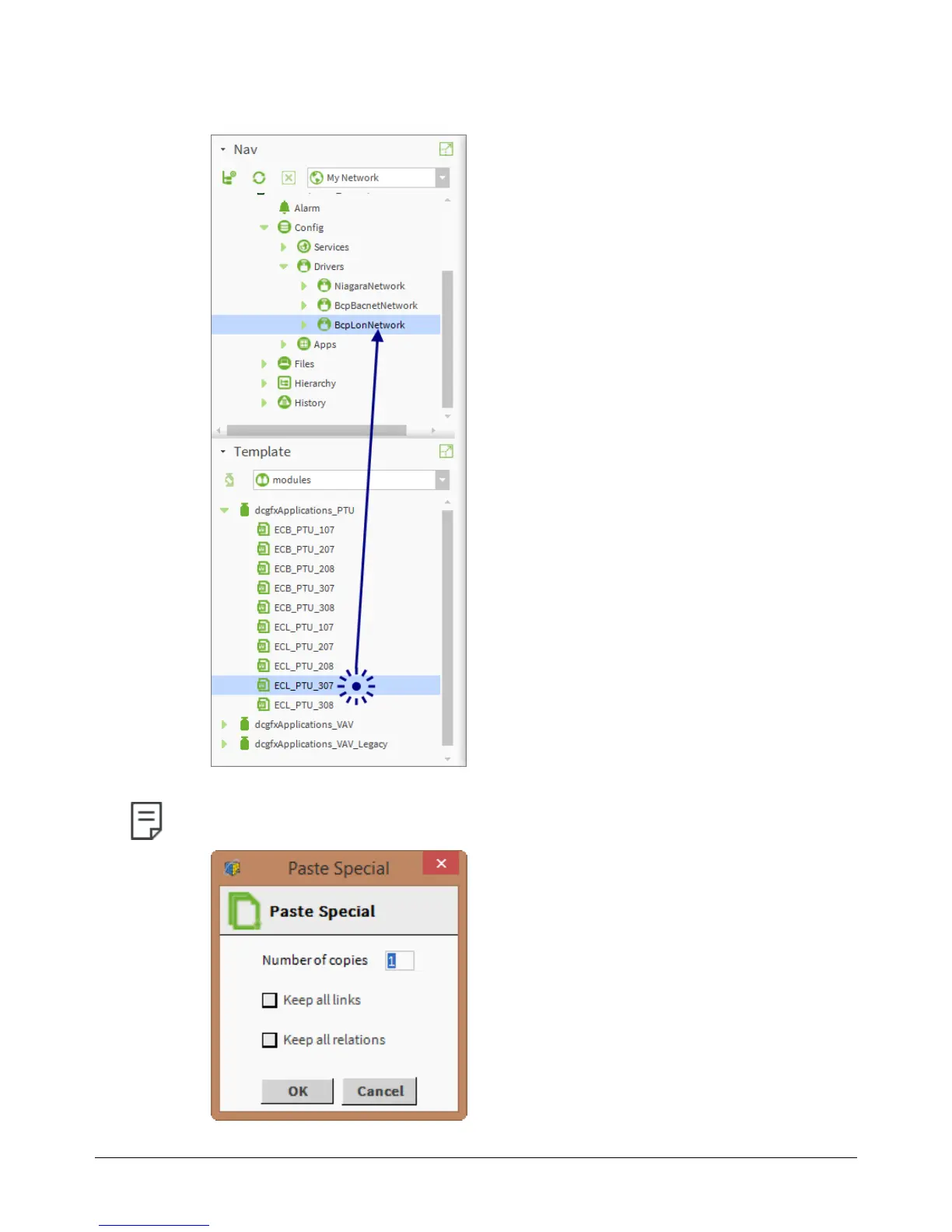
2. Click and drag the name of a controller model from the dcgfxApplications module to the BcpLon-
Network driver of the configured station. Assign an appropriate name to the newly created device.
Figure12: Adding device to the BcpLonNetwork driver
To add multiple copies of the same device, right-click the device just added, click Copy, and then right-click the
BcpLonNetwork
driver and click
Paste Special
.
Figure13: Adding Multiple Copies of a Device
Using the dcgfxApplications











 To Next Page